Showing posts with label Lego Mindstorms. Show all posts

Sunday, September 20, 2015

Lego Stairs Climber

Date:  Sep 19, 2015

It is Saturday again.  Jay attends Robotics class every Saturday with his friend Riyandi.

IMG 0427

This class teaches them how to use Lego Mindstorms to solve problem.

IMG 0428

Let’s check it out how is their progress of learning robotics.

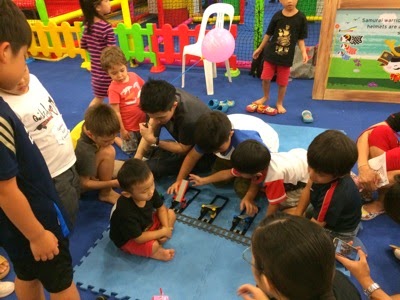
Wow!  They are treating it like their home.  Lying on the floor to program.  (no sleeping ya)

IMG 0352

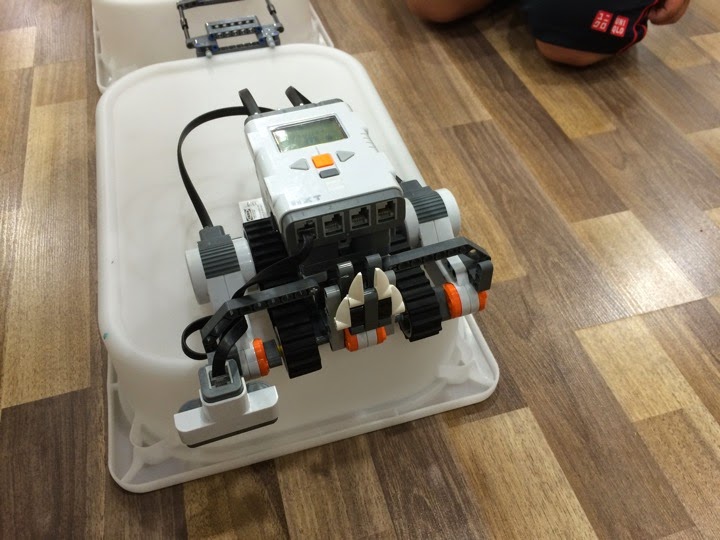
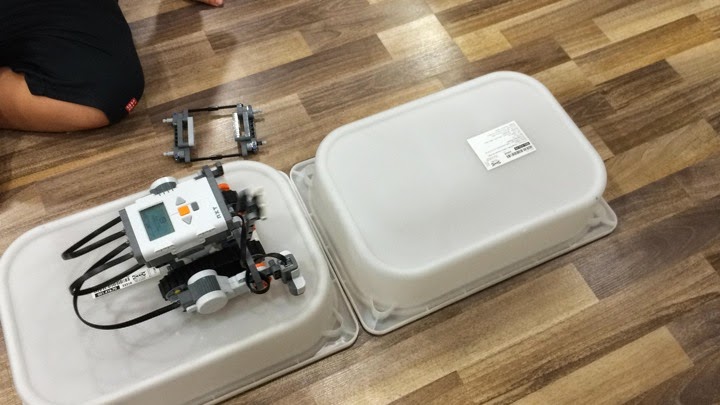
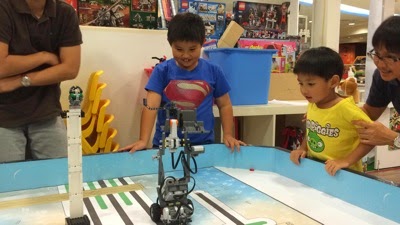
This week project is to climb the stairs.  And the stairs is these few stairs as shown below.

Sounds simple right?  

Well, this is a two weeks project.  Last week they failed.  Hahahaha  

This week, they seems to come up with a new design.

IMG 0353

Last week, they build a robotic car that is powerful enough to climb one stairs and get stucked there.

IMG 9910

So, teacher Enzo only flashed them with a video to prove that it can be done.  Perhaps a video of what they can do, and they have to build the robotic cars themselves without instructions.  I LIKE!

Think… Master Builder.

IMG 0370

After they build the car, they will need to figure out how to program it.  Also modify and improve it.

IMG 0378

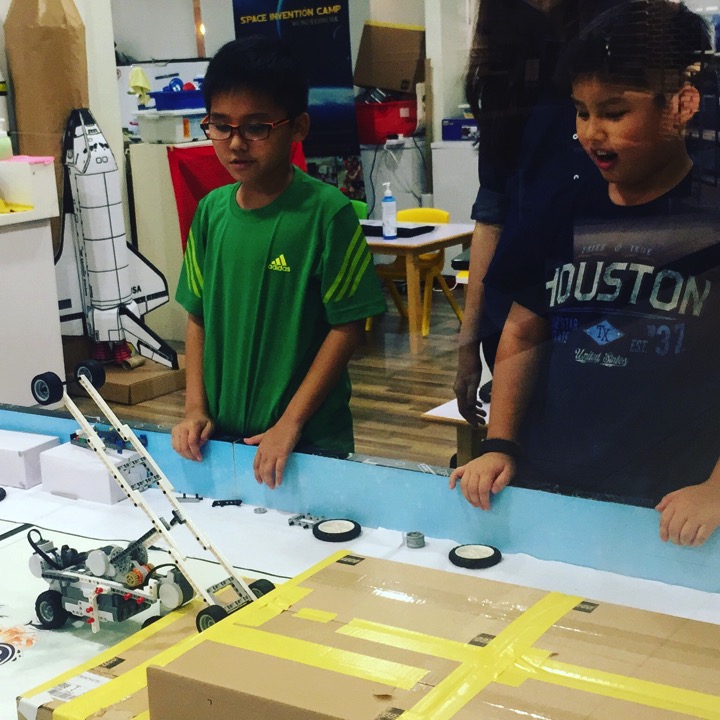
See how much fun they have.  And how many times they have failed.  And they keep on learning to improve it.
IMG 0401

Jay Jay slowly understand what is the problem he is facing.

IMG 0433

OK.  Let’s see some actions.

This week, they added the climber wheels.  The figured that they need that climber wheels to pull the robot car up the stairs.

So, they need to figure out what to do, once they got on to one stair.

Riyandi one has a shorter climber wheels.  And why it got stuck?

So, that is the problem the kids have to fix.

 Jay’s one has a longer climber wheels but more unstable due to length. And notice that just below the EV3 module, there are two pieces of lego sticking out and that is obstructing the movement.  So, he has to redesign that so to make it smooth.

Almost there.  But keep repeating the actions as it failed to move up stairs #2.

By this time, there is only Jay Jay left in the class.  All the rest  have to go off because they have other activity.  So, Jay Jay gets all the attention from teacher Enzo.

But still he could not make it to the top stairs.  But his bot almost did it.

The reason is because the parts that holding the climber wheels are not strong enough.  So, that is why you see that it always bend a little, and that does not create the strength to pull the bot up.

So, Enzo passed him and let him go.  And he is so excited and explain to me what happen, etc etc.

The country wanted all the kids to learn programming and be a smart nation.

So, I guess Jay Jay should be fully prepare for it. 

This coming School holidays, I will teach him how to program an App.  :)

Sunday, January 18, 2015

Fun At Robotics Class

Date:  Jan 18, 2015

Jay has been attending this Robotics class at http://www.wonderswork.com.sg since P1 until now. 

I think it is going to be hard to stop the lessons.

Wonders Work keep on surprising me without fail. 

Teacher Enzo keep coming out with teaching materials that grows together with the kids.

For example, this week, they design this motorbike car.  There are some new component in it.  Rubber band.

IMG 6956

So after the car racing, they will take some time to go thru what they learned just now.

IMG 6962

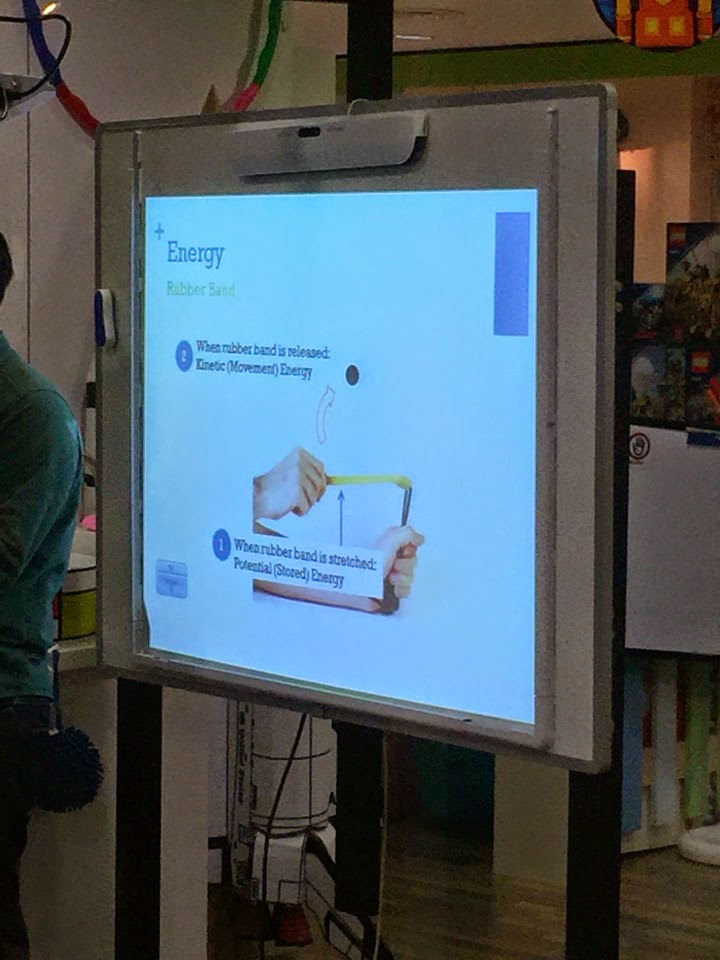
Energy.

IMG 6960

Law of Conversion of Energy.

IMG 6961

It is a simple motor bike design using the motor to store the energy in the rubber band, and then, the rubber band will make the wheels move.

IMG 6964

So, they learned the conversation of energy.

IMG 6966

To P3 kids, this is the first year they going to learn Science.  

Let’s see their motor car in action.

And it looks very fun.

So, I think I am going to let Jay Jay keep continue attending this Robotics course.  It will be good for him.

Saturday, September 20, 2014

Robotics & Gears

Date:  Sep 20, 2014

Today project is to build a Beyblade top and its robotics spinner using GEARS.

IMG 1034

Basically, the class taught them what is gears, how does gears put into action, why there are big gear and small gear, how to make things spin fast and spin slow.

For P2 students, these are new science concepts for them.  So, they definitely have an early start in understanding Engineering.

IMG 1028

Let’s see how they put the gears and spinner into action.

It is amazing to see that, the spinner actually, in my opinion, spin quite slowly.  But the top actually spin much faster.  That is the magic of gears.

And I hope the kids will remember the application of gears and that is definitely one of the physics topic in a few years time.

Saturday, August 30, 2014

Lego Mindstorm Flipping Gymnast

Date:  Aug 30, 2014

Jay Jay has enrolled into the Young Robotics Engineers class @ WondersWork at Liang Court.

And yes, he is now using Lego Mindstorm EV3 to program his robots.

IMG 9766

Below is the info of the Robotics class he is attending.

NewImage  

Young Robotics Engineers (Age 8 & above)

This program is suitable for children aged 8 and above. Students will build more advanced robotics projects using Lego Mindstorm NXT2.0, Lego Mindstorm EV3 (age 10 & above, completed at least 8 lessons of Nxt2.0) robot kits. 

WondersWork:  http://www.wonderswork.com.sg/programs.php 


Let’s check out what he designed this week.

He needs to build & program a flipping Gymnast.

Teacher Enzo is explaining to him, why his gymnast cannot flip properly, because of the strength of the robot’s leg is too weak.  So, he has to think of a way to properly understand how a gymnast will need to do to flip a few times.

IMG 9775

This is his Flipping Gymnast. 

I also get to see his coding.  HaHaHaHa… Keep on cut and paste so to do the flipping.  So, I can see his code become so long.

Nice try Jay Jay!  hahahaha

Later, I think teacher Enzo corrected him so that he uses a “loop” to repeat the flipping action.

IMG 9783

OK.  Let’s see it!

I like this project!


 Now, let’s look at the Slow Motion.  Kind of cool!

Some friends ask me, why I keep sending my son to this course for so long.

Here is my thoughts...

1)  To let Jay have 2 hours during weekend to play with toys he love, i.e. Lego.

2)  Lego is building block.  It is imagination that is needed to build and design the robot.  Although there are a instruction pages to follow, but most of the time, Jay Jay likes to do it differently and have a lot of excuses and reasons.

3)  The programming is done on a Windows laptop.  So, this is the only way to let Jay Jay get in touch more with a Windows operating system.  As my home is completely Apple  Mac friendly.  Yeap!  Have not been using Windows for a long time.  I found that Jay Jay is quite well verse on operating a Windows OS.  And at home, he also know how to operate a iMac computer.

4)  He learned about math, and physics in this class.   All these are necessary to design the robot’s movement.

5)  He can play with his friends too.

6)  He can socialise with more classmates here.

7)  So far I see that 98% of the project are new project.  The design of the course is actually quit good.

8)  It make Jay focus, and think.


Saturday, August 16, 2014

Robotics Using Lego Mindstorms EV3

Date:  Aug 16, 2014

Today at Wonders Work at Liang Court, Jay & Riandy had their first experience with Lego Mindstorms EV3.

Enzo (the instructor) decided to let them both try the EV3.  Previously, they uses NXT. 

IMG 8972

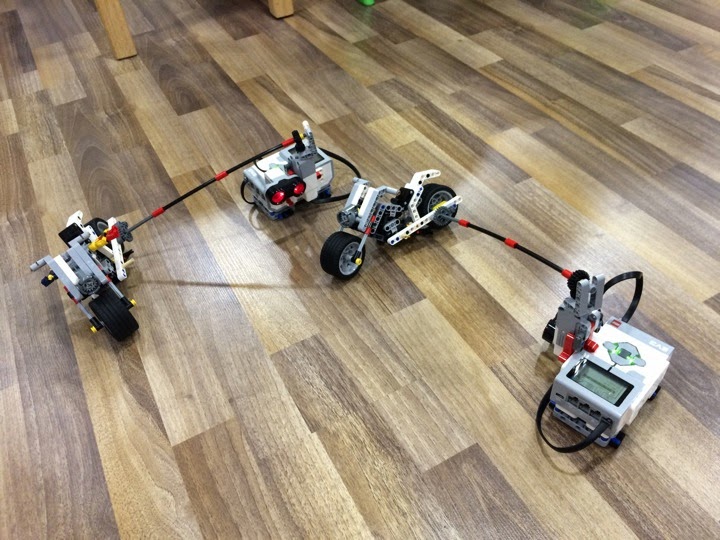
This week project is a motorcycle that rides around the EV3 controller.  The motor sits on the controller itself and it rotates the wheels.

IMG 8992

The programming style is different from the NXT.  So, they spent quite a bit of time to understand the interface, and trying to get their motorcycle working.

IMG 8978

Everything seems new to them today.

IMG 8980

Final check on the code and design.

IMG 8982

 OK.  Finally, he got it to work.  But he has to keep pressing the controller so to stabilise the controller.  Otherwise, when the motorcycle turn round and round, it will flip the controller.

Here is another quick look at this week project.

Cool!  Jay was very happy today.

Letting the kid to have fun in some class that he likes seems to make the kid always looking forward to this class.  Jay always eager wanted to make new things, learn new things.  Slowly, he will learn a lot of things that is not going to be taught in the normal Primary syllabus.  I think this skill will be very useful when he grew up.

Sunday, July 6, 2014

A Robotic Bridge

Date:  July 6, 2014

This is one of Jay Jay’s fun enrichment class.  It is Wonder’s Work (at Liang Court) Lego Mindstorms programming class for junior.

This week, they are building a simple machine, that can sense a small valley and build the bridge so that the vehicle can cross that bridge.

IMG 6945

they actually have to think, 1) how long their bridge going to be, 2) what the vehicle do once sense the hole on the ground, 3) How much the vehicle needed to drop the bridge, and 4) remember to reverse a bit and lift up the arm so to cross the bridge.

And of course lot’s of troubleshooting before he can get it right.

Jay Jay was happy after the class and said, “I forgot to keep or lift up my arm, so, the machine pick up the bridge and it drop, hahahahaha”.

I am glad that the course now taught them how to troubleshoot, what to look for, etc.

IMG 6942

See it in action.

Youtube: http://www.youtube.com/v/D_T1pucaGg0

Even the gap is very small, the vehicle can cross it.

IMG 6948

The programming.

IMG 6947

OK.  We will keep this for another few terms.  Since it is a course that bring a lot of fun to him, together with his K2 mate, Riandy.  At the same time, he learned so much from the course too.

Tuesday, May 6, 2014

Lego Master Builder - Yoshihito Isogawa

Date:  May 6, 2014

Mr. Yoshihito Isogawa is a real person Lego Master Builder.

 IMG 3647

He actually wrote these three fantastic books to teach kids & adults how to build simple Lego machines.

IMG 3669

Last week, Isogawa-san hold a Machines & Robots workshops at Liang Court.  WondersWork @ Liang Court invited him to come and give a workshop to the kids.

IMG 3668

Since he is here, Jay bought two of his books for him to sign his autograph.

IMG 3643

Happy Jay got his signatures on two of his books.  Yeah!  This is the first time Jay Jay meet an author of a book, and ask for the author’s autograph.  Cool!

IMG 3649

Click the following links to check out his work!  

http://translate.google.com/translate?u=http%3A//www.isogawastudio.co.jp/legostudio/index.html&sl=ja&tl=en

Look at this piece of art work.  It is a tape dispenser with a blade to cut the tape.  HaHa and it is build from Lego bricks.

He is truly a master builder.

IMG 3665 

The kids are waiting to see his work.

IMG 3676

He brought a lot Lego machines that are made by him.  All these machines are very simple machines but yet complicated.

IMG 3671 

The workshop started around 2:40pm as we need to wait for the Obstacle competition to finished.

IMG 3677

Oh, they have to wait for the MC - Ms. Reiko to finished the MCing the Obstacle course.

IMG 3680

Isogawa will deliver his presentation in Japanese, and Ms. Reiko will translate it to English for the kids. 

Today workshop the kids are able to touch Isogawa’s work and play with it.  

When Isogawa take out his Lego machines, all the kids stand up and move towards the table to take a closer look.

IMG 3700

Later the kids touches all sort of different kind of simple machines.

IMG 3725

The color recognition robot.

IMG 3735

The Lego Mindstorm EV3 robots.

IMG 3737

Jay has learned from the workshop the followings:

1.  Lego bricks can be used to build real tools.

2.  It does not have to be a very complicated designed for the machine to work.  See how few bricks Isogawa-san uses to build all these wonderful machines.

3.  He learned about the Hydro power lego machines.

Most importantly, Jay & Kay had a lot of fun during the sessions.

IMG 3740

Saturday, March 29, 2014

Operation Saving Emmet

Date:  Mar 29, 2014

It’s Lego time!

IMG 2427

This week, at the Wonder Work Robotics class, the kids are assigned a mission.

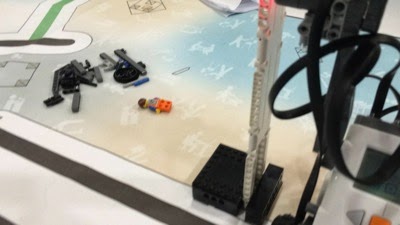
To save Emmet from the tall tower, where the Kragel is about to glue Emmet permanently.

IMG 2455

So, here comes the first few tries… The route is correct, the stop is correct, but the spin is not.  It is too far away from Emmet.

After many tries.  Here is another one.

Yes, the hand able to sweet Emmet but Emmet drop from so high up and end up dead.

See… Emmet dead.  Wahahahahaha.

IMG 2460

Yeap.  Just like Emmet, face down and dead!

IMG 2453

After many trouble shooting.. Finally, he got it!  But placing some wheels at the seat there.  Wahaha

Emmet is finally save.

IMG 2466

After so many months, teacher Enzo still amaze me with his resourceful projects.  It is like never ending.  Wahahaha