Showing posts with label Internet. Show all posts

Monday, December 1, 2014

Do You Know That? HP Printer

Date:  Dec 1, 2014

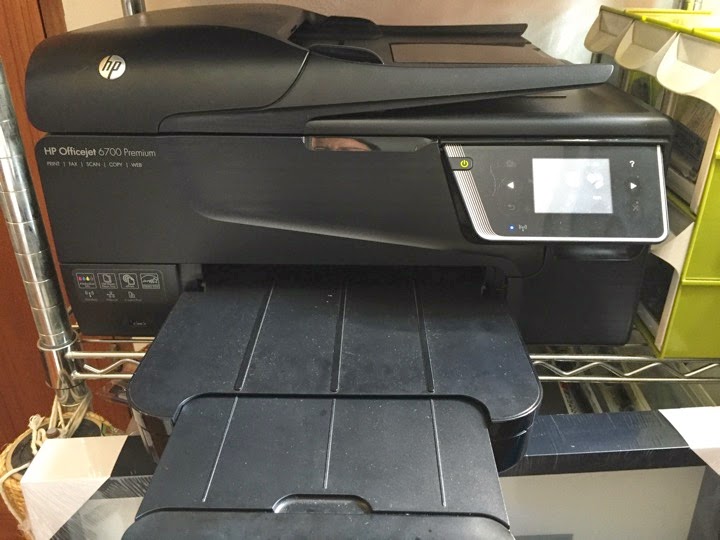
I probably own this HP printer for more than 2 years.  It has been sitting there serving the family well.

IMG 3953

HP Printer.

A printer is a printer.

It prints out whatever thing you want it to print.

This is the model that we bought.

IMG 3954

Do you know that this little printer can do much more?

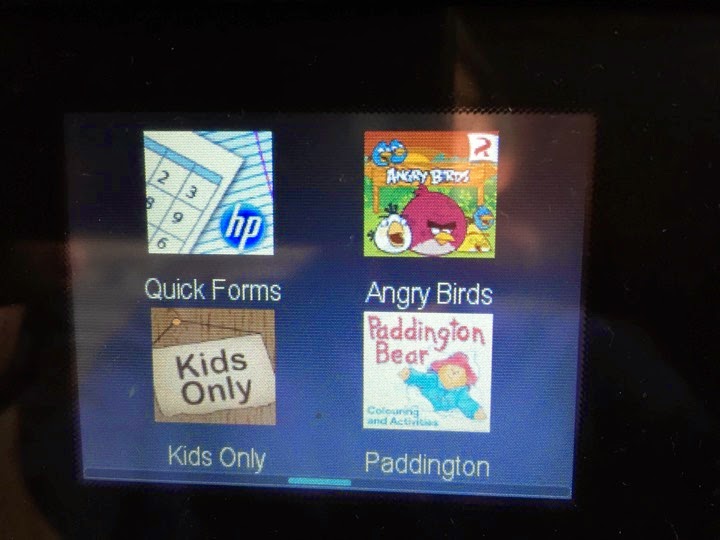
There is an “Apps” section under the menu.

We never press the “Apps” to check out what it offers.

I am sure many of you also like us, never bother go and check out this.

IMG 3956

Well folks, there are Apps that can be schedule to print out worksheets paper on daily, weekly or during exam time.

This is what printed out from this HP printer.

A comprehension worksheets.  Done by one of the publisher, SAP.

IMG 3943

Depending on which week you get it to print, the printer will print out assessment paper based on the topic most of the school will be teaching.

What does that mean?

It mean, you need not to go and buy assessment book for your kids to do while they are waiting for food, or nothing to do.  :)

IMG 3944

This is what it comes with the HP printer, under the Apps section.

SAP education is one of the MOE publisher.

OnSponge has a couple of math books as well.  I myself has taken a 2 days course there to learn about Model Diagram to solve math problems.

IMG 3957

It has Crosswords.

IMG 3958

It has Comics Strips.  Can be printed on daily purpose.

IMG 3959

It has some kids activity paper. 

IMG 3960

How about Sudoku?

How about print a paper that has lines to fold paper planes.

IMG 3961

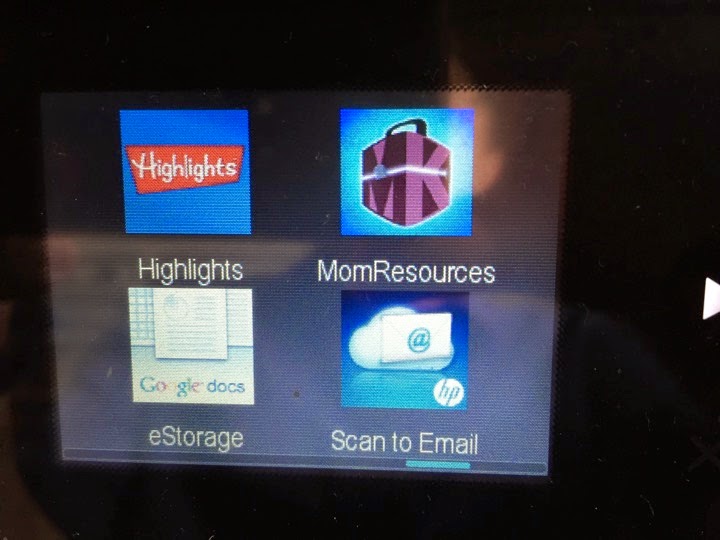
And many more.  It can even access to your google docs.

IMG 3962

Of course, more Apps are available.

IMG 3963

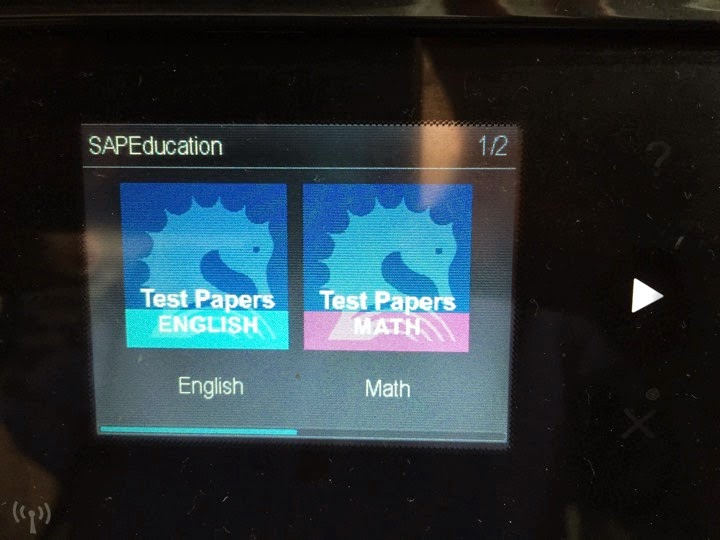
Let’s check out the SAP one.

IMG 3969

It allows you to print out “test papers”.

IMG 3974

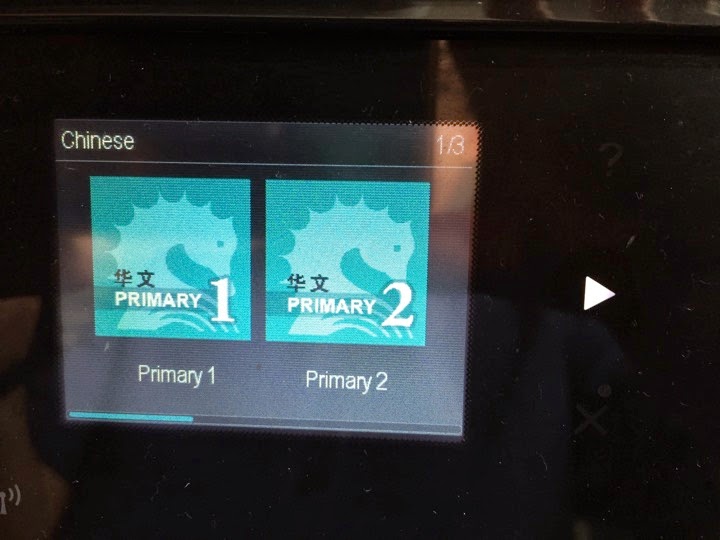
Of course, it covers all the 4 subjects for primary school students.

IMG 3975

It covers all the 6 standards.  From P1 to P6.  They also have Secondary school one too.

IMG 3976

It’s pretty amazing.  This is local development.

IMG 3977

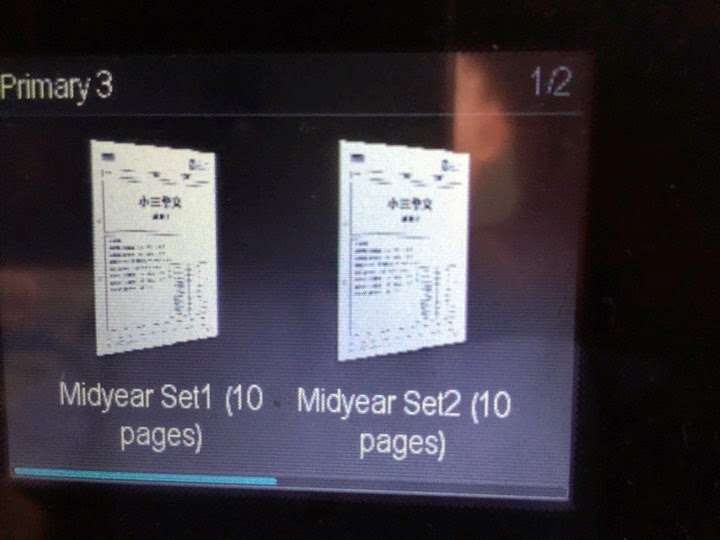
You can print out test papers.

IMG 3979

Schedule it to automatically print out on which days.

IMG 3981

Selection of the topics and subjects.

IMG 3982

For the OnSponge one...

IMG 3986

You can print out Weekly practice worksheets.

IMG 3987

So….

HP has been around for so many years in Singapore.

Their Asia Pacific HQ is in Singapore.

The printer divisions has done a great job in integrating these “local contents” on the printer.

Printer now getting smarter.

We own this printer for almost a couple years and only knew about this features like last week.

It is a wonderful feature.


Friday, October 10, 2014

Wireless@SG Compared to SingTel 4G (3 bars)

Date:  Oct 10, 2014

I was at Marine Parade yesterday.

My iPhone was signing into Wireless@SGx Wi-Fi hotspot.

While checking my mail, the hourly glass keep spinning.  And I wonder why?

IMG 2022

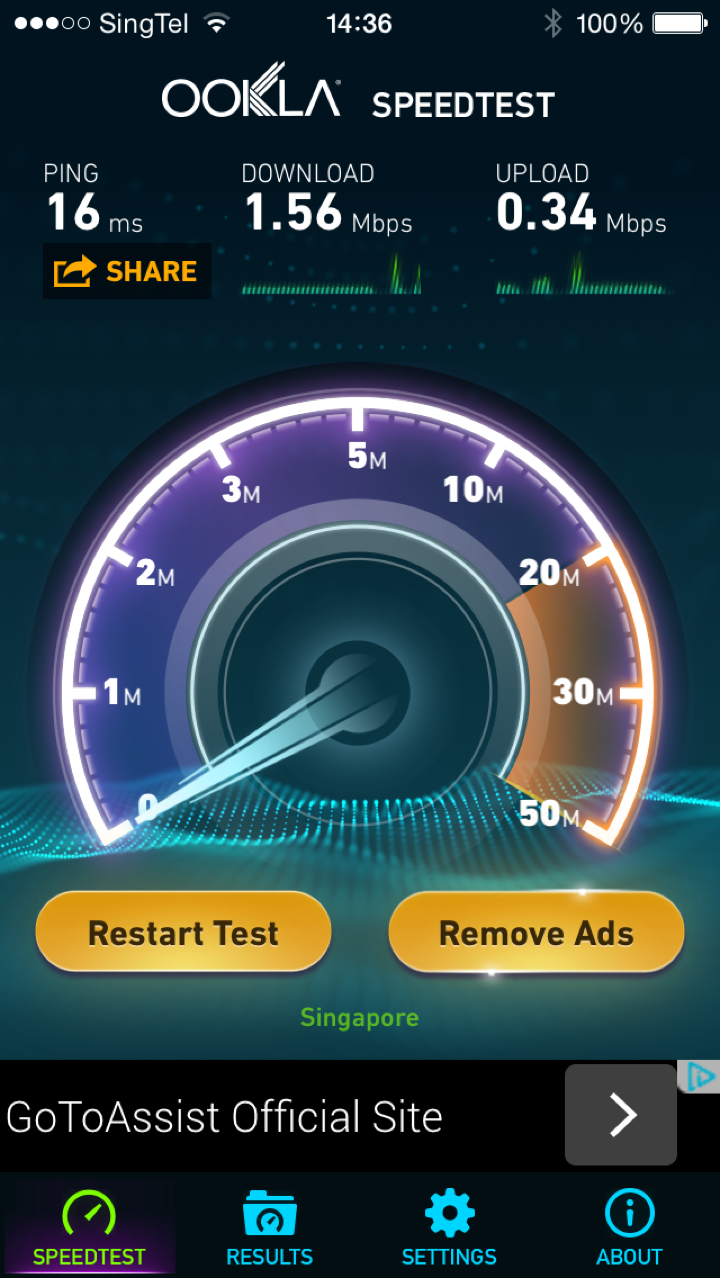
I did many times Speedtest.  This result has been consistent.

IMG 2018

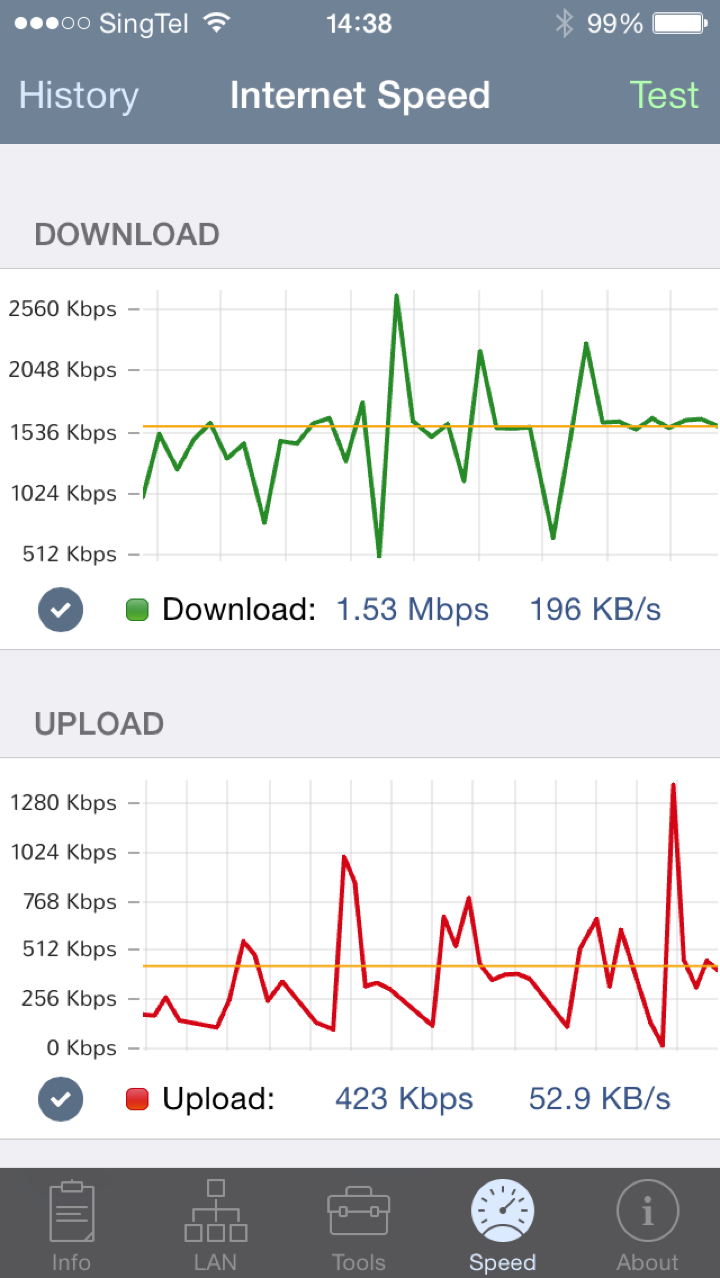
I used another Speedtest App to do the test.  The result is unfortunately, consistent.

IMG 2021

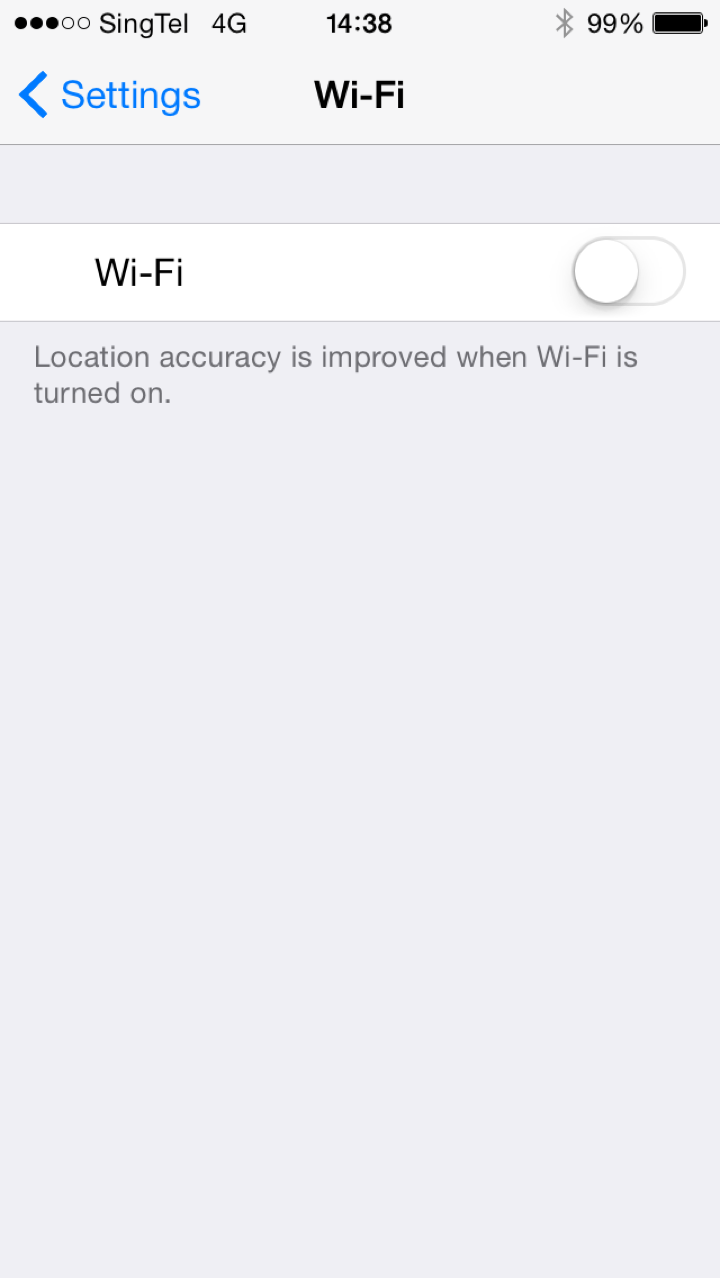
So, I turn off Wi-Fi on my phone and allow my iPhone to use the LTE/4G.  It has only 3 bars.

IMG 2023

So, I redo all the test.  And hey, SingTel LTE/4G gave me close to 70Mbps download speed with close to 25Mbps upload speed. 

What was the Wireless@SG speed again?  Less than 2Mbps download speed.

IMG 2024

The result of course is consistent when use a different speed tester.

And hey, it is only 3 bars signal we are talking about.

IMG 2026

Conclusions:

1.  Wireless@SG sucks!

2.  I don’t see why Wireless @SG which is a free service, need to exist.  There is no point.

3.  It disgrace the Singapore Internet capability.  Imagine, tourist came to Singapore, and use Wireless@SG at a very snail slow speed.  They go back to their home, they might say “Singapore Internet is very backward, can’t even get a decent 2Mbps download speed."

4.  Is this what the country want to show the world?  Slow Internet WiFi speed?  

5.  The Internet Access speed is much faster at any of the coffee shop who offer Free WiFi.

6.  Mind as well give the money to SingTel/Starhub/M1 so that they do a better job or subscription plans for the 4G/LTE.

7.  Wireless@SG really sucks!

Friday, September 19, 2014

How Real is 1Gbps Broadband Priced At $49 Per Month

Date:  Sep 19, 2014

Disclaimer:  All the content below here are guesstimation, and based on my limited knowledge.  All these are for education purpose.  Please do not ask me or correct me if I am wrong.  It is not meant to be 100% right.  The main thing is to investigate how real is this price tag of $49 for a 1Gbps.  It is a research that I thought of doing for a long time.  So, please don’t sue me if I said anything wrong.

Lately, I was reading the promotion by local Singapore ISP.

1Gbps for $49 or $49.99.

That is a huge marketing promotion for IDA.  Because in Singapore, the Next Generation Broadband Plan has gone down so low.  IDA is the brainchild of NGBN.  They did a really good job.  Big claps to them.

1Gbps is only less than $50/month nia.

NewImage

Then, the ISP war begins.

NewImage

So, my question is

HOW REAL IS THIS $49/month Price?

Are we being cheated?

Do we need such a big bandwidth?

Can our home network support this bandwidth?

Can our WiFi support the bandwidth?

Can our Router at home support the bandwidth?

In order for me to answer this question.  I must VIRTUALLY build an ISP.  To build a virtual ISP, I will need costing.  Costing can come from Ebay (for equipment), Some Global Internet Pricing Website, and most importantly, IDA website for the costing of NGBN, OpenNet.

So, if you don’t want to understand the whole technical thing.  You can skip the technical and go to the BIG CONCLUSION page.  Please scroll down now.

There is also a simpler way to calculate and figure out.  


TO BUILD A VIRTUAL ISP

We have to thank you IDA for making NGBN a reality.

IDA uses tax payers money, and funded the NGBN.  So, all the tariff is available on the website.

http://www.ida.gov.sg/~/media/Files/PCDG/Consultations/20121030_OpenNetCoLocation/20130220%20Sch%2015%20%20Charges%20clean.pdf

They did a good job.  My home has been on Fiber for 2 years now.  And I have said good bye to the lousy Cable TV Internet and Copper ADSL.

So, after reading the costing document.  These are the 4 important cost pages.

Then, I will try to build the Virtual ISP and check the costing.

This is the fiber from the exchange pull to your house/unit. It also tells you the 1:24 ratio.

IMG 0209

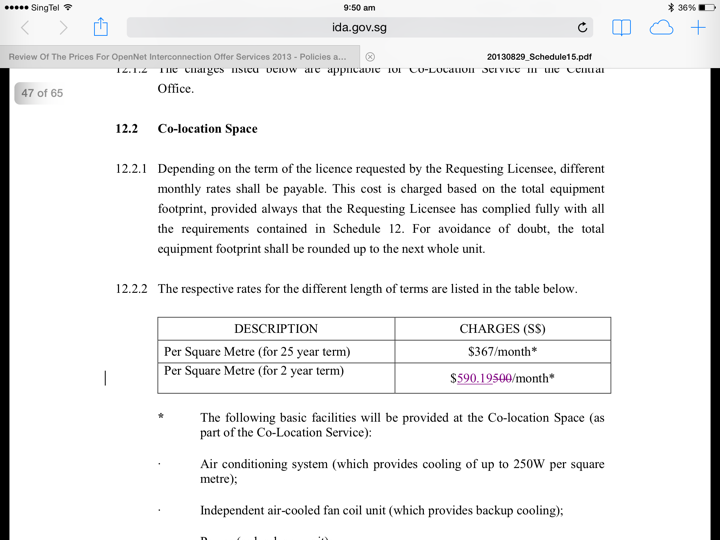
This is the rack price for co location your equipment in OpenNet exchange.
IMG 0210 

This is the fiber charge from exchange to exchange.

You probably need 2x between 2 exchange because one for transmit and one for receive.  So, the price is double.

IMG 0211

This is the price from the Exchange to your ISP POP.  You can’t use a split fiber here.  It has to be a full dedicated fiber.

IMG 0212

The Tail End Circuit To The Customer Home

In order for ISP to deliver the link to your home, they have to use OpenNet Fiber.

OpenNet is NGBN (Next Generation Broadband Network) which is funded by Government using our tax payers money.

So, the COST_A you need to know is the cost of OpenNet selling the Fiber to the ISP and the ISP build the Broadband to your home.

  COST_A = $15 /month

ISP will need to put a switch at the OpenNet exchange, pay for power for the equipment, etc.  That cost is only $590.19 /month for the rack colocation.  It is been shared by all the home broadband users.  The more users, the cheaper the sharing cost.  This cost is negligible.

One of the high cost is, at what speed the ISP is going to deliver the broadband to you?

If it is 1Gbps per broadband link.  Then, by right, they will need to use a higher end equipment (ISP switch) that has are cable to give you a full 1Gbps switch, and the capability of bring back the network back to the ISP POP.

Screen Shot 2014 09 19 at 8 23 10 am


The Likely Equipment ISP Will Use

You notice that blue box labeled ISP Switch Screen Shot 2014 09 19 at 8 41 05 am.  That cost money.

To the customer, it is all 1Gbps port.  The cost is constant.

But the back haul network that the ISP may decide to use will cost money.

Be it a 1Gbps card, or a 10Gbps card, or a 100Gbps card.

I google ebay for a while and put down some estimation.

So, what do you think the ISP will put?  I think they will go for option 2.  They cannot just put a 1Gbps switch there.  and let every one share.

Screen Shot 2014 09 19 at 8 40 27 am


This Area Has Other Condo & HDB

This OpenNet exchange going to server a lot of condos.  Imagine the condo grows.  And every switch are full.  So, you got to have multiple switch at the 2nd level.  And then, connect it up to the main gateway switch.  

There will be another level of over subscriptions within that exchange.

We are not even talking about the ISP POP yet.

So, bear in mind, there will be Equipment cost.  And this cost is shared among all users.  The more users, the more longer you sign the contract, the more cost effective.

But there are two level of over-subscriptions.

For some ISP, they even place the THROTTLING machine here at the OpenNet exchange.  Those machine can cost easily up to 100K per machine.

Why, because you control the pipe for your users, and then save on the backhaul traffic.

For our benefit, let’s give a fictional cost of $5 /month here.

  COST_B = $5 /month

Screen Shot 2014 09 19 at 8 51 43 am


The End User Equipment

The end user, at your home, the ISP will give you a ONT.  A optical Network Terminal.  And they probably will give you a router too.

So, if the ISP WAIVED OFF your One Time Setup Fee, guess where they going to make the money from?  Of course, get from your monthly fee.

That is why they want a 2 years contract.

These ONT may cost $54 per box.

These Router may cost $54 per box.

For a 2 years contract, these end users equipment could cost about $4.5 /month


  COST_C = $4.50 /month


The ISP Network From OpeNet To ISP POP

I am guessing the ISP need to build a ring network.

To build a nice Ring Network of 9x OpenNet exchanges.

Also, if your ISP POP is outside OpenNet exchange, then, you need to buy another fiber from another Telco to make it Telco diversify.  

TOTAL COST = 9x 2x $6000 + 2x $2300 + $12,500 = $125,100 /month

So, you need to have many many users to share this cost.  If you have only 1000 users, each users will need to pay $125/month, and if your price is

very cheap, then, you going to make huge losses initially.

If you have 10,000 users, each users will pay $12.50

That is why the ISP is all out to get your business.  Just to try very hard to achieve a break even point.

Let’s assume that you achieve a 10,000 users base.  

Then,

  COST_D = $12.50 /month  If can be $6.50 for 20,000 users or $2.50 for 50,000 users

Take note that every exchanges you need to place equipment, and every exchanges you need to co-locate in OpenNet.

So, let’s put another fictional cost of Network Equipment.

  COST_E = $5 /month

Screen Shot 2014 09 19 at 9 27 01 am

The IP TRANSIT

The local ISP need to buy from oversea ISP internet.

Smaller player ISP need to buy local internet from local bigger ISP players.

The ISP usually can get free peering to Google and Facebook and save 30% of their traffic.

This is where the over subscriptions comes in.

This is the last over subscriptions of ratio 1:10 or 1:20 or even 1:30.

COST_F = $10 /month 

Not every one read email at the same time.

Not every one download movies.

That is why ISP can take advantages to save money by oversubscribing the users.

If my cost is $3000 /month for 1Gbps.  To get a COST_F of $10 /month your oversubscription has to be 1:300 users.

Screen Shot 2014 09 19 at 9 39 32 am


BIG CONCLUSIONS

1.  Let’s add up guestimation cost.  

        COST_A = Cost of OpenNet Fiber = $15 /month  (FIXED)

        COST_B = Cost of Individual Exchange Network = $5 /month (mostly FIXED)

        COST_C = Cost of Network Equipment at Customer home = $4.50 /month (FIXED)

        COST_D = Cost of National Backbone of ISP using OpenNete 9 Exchange = $12.50 /month (VARIES against Number of Users)

        COST_E = Cost of Network equipment = $5 /month (VARIES against Number of Users)

        COST_F = Cost of IP Transits / Internet = $10 /month (VARIES against Number of Users and Quality of Users)

     TOTAL = $52 /month for worst case, 10,000 users base.


2.  Let’s assume, if large ISP is 50,000 uses.  Than, the cost go down dramatically to $42 /month.  I am very sure it can go down further.  Don’t forget the price and revenue is much higher to Corporate Customer despite technology is exactly the same.   For ISP business, Corporate customers are to save the business.   Corporate users less bandwidth, as their Per Mb price of bandwidth is much higher.  Corporate uses bandwidth in day time, where Consumer uses the bandwidth at night time.  So, you don’t need to provision more bandwidth for doing corporate.


3.  What does these figures mean.

     A.  ISP have to try all sort of method, to sign your 2 years contract.

     B.  Big ISP has cost advantages.

     C.  Small ISP will need to pay higher cost.  But some may want to BUY customers.  Make losses and get the customers.

     E.  Some Small ISP will not wiling to drop price, instead they give value add.  Such as better throughput to watch IPTV.

     F.  It is not cheap to run an ISP business.

     G.  The big ISP always sit there to watch what the small ISP do.  Their competitor drop price to $49.  Then, they follow.  They will never in the leading packs.

     H.  Those smaller ISP who cannot offer $49 for 1Gbps.  Means they really cannot offer it at a loss.  Nobody wants to do business at a loss.

     I.  Let’s say $52 or $42 is the cost price.  What about Call Centre Cost?  What about the day to day operation cost?  Human Cost.  I did not even consider those yet.

     J.  Can ISP allow their business to make losses? No, so they will have to squeeze the cost down.

     K.  The easiest way is to oversubscribe the users.  For example, put 300 1Gbps users together and to use a real 1Gbps IP Transit/Internet.


4.  There is an easier way of doing even simplest Guesstimation.

     The IP Transit is $3 per Mb per month.  So, a real real dedicated Internet of 1Gbps will need to pay $3000/month.  So, if you are paying $49/month for it.

     $3000 / $49 = 61.22

     That means, without calculating the human cost, equipment and network cost.  By simply buying Internet from the Tier 1 ISP in the world.  and divide by your 1Gbps Price.

     You are already sharing with almost 61 people.

     So, 1000Mbps divide by 61 people = ideally, you get 16Mbps allocation if all 61 people uses the internet at the same time.

     Got it????  Do you think, if you factor in the human cost, the equipment and network cost, you are sharing with 61 or 100 or 200 people?


5.  At home, the ISP probably know that you won’t be able to user 100Mbps if your switch is 100baseT switch.  

     If your WiFi is still 802.11a/b/g, even if you have 1Gbps coming in, it is restricted by the 11Mbps, or 54Mbps restriction of WiFi technology.

     Even you buy a AC1200, do you really get Mb traffic via Wifi?  NO.  It is only in the lab that they can produce that kind of result.

     Look at my home.  I got 200Mbps coming into my kitchen by ViewQest.

      My Home Network copy

But after it goes into my Power Ethernet Homeplug (Sineoji), it left with only half the speed.

That means, if I can buy 1Gbps.  My iMac still going to get this 107.23Mbps speed because of the lousy design of my home network.

I consider myself quite good in designing network.  But sometimes reality is… do you want to see the UGLY cable run, cable boxing from the front door to your TV console or network cabinet?  Do you have money to renovate your house to hide these cable runs?  If no, you will be like me trying very hard to improve the network form one point to another.

But I am sure 99% of the consumer users know nothing about cable, internet, network, Homeplus and so on.  So, they can only be at mercy of the big ISP.

Big ISP will lure them with a lot of plans.  They might get discount price for multiple mobiles, but they are heavily short change in their Internet.

Screen Shot 2014 09 19 at 10 14 16 am


6.  It is not cheap to run an ISP as you can see from my Virtual ISP model.  It all depends on what you need.  Do you want to relax at home and watch 20 episodes of Korean TV series without seeing any buffering.  Or you can afford to pay lots of $$ to watch “Traffic Lighgt" TV?  My conclusion is, the 1Gbps at $49 plan is the biggest scam of all.  You might get the full speed on day 1, but as time past, more users sign up, you will get lousy speed again due to oversubscription ratio.  IDA define 1:24 from exchange to your door step, but they did not state requirement from exchange back to ISP POP and go to Internet.  

Traffic Light ISP earns a lot of money.  Just look at their annual report.  They always find ways to earn your money.  

Smaller ISP wanted to do something different.  They want to do better.  But the cost is high.  The Internet to China cost is between $100 to $200 for 1Mbps and per month price.  Compare to $3 per Mb per Month US Internet.  That is very huge cost.    So how smaller ISP survive is based on their commitment to serve better the customers.  If smaller ISP only wanted to get in more customers but not improving the service, then, they will eventually face with their doom too.

Finally, I completed this small little project and I gain a lot of knowledge thru this learning too.  It is fun and good to know the costing.  I always wanted to know, I always trying to figure out.  I am glad I done a rough calculation and verify my point of view.  hahahaha

I just shoot this video a moment ago.  And you will know why although I only have 100Mbps Internet in my home, but my Xiaomi MiBox can give me the highest HAPPINESS of all.  You really don’t need a 1Gbps to do this.  HaHaHaHaHaHa….

After you watch this video, you try do the same thing on an Android TV Set top box and tell me how your Traffic Light ISP compare to this.  HaHaHaHa.. Have fun ya!  Happy F1 Festival. 

Check out how all the video been tested, how the apps been tested, how I fast forward can play the movie fast.  How HD the quality it delivers.  Thru various different apps.  The sport channels may be  a bit jerky… but all is because of the servers. 


Saturday, August 23, 2014

300Mbps or 1Gbps Internet on ViewQwest Fibernet Broadband

Date:  August 23, 2014

*****

Updates:  I found out what went wrong with my Home Network.  The culprit as I suspected is the Sineoji 600Mbps AV2 Homeplug.  Some how it drop the speed between two points from 200Mbps down to this pathetic 15.47Mbps.  Simply resetting it, it regain back to 70Mbps download speed.  I will put the result of troubleshooting at the other blog.   

*****

Today we are going to test to play the TV Streaming when the network download speed is low.

I simply wanted to prove one simple concept.


Network Setup

Don’t know why and how?  My network at home has “degraded”.  In my study room, I have a TV connected to my Minix NEO X7 box.  I am using ViewQwest 200Mbps broadband.  But don’t know start from when, it has degraded to below.

Although I am using 200Mbps.  I can get near full speed near my router.  But because I have to bring the Internet into the Network cabling using Homeplug, so, I have to suffer of losing almost 60% of the bandwidth due to power noise from Kitchen to Network cabinet.  And then, from there, it runs thru my CAT6 cable to my study room.

Previously, may be 1-2 years ago, when I did the text, I can get close to about 90Mbps for both upload and download speed.  

Today, I did the speed test again….


Speed Test

What?  my download speed is only 15.47Mbps?????  Why?  The upload speed is 76.44Mbps.  I do not know what happen, but for the past few months, I have not experience the slowness in watching streaming TV.  

I watch a lot of TV and Movies streaming from PPTV or Netflix or others.

This is the first time I did a speedtest in a year or so.   I speed test the network to ViewQwest speedtest server.

I will figure out later what happen to my network, where is the bottleneck and how to fix it.  But now, let’s try to view some direct TV streaming from it and run PPTV streaming on it.  See what is the performance like.

Yesterday, I watch 4 episodes of GTO (Japanese TV series) and 2 episodes of Hero (Japanese TV series) on PPTV on my Network.  Without any buffering.

 IMG 9379

 This is the speed test done on my iMac.  As you can see, the download speed quite sucks!


Direct TV Streaming

Take note, I have been watching TV for the past few months.  Didn’t know the download speed has degraded so much.  May be is the USB fan?  Or may be my Sineoji has degraded.  I will find out later. 

This is my Minix NEO X7 box.  Running Cloud TV with a subscriptions that I can view Direct TV programs such as HBO, National Geographics, Fox, etc and so on.

So, as you can see, when you change the channel, the load up is very fast.  Almost near to >1000KB/s.

So, with download speed of 15.47Mbps, I am able to watch HD tv streaming without any problem.


Test With PPTV Running on Slow Download Speed Network

I am testing it on my Minix Neo X7 box.  So, I run the speed test before I test the PPTV App.

And then, I will run the Speed Test again after I run the PPTV app.  So to show that the result of the slow download speed.

And what its he verdict?  No problem for me to run the PPTV.  

And PPTV is like almost instantly running.  And there is no lagging and no buffering in the middle. 

The first speed test result is 16.23Mbps download, 57.52Mbps upload.

Launching any TV show on PPTV take less than 1 second to load.  And fast forwarding the TV is also takes 1 second to reload to that fast forwarded point.

When playing, seldom you see buffering.  

The spinning indicator always shows very high value, such as 1066kB/s.  

That is what I consider as FAST.

Now, let’s do another speed test.

This time, 15.95 download speed, and 54.60 upload speed.


Conclusions

1.  I recently log onto hardware zone forum, and I see a lot of people felt very excited and post their speed test of 300Mbps, 500Mbps, and 800Mbps and so on.  But what does that mean?  Does it mean that having a low <16Mbps network will not run the PPTV well?  Apparently, that is not the case.  I have no idea when my network started to give <16Mbps download speed.  It used to have 90Mbps.  But after 1-2 years, my network has been running without any rebooting of any of my routers or homeplug.  I still watching IPTV streaming every day and I did not notice the slowness.  

2.  A typical PPTV streaming needs a constant 2Mbps to stream.  A Netflix needs 6Mbps to stream.  So, having 16Mbps download speed and 100Mbpos or 600Mbps will not have any significant differences.  As long as your ISP do not throttle your network, and your network is stable at 16Mbps, you still can do a very decent TV streaming.


OK.  Now, I need to go and trouble shoot what is wrong with my In-house Internet infrastructure.  Why suddenly drop to <16Mbps download speed.


Saturday, March 8, 2014

My Internet Download Speed Vs. Speedtest Result

Date:  Mar 8, 2014

Today, when I wake up, I saw my friend doing the Speedtest on his new improved network.

I always very sceptical about the “Speed Test” app from OOKLA.  The results may not mean anything.

It only useful when you compare the results as it has a reference point.  But the result may not be accurate too because the speedtest server has a limitation in terms of its web server capability.  More people using it, more slower it is.  Unless the end server is setup to allow only one person to use, than, you can get accurate result.

Let’s recap.  This is my home network.

Notice that I have this Seneoji Homeplug AV2 600Mbps devices from my main router to my network cabinet?

Haiz…. Don’t mentioned it.  This is due to unforeseen circumstances where I did not pull Cat6 cables from my network cabinet to the kitchen where I allow OpenNet to come into the home.  Haiz.  So, the solution is, I have to use Power Ethernet (i.e. Homeplug) to do it.  Homeplug is nice, but sometimes it is erratic when you have “Power Noise” and we cannot always remove or predict the power noise.  So, although it says 600Mbps, but the real throughput is sometimes much lesser.  May be between 50Mbps to 200Mbps depending on distance.

Screen Shot 2014 03 07 at 8 13 44 am

My home I think have only 100Mbps.  At the router, you get close to 100Mbps.  But after it goes thru the Power Line Ehternet, I get this.

Not sure why it is so low.  May be later I go and reset both my Sineoji.  Sometimes you run the network for so many months, must reset it.  HaHaHa.

Screen Shot 2014 03 08 at 6 18 11 am

The OOKA main site confirms the result.  

Speedtest to ViewQwest Server is like this for me.  Due to my design fault in home renovation.  HaHaHa.

Screen Shot 2014 03 08 at 6 20 26 am

 Let’s do a speedtest again.  As you can clearly see… lousy speedtest result.

Let’s try the SGIX speedtest too.  Same lousy result.

So, you think with this kind of speed test result, my demonstration of torrent download will fail right?  will be slow right?

IMG 0917

Unfortunately, I don’t think so.

Let’s do the test yesterday again.  Download a torrent file.  Let’s use back the same file.

The big bang theory latest episode.  (of course, you have to remove yesterday file.  also this is for demonstration purpose only, file will be remove after downloaded).

So, as you can see, this is the power of un-blocked & un-throttled internet download!  Not even 2min (roughly about 1:30min) and it is done!  

So, who is the one telling you “Buy bigger bandwidth, download speed is better?”  You can now call him a liar!  Wahahahahaha

The key things to look for are 

1.  The ISP cannot block or throttle your bandwidth.  Throttle means, it actually monitor what you are downloading, if you are downloading things that the ISP don’t like or they think you are using too much bandwidth… They sell you 100Mbps does not mean that they will give you DEDICATED 100Mbps for you to use it by yourself.  It is most likely that they will oversubscribe the link by 10-30 times for consumers.  Oversubscribing means, you are sharing the 100Mbps with another 10 or 30x 100Mbps users.  Depending on the behaviour of these 10 or 30 people, you sometimes get a good bandwidth when the other 9 or 29 people or not using the network.  Or you will get sometimes good sometimes bad bandwidth.  On top of this over subscriptions of bandwidth, if the ISP don’t like you, most likely, they will throttle your bandwidth, means they put this

NewImageinto your bandwidth usage restrictions.  Some better one will allow you to do email, web serving at full speed you paid for, and then, block or severely slow down your torrent downloads.  Some other better one will throttle the bandwidth during peak hours, and then allow you to do unlimited download of torrents during 2am-6am off peak hours.  Some clueless ISP will throttle the bandwidth on all traffic.  So, when you start downloading, your are penalised by the ISP to throttle your entire traffic including your email and web surfing.  So, you have to read HardwareZone forum to figure out from the mass users on who or which ISP is good ISP for not throttling your bandwidth.  One tip:  Do you know how much a throttling equipment cost?  VERY EXPENSIVE.  So, I do know some ISP did not throttle bandwidth because they simply has no money or do not want to spent some a huge amount of money to buy the throttling machines.  These ISP do not earn huge profits.  

2.  Depends on what you are looking for.  If you watch PPTV or Netflix, a high quality HD TV or movie streaming is about 6-7Mbps per streams.  So, don’t you think with a good 50Mbps it will be enough?  There is no such things as buy more get better quality.  I bet you if you buy 200Mbps and compare to the performance of 50Mbps, the quality of streaming is still the same.  The quality of streaming is due to whether your ISP has good peering with the content provider or not.  And the ISP cannot please so many people, they can only please the majority.  So, if majority watching netflix, PPTV, then, the ISP will find ways to make the peering better, or to host the content servers near to them.  So sorry for those who wants to watch specific TV streaming from not a major player.  

3.  Speed test is still a crap to conclude if the ISP is good or not.  It can only tells whether your link got problem or no problem by comparing to history results.  It is heavily depending on how popular the server it is, the more popular the speed test server, the more NOT ACCURATE it is.  Think about it, a computer has only limited computing power.  1 person accessing the web server Vs. 10,000 people accessing the same web server, who will be faster and who will be slower?

4.  Ping Test is even worst.  There is a setting on the ISP routers call prioritisation of packets. The ISP can prioritise the packets.  So, most of the ISP just put very low prioritisation on the PING packets.  So, whenever you do the ping test, you get erratic results, sometime good, sometime bad.  Imagin 1,000,000 trying to run automatic ping programs to ping the server, you as ISP, do you want to give prioritisation to these ping packets?  or you want to let your customers’ legitimate Email packets or web packets to go first?  Some ISP if they know a certain regulatory is doing constant check on the performance, they can prioritise the packet to the optimal performance, so that they always get a very good ping result regardless of all the hardware zones netizens screaming and complaint about the slowness.  Gzzz.. That’s bad isn’t it?

That’s it for today!


Friday, March 7, 2014

My Internet Download Speed & PPTV Speed

Date:  Mar 7, 2014

I am on ViewQwest FiberNet Broadband plan.  Later in this blog you will see two video demonstrations about the speed of my Internet download which I am very happy about, and the power of full content PPTV.  If you are on other network, you cannot enjoy full contents from PPTV, and you might have those annoying advertisement too.

NewImage

But first let’s explain my simple home network.  What I use, and why I choose those routers.

I am using D-Link Wireless AC1750 Dual Band Gigabit Cloud Router (DIR-868L) at home.  This is where ViewQwest fibre connects to.  ViewQwest does come with its own router, but those given free from ISP usually are “craps” la.  Hahahahaha.  

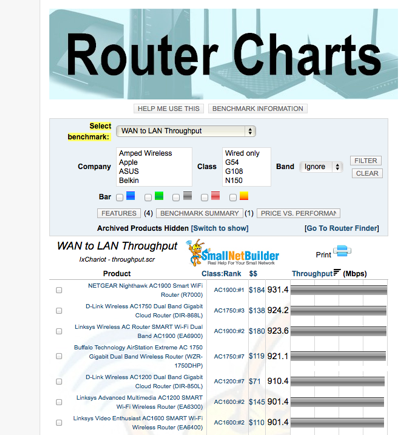
When you choose the router, you must select routers that has high enough CPU power and can do fast WAN to LAN downloads.  This is important.  Most of the cheap brand routers cannot do the job.  ASUS is fine.  I used to have 3x black diamond running at my home, but now, I only have 1x DLINK router that does the job.

NewImage

This is to ensure I have the best WAN-to-LAN throughput.  http://www.smallnetbuilder.com/lanwan/router-charts/view

Screen Shot 2014 03 07 at 7 41 04 am

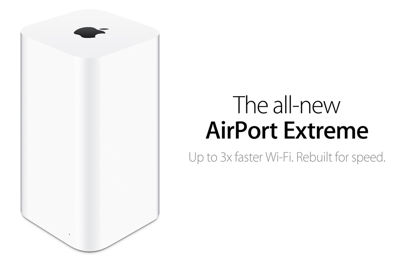
From that router, it connects to my new Apple Extreme WiFi router.  

NewImage

Apple WiFi Router is not the fastest in the market.  But in this home, there are 4x iPads, 5x iPods, 2x iPhone 5S, 2x iMac, 1x Apple TV.  There is only 1x PC (HP Laptop for my wife office work).  So, I have to select a product that I think it is best for my Apple devices.  So, that is why I have 5x Apple Airport (Extremes and Express) installed in this home to provide seamlessly WiFi network.  When I walk out from my bed room to the kitchen, the Airport (WiFi routers) are smart enough to switch to the strongest signal AP to provide internet to my iOS devices under one single SSID.  

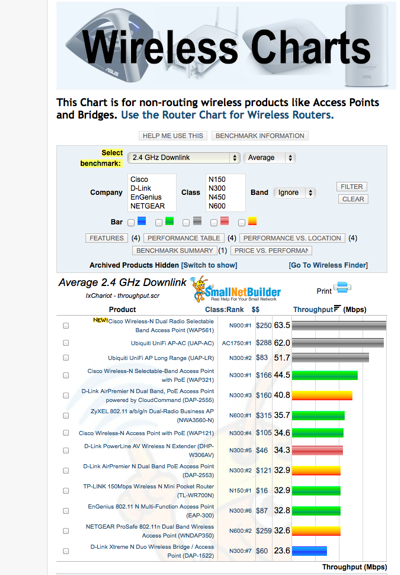
If you look at the Small Net Builder Wireless Charts, Apple AirPort Extreme is not even listed in the top 13 routers list.  

http://www.smallnetbuilder.com/wireless/wireless-charts/view

Screen Shot 2014 03 07 at 7 42 26 am

In between the WAN router and the WiFi router I am using Sineoji 600Mbps HomePlug AV2.  That is because OpenNet fibre termination box is in the kitchen washing area and between the kitchen to my network cabinet, there is no Cat6 cabling (my mistake when designing the home Cat6 cabling during renovation)

NewImage

So, below is the setup to run PPTV on iPad.  And my torrent demonstration will download the files on the iMac.


Screen Shot 2014 03 07 at 8 13 44 am


Now, let’s jump into today main topic.

Let’s demonstrate how to download a Bit Torrent TV series file.  (Please take note, downloading TV contents may infringe some copyright.  This is for demonstrations only, file will be deleted right away).

OK.  This is a boring video.  What I did is, download the torrent file, and double click on it.  Then, let my torrent downloaded (i.e. Transmission) take over and download the file I want to download.  In this case, I choose “The Big Bang Theory episode 16 of season 7.  They just showed it last Friday in US.  Of course I can watch this on PPTV.  But it still takes PPTV half day to place it onto their content page.  

I downloaded a 720p file which is good to watch on the Apple TV.  It takes about 2 minutes to download.

Last time, I used to take a long time. 

The next video I wanted to show is the PPTV.  You actually don’t have to download those torrent videos.  If you know Chinese, then, you can go to PPTV and watch the ultra HD version.  It is as good as the 720p file you have downloaded.

Things to note here is...

on ViewQwest network

1.  No advertising.

2.  The PPTV video almost launch in 1-2 seconds.

3.  All videos played in HD mode.

4.  The contents itself is different.  You will see a large selections of contents.  Few thousands shows.

5.  The contents are very new.  All Korean, Taiwan, Hong Kong, US or UK shows are up to date.

OK.  I have my 4 cores 8G Minix Neo X7 player running PPTV apps on the Android dashboard.  So, I can enjoy this on that TV set top box. 

So, that is what I call fast.

So, when I read the newspaper this morning about the “Who’s the fastest?” I have lots of doubts where all these data are collected.

And how data is collected.  

And are those data collection points equal or similar?  Some people uses fast PC, some uses slow. 

Most people don’t know how to design their Internet network and Wifi network at home.

So are the data collection points amateurs or pro?  

IMG 0897

http://www.ida.gov.sg/applications/rbs/chart.html

Then, I login to IDA website, I see these data and graphical charts.

About price.

Screen Shot 2014 03 07 at 8 28 04 am

About Download Throughput.

Note that you can actually download 209.2Mbps over a 200Mbps link.  Wahahaha.

So, I must questions why?  200Mbps is the cap and maximum size, and how can you draw more than 200Mbps if you got a cap again?

See what I mean?  

Screen Shot 2014 03 07 at 8 28 42 am

Upload throughput.

Screen Shot 2014 03 07 at 8 30 32 am

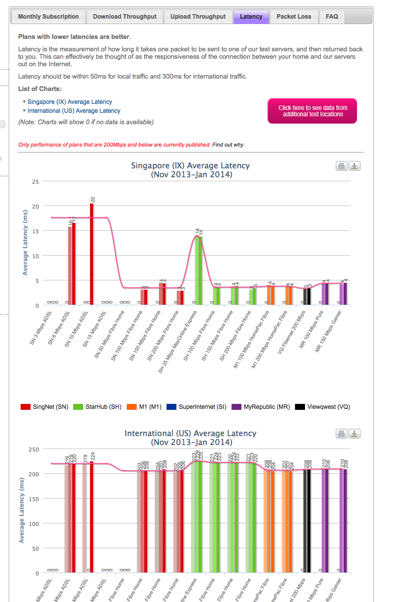
Latency.

Screen Shot 2014 03 07 at 8 31 04 am

Packet loss.

Screen Shot 2014 03 07 at 8 31 45 am

From the 5 charts, you cannot really tell what is the performance as you do not know where do they actually ping to, and download from.

What they have to demonstrates is very simple.

1.  Look at the proxy statistics find out the top 20 websites.  And measure the time to get to these 20 websites.

2.  Look at the experience of general users, figure out what they use the Internet for?  Like me, I watch TV.  So, what is the experience of this TV watching on the Internet on each broadband.

Very simple only.

All ISP providers buy from the same First Tier.  So, there isn’t any difference.  The only difference is the market value what they can give you.  And how they control traffic over the Internet.

So, we need to know how these data is collected.  What is the sample size?  is it collect over night?  or done at any particular timing, etc. 

Is it done randomly?

For me, I read the paper, and thought of doing a video, so, I immediately go in the room and shoot the video.

I am very confident as I watch TV on my Apple TV or TV media box or iPad all the time and that is what I experience.

So, at any thing, I am sure I can produce the same result.

But for these data from the website?  I am not so sure.

Are these done from 3rd party?

How is it being done?  

Who is the tester?