Date: July 13, 2013
During the last week of June, because of Haze, I brought the kids to Bangkok.
So, Jay Jay cannot join Justin & Royston to go to WondersWork's 3- Days Space Camp during that week.
So, I converted the space camp to an 8-weeks Robotics with LEGO Mindstorm course.
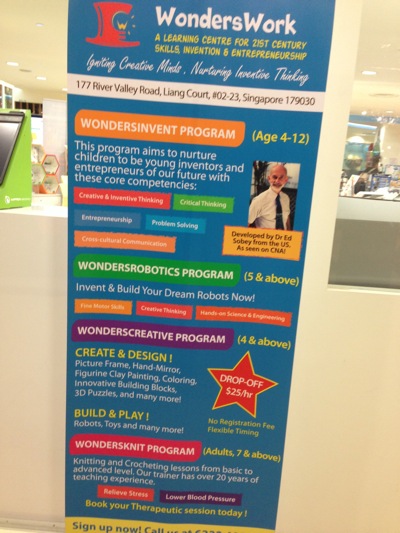
Its 2-hours per week.

The location is at Liang Court 2nd floor.

I like this.
"I want to put a ding in the universe." -- Steve Jobs

I like this too.
"The true sign of intelligence is not knowledge, but imagination." -- Albert Einstein

So, it involves in building the car with the NXT.

Today, got only 3 students, and there are 3 instructors. So, it is 1-1 teaching. Which is good!

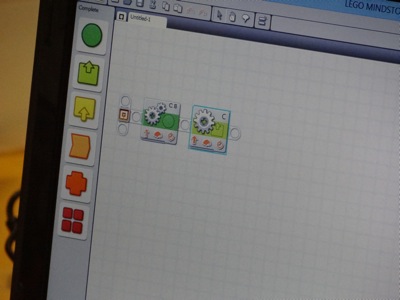
And on the first class ever, Jay Jay learned how to program his Mindstorm NXT car with this logical programming tool that comes with LEGO Mindstorm.
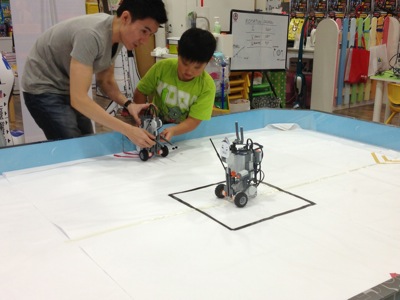
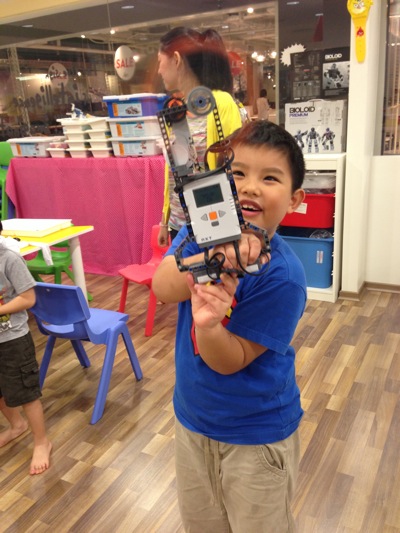
This is the NXT car that he build. Very simple two motor car, with a NXT on top.

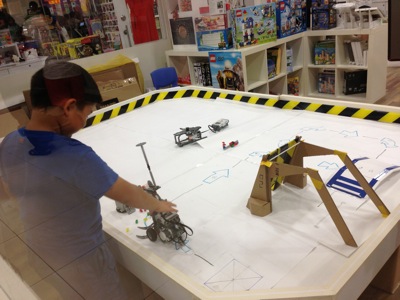
And this is the testing ground. The NXT car will start from the X box there, and move straight to pass (1) and then make a right turn at (2). Then, it go straight and pass (3) and then make another right turn at (4), continue move and push the bridge (in blue) to the front. And then, the car will reverse, do a reverse right at (5) and then move to (6), make a right turn, and move to (7) and make the last right turn, and the move forward and cross the bridge and go into the room. Looks simple, isn't it? hahahaha

Hey, Jay's long lost K2 classmate who went to Taiwan last year for 3 months, i.e. Kee Wei is also here attending the same class. Glad to have buddy in the same class to learn.

The teacher demo how he wants the student to program the car. Wow, it is an interesting project.
Youtube: http://www.youtube.com/v/QqXOQuI4k-Q
OK Jay Jay, let's get down to work.

Wow, they build the car, and now reprogram and testing out all the parameters for the motor, trying to get the car right.

This is the first try, to see if it moves or not? haha
Youtube: http://www.youtube.com/v/OQfOASsLSek
Jay and Kee Wei talking happily. They takes turn to test our their ride.

Things not going the correct way, the teacher will teach them new things slowly.
OK Jay, 1sec and 2sec, which one is smaller?
OK how a bout 1.5sec and 2sec, which one is smaller?
Wow, they even teach the kids fractions so that they can refine their motor speed.

This is Jay Jay NXT car after a few rounds of fixing.
Youtube: http://www.youtube.com/v/EI4-qUWZugg
Jay, to make the car turn, how about, you FIX one motor (not moving), and move the other motor? Like that, the car will turn. Wow, it works!

Kee Wei watches her car and try to observe the changes and short fall.

Jay Jay now is very comfortable with computers.

It should work this time.

There he make his car run and make turns. Well done Jay.
Youtube: http://www.youtube.com/v/cKSKq6vv38M
I bought a Mindstorm quite some time ago. Now it is a good time to put it to good use. To let Jay Jay finally touch the programming and the Mindstorm itself. This is the car we build without the eyes, where I just disassembly it. So, since we have the car base there, I let Jay Jay to have the honour to program the car.

And of course, Jay Jay still remember what he learned from WondersWork. So, he did the same program at home.
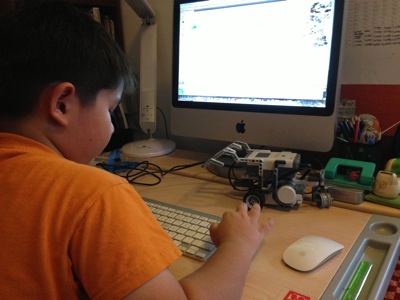
And I taped a few red stripe on the floor so that he can program something that is similar to what he learned from the class.

After many trial, we also learned that, the battery can die some day. And when it dies, the power you program will be different. So, the program that you wrote will not be similar as what it suppose to do. HaHaHa…
So, he has to take out the NXT and change the battery inside.
I think my son is a great LEGO builder. He can remember how he build all these and put them back together in no time.

That is the NXT separated from the car itself.

OK, at home, we try to do very simple task. So, I take time to tech him once again, the fraction of time, 1sec, 1.1sec, 1.2sec, 1.5sec, 1.8sec, 2sec, 2.5sec, etc. I also teach him some cool trick. Using ruler to see the distance, and figure out he ratio.
Youtube: http://www.youtube.com/v/QLBJ5JL0Kgc
"Jay Car 1" program.
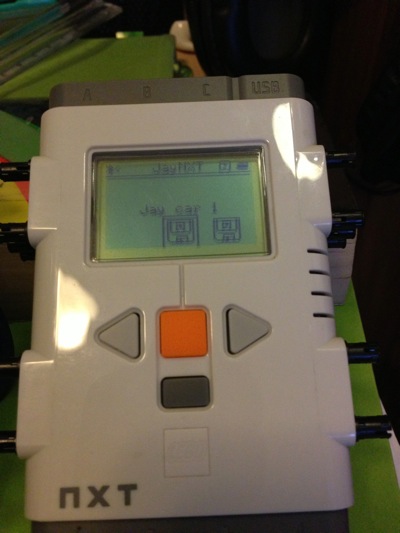
OK. Let's see if the car can go back to the original car park or not. hehe
Youtube: http://www.youtube.com/v/5BEum7Tv__A
At first, I was afraid that LEGO Mindstorm is too advanced for 7 years old kid to learn. But after what I have seen today, it is not too hard at all.
They learned today that the motor can be programmed using either POWER or TIME-DURATION. You run 50% of power for 1sec and 100% of power for 1sec. Which one will go further. It is a simple questions, but it makes the kids think very hard.
They learned also that if you keep with 50% of power, and the run 1sec, 2sec and 3sec, it will go even further.
Jay also learned that he needs to "shorten" the code, by writing "simple code". Instead of running 2 blocks of 100% power for 1sec, why don't you do 1 block of 100% power for 2 second. Then, you reduced the code by 1 block. He got it!
Jay also learned that in order to turn right, your RIGHT WHEEL MOTOR needs to stop and be static while moving the LEFT WHEEL MOTOR. Then, the car will move to the right. Very cool concept for the kids.

At the end of the class, I asked the teacher, "Wah, for one class, the students need to program this project?"
Teacher: "No, we actually did not expect them to do so much. Today is first day, they suppose to learn the moving mechanism, but somehow, these kids learned faster than we expected."
HaHaHa… Now I am impressed. To tell you frankly, I don't even know how to write the logic program yet since I bought the Mindstorm for so many months. Only today, my son learned how to use it.
I am glad that I signed up this course for Jay Jay. And Jay Jay is so happy, and keeps talking about it until now.