Date: Dec 3, 2013
* Updates:
— Beginning of Updates —
Wow! I am like just found a hidden treasure like that.
1) I kind of like the HDiTV interface. So, I have decided to let it be my DEFAULT app to be run on the Android Media Box. Unfortunately, there isn’t any settings on Android systems to allow me to do so (at least not I can easily searched). So, I downloaded this app “Auto Start” to do what I want to do.

Simply do a Auto Startup, and add “高清电视” (HDiTV) as the application to run. Setup zero delays.
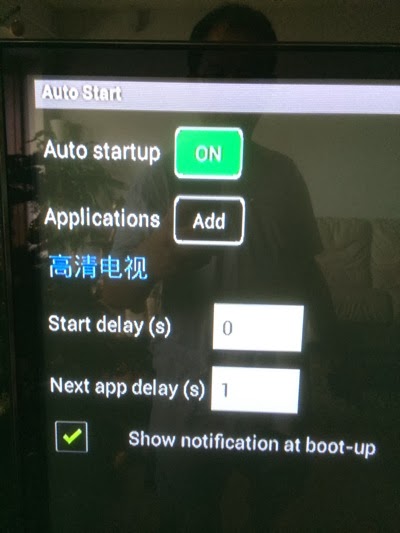
So, every time you reboot, and you turn not he box, it will comes to this interface.
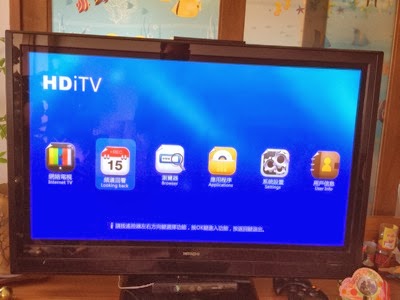
2) Now, last time, I have not explore much. But yesterday, I got more time to explore, and when I click on this “Looking Back” (频道回看)...

There are 18 channels that they actually kept the last 5 days media and shows.
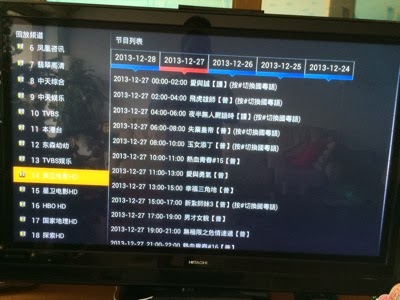
If you miss any show, you can come to this option and select the show you want to watch. It is not LIVE TV, but it is the RECORDINGS of the LIVE TV for the previous 5 days.

Let’s try a few out.

Wow… It’s HD, it’s streaming… and you can fast forward and rewind back. Very smooth.

I am impressed at the power they packed into this small little box. Cool.
Btw, I paid for the subscriptions to HDiTV. It is about $100 for a year. So, my expiry date is until Dec 1 next year.
There are about 10-15 channels of cantonese channels, and lots of Taiwan channels, and a lot of China channels too.
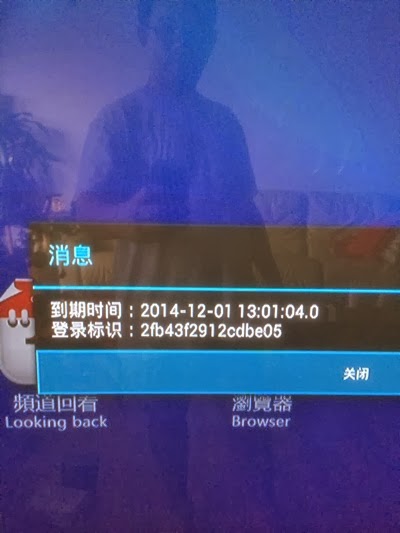
— End of Updates — Dec 28, 2013
* Updates: Some channels does not work. OK. Less than 5 out of 149 channels does not work.
* Updates: Some HD are not clear. If the title does not have the word “HD” in it, it is a SD channel. But this is like only 10% of the channel is non-HD channels.
That day, I went to collect my son’s SCM Kid Dash’s runner kits, we stopped by and shopped at the SITEX. I didn’t know there was a SITEX there at the EXPO. It has been many times that I have skipped PC Shows, SITEX, etc etc. Let’s go in and “refresh” some technologies.

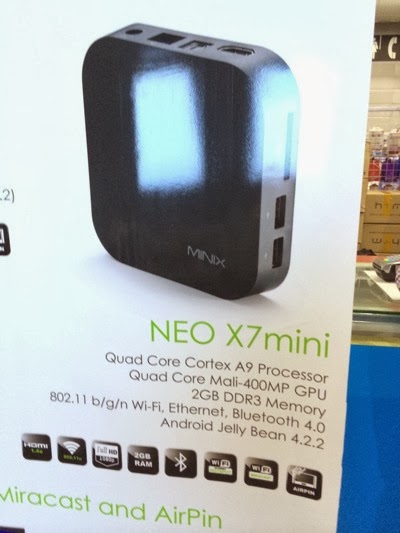
Almost every you go, you see this. It’s has Quad Core processor along with Quad Core Graphics GPU. (whatever it means).
Looks impressive. I saw the demo, and I kind of like it. So, I bought it.
It’s $199 for the box. And you pay another $100 for the service for 1 year.
Since I so long never buy any gadgets, let’s spent some money and buy this.
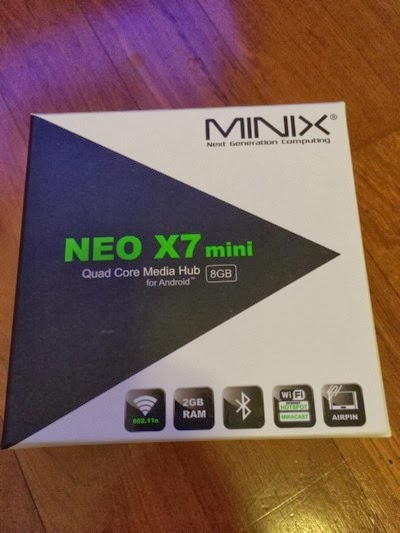
They really make looks like an Apple Box.
I have no idea what does the “8G” means. As the box clearly stated 2GB RAM.
But buying an IP TV box, the most important thing is to have Quad Core. Forget about Dual Core. Get the Quad Core one. If can afford larger memory, of course get that too.
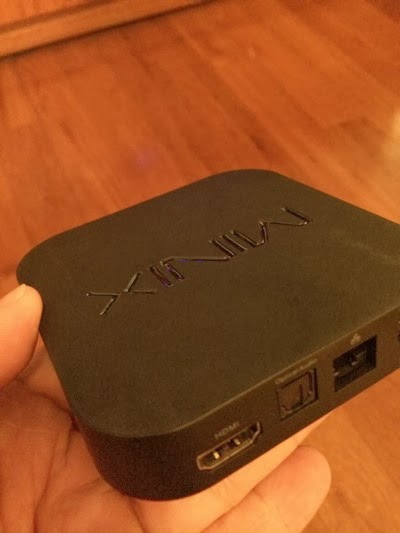
It really looks like Apple TV. It has 2x USB ports, a network RJ45 port, HDMI port, and an optical port.
I think the size is exactly like Apple TV.
Now, one of the main important difference from other China made Media TV box is it comes with this remote control, which looks like Apple Remote.
This is very important.
You can use a Mouse and Keyboard. But it is best still to use a very SIMPLE remote.
This remote is in fact very simple.
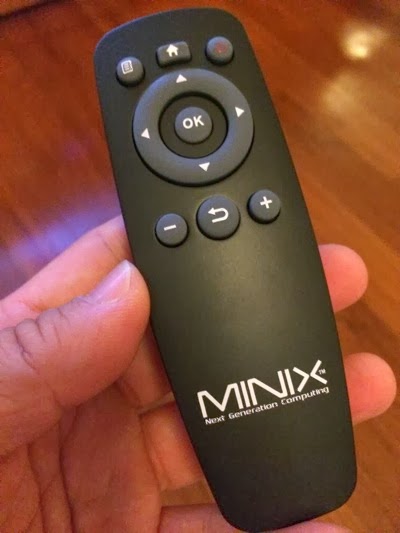
And instead of using the common Android interface, I have chosen to use the “NEW” interface which works well with the remote.
The interface is clean. I don’t use all these, so, I straight go to choose “Apps” and click OK.

Remote is wireless remote, but I don’t know how it actually works, as when I sit on my Sofa, which may be far from the MINIX box, the remote are a bit not responsive. But if you move one step forward, the remote is responsive. I am guessing that I need to figure out how where does the remote wireless signal coming out from, and probably place the box facing the remote.
There are a bunch of Apps inside the Apps folder and I am planning to remove all these.

This is the only App I need to run. This is a paying app. Basically, you need a userID and and password to access this Live TV App.
This is why I bought the box for.
I got to figure out, how to set the App to run automatically on Android when I turn on the device. (I am sure there is a way to do this).

There you go, the Live TV App, has another name called HDiTV. So, it is an App within an App. Interesting.
Click on Internet TV.
Oh ya. Don’t bother to download any other apps as this is the only apps you going to spent lots of time on. If the apps is not clear, or SD quality, don’t even bother to download.
I know I have an Android Media Box, and it is capable of doing a lot of other things.
Sorry, I am not that kind of person to test out the limit of Android box.
Keep it simple. Simple is good.
Too much choice will confuse yourself.
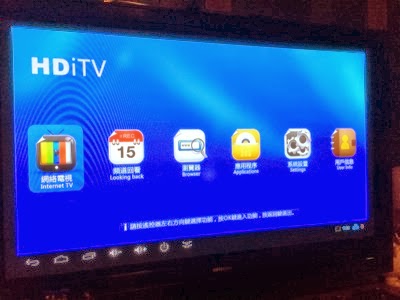
And instantly, you get into what ever channel you have left it since your last turn on.
Cool, Fox Sport Channel.

It has 149 channels on it.
And many of them, as many as 90% of the channels are HD quality.
Yes, HD quality.
Most of our TV are HD TV. It can play HD quality very well. If you play SD quality, your eyes may feel sore. I have no idea how did we survive with SD TV for the past few decades.
I did not subscribe sport channels on my Starhub cable TV.
So, sometimes, I wanted to watch Tennis or Golf or F1 or anything, I don’t have a TV to watch.
My son is learning Golf, Tennis and Badminton and Swimming. It is good to some times let them watch the sports TV programmes so that they can see how the sports are played.
My friends wanted to come to my place and they wanted to watch Soccer, I also don’t have the soccer channel for them to watch.
Subscribe to Starhub Sport Sport channels, you need to pay extra few bucks to 10 over bucks for it. Or even 20 over bucks. I don’t even know how much it is.
I don’t have MIO TV.
Few years ago, I have one, but I throw away. Because the quality sucks and it keeps buffering. Not sure hows the quality now.
So, when I see the demo at SITEX, and I knew the bandwidth at Expo going to be sucks, and these guys is using only the wireless which going to be congested at the SITEX show. So, the quality of the HD shows are quite clear and acceptable. And the amazing part is I watch a few channels and the channel switching is fast and there is no buffering occurred too.
It is amazing.
Disclaimer: I don’t know how legal are these contents, but as a consumer, you see you buy and you watch. That’s it. A very simple consumer mind set. But do bear in mind of the risk, where ever they are keeping the feed and they are feeding the feeds, the ISP may block the IP addresses, or some how the feed may be shut down one day. But if I need to pay 20 over dollars PER MONTH for some Starhub Channels to watch some crappy sports channels, I rather pay this $100 per year and take my chance to watch as many channels on it. Take note below on the channel listings. It is amazing… lots of channels.
My Father In Laws will be very very happy to see all these new channels I installed for him next time when he comes to visit his grandchildren. So many Chinese shows for him to choose from. All in HD quality.

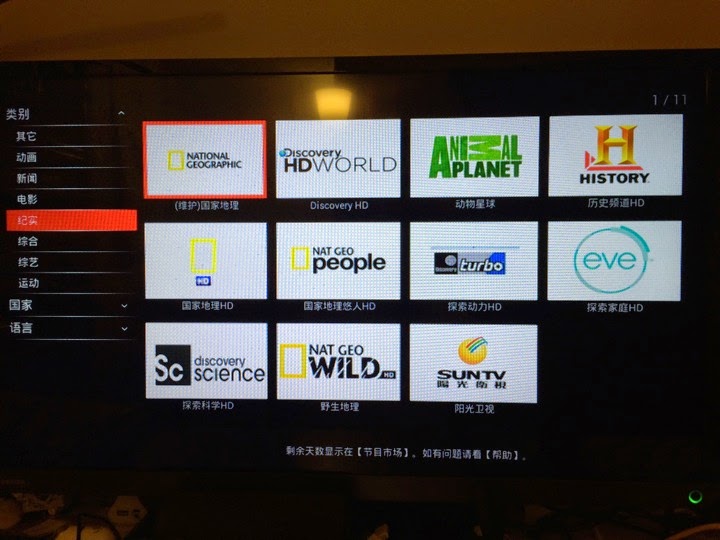
Here are all the channel listing. Mostly are in HD format. Quite clear.
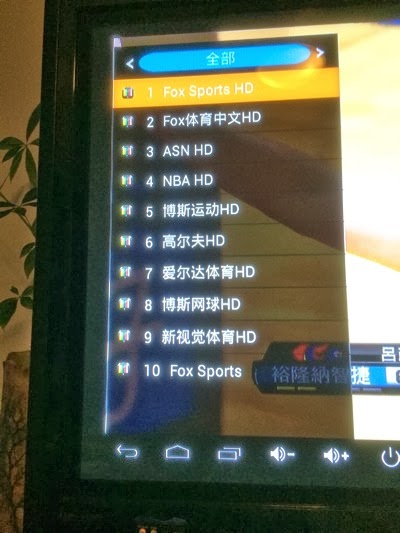
You also get all the HBO channels. in HD.

Fox, SyFy —> My favourite.
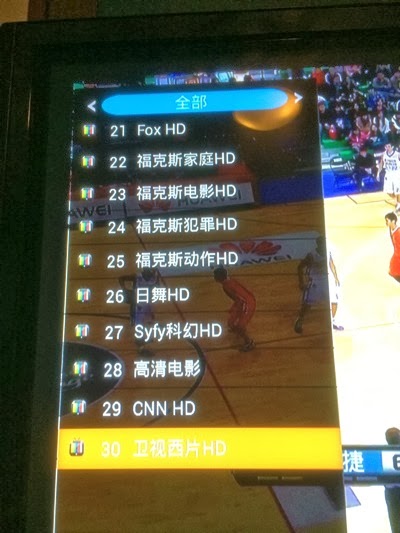
Discovery Channels.

National Geographic.

Some of these channel without the “HD” word means it is SD. You can skipped those channels.

The Hong Kong HD channels. All the Hong Kong TV shows. Speak in Cantonese.

The TVB and Pheonix.


Animal planets.
For those who love Taiwan Hokkien shows, all are here.


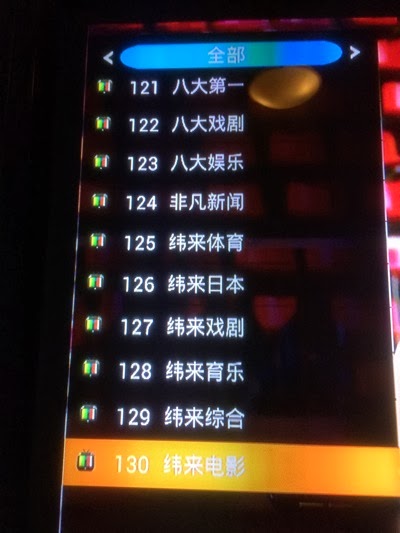


As you can see, all the 149 channels. A lot of channels to choose from.
And the quality are good.
Disclaimer: My home is using ViewQwest 200Mbps. So, still every home got your own problem of network. Some use RJ45 network cable, some use Wireless WiFi. So, every one will have different problem in accessing their IPTV. So, you got to make sure that the place where you going to put the TV Media Box (MINIX) has strong signal of WiFi or got a Network port to plug into. Also, I am not sure how SingTel or Starhub or M1 or My Republic Network performance when you run on their services. But judging from what I see from their display in Simlim and at the SITEX. I think it is quite good.
Oh ya. One more thing. There is also apps that you can download to access your NAS. When you run 1080p or 720p movies, it is excellent. So, it is also a box that you can use to access your home movies and videos. Cool!

So, I recommend this box.