Date: Sep 8, 2014
Notes: Please scroll to below to see the original posting.
Updates (sep 26, 2014): The Sineoji’s Dean sms back and let me know that the Sineoji lab has tested one of the “faulty” unit that I have sent back to them. And after the test, they found out that one of the capacitor is faulty (manufacture defects) and cause the shut down of that “faulty” unit.
I have been happily using the new Sineoji 1800Mbps Gigabit HomePlug AV2 MIMO ever since they replace that faulty unit until now, and the result is consistent. The speed has not dropped.
Let’s do a quick summary here.
1. Every home has very unique power cable network. Therefore, the home plug (any brand that you buy) will try to deliver the best Ethernet quality for you.
2. For example, I cannot plug the Simeoji unit in my kitchen without an extension. As there is ONLY one power outlet there. (I can move my router into my network cabinet, but I will loss Wifi in kitchen area). So, I have to plug the Sineoji into an extension. And that will cut down some bandwidth there. And by using the power extension, I also share the power noise with others. That explains why my input is 200Mbps, but I only get 110Mbps out.
3. For example, from my kitchen, I have to go thru my washing machine, dryer, dish washer, microwave, oven, steamer, stove and then reach the Network cabinet outside my living room there. That is why such power noise will reduce your network to 110Mbps.
4. So, please do not expect that you buy 1800Mbps and you get 1800Mbps. That is the ideal lab speed.
5. So, your home speed may varies. You may get much higher results. Or lower results. It all depends on your home.
Updates (sep 15, 2014):
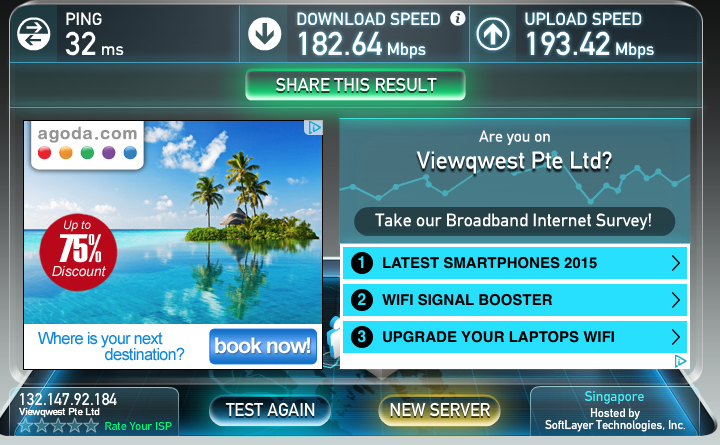
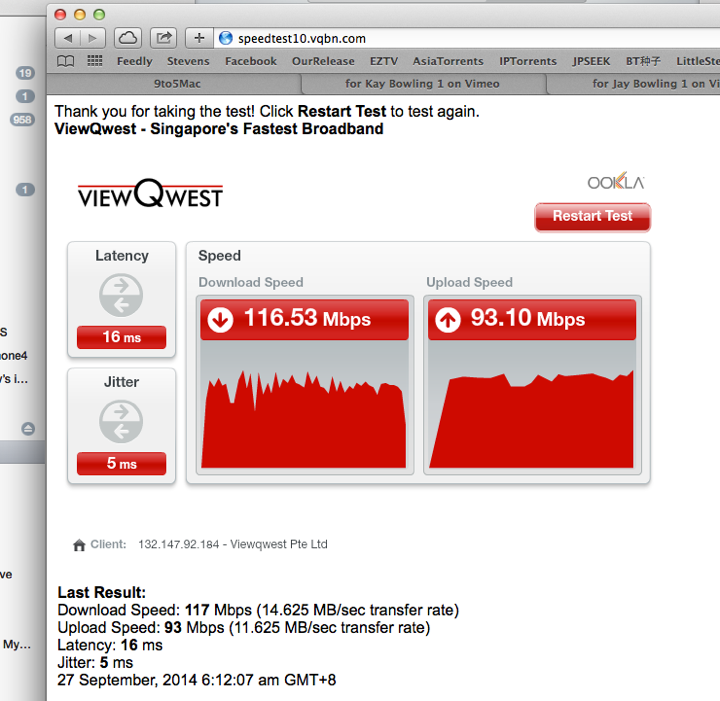
This is the latest Speed Test which I just did few minutes ago. I used to get 70Mbps-90Mbps on the 600Mbps AV2. Now, I can constantly bump up to 110-120Mbps download.

And I have been running the ping test continuously. Seems OK. 0.1% packet loss out of 38542 packets. Seems acceptable.
This result done yesterday.

Sep 13 result. 0.1% packet loss for 254253 packets. I did this test before I go Jakarta, and this result is collected after I come back 4 days later.

Conclusion:
1. This gadget works.
2. It has been stress test for almost a week. And it is average about 0.1% packet loss if running over night or for a few days. Which is good!
3. Previously, the 600Mbps AV2 unit was quite stable. However, sometimes, the speed dropped down to 20-30Mbps for the same set up. The previous unit maximum can pump up 90Mbps or download and upload traffic. Compare to the latest 1800Mbps, I am now getting > 110-120Mbps for download, and it has been constant and steady without dropping the speed.
4. My wife did not complaint. My maid did not complaint. So, during the 4 days I was out of Singapore, it runs without a problem.
5. Don’t expect 3 times of speed increment. HaHaHa What I was hopping for is to increase the speed only. So, a 20%-30% speed increase is good for me.
6. I am still waiting for Dean from Sineoji to get back to me on that first unit which I suspect is faulty unit. He is doing the same stress test too. I also suspect there are algorithm to auto shutdown and auto adjust internal settings to make it run better. But until there is any official answer from Sineoji, we just leave it as Faulty Unit.
7. I am HAPPY.
8. My recommendation: CAN BUY.
Updates (Sep 10, 2014: 10:30AM):
The Sineoji people got hold of my unit, and at the moment is running burn in test with traffic to check it out.
After yesterday two times of shutdown (2min interval), the new unit run perfectly for 12 hours or so. With only 0.2% packet loss out of 39645 packets ping.
That means, there is no down time after that. But then, it is during night that I tested it. So, I will keep it running for another 24 hours to test out the hot and humid weather of Singapore. Hopefully it is fine.

Updates (Sep 9, 2014 11:58PM):
A guy from Sineoji trying to contact me today.
I returned back one of the unit and exchange a new unit to do the testing.
I managed to phone the Sineoji guy name Dean. We spoke.
And this is what he told me.
He said that the Sineoji comes with an adaptive intelligence that it can “learn” your power lines and then adapt to it. He wasn’t sure what it will do, but it will improve stability.
Guess what. I actually bought that idea.
So, I went home, and test it out again around 7:30pm.
I did not do anything. I simply run a Terminal and run the command “ping -v 203.120.90.40”.
Yes. I continuous ping to PacNet’s DNS server.
Not long after… the unit die again!

And then, MAGICALLY, it come back online again! So, I lost the packets from seq#652 to seq#786. That is approximately 134 packets loss. Means Network DOWN!
So, if I give each packet timeout roughly about 1 second. That is about 134 seconds of lost network. About 2 minutes.

And then, after running for some time, it dropped again!

The second down time is from seq#1321 to seq#1476. So, that is about 155 packet loss, and about approx 155 seconds long.
Now, I am getting a bit frustrated. But then, I remember what Dean has told me, and I simply cannot believe that Sineoji will allow a product to go out for sales if it cannot survive the heat and humid in Singapore. It does not make sense at all.

So, for the first round of test. I fired 75284 packets,a nd got 0.6% packet loss. That is mainly due to the two downtime intervals.

So, I run the ping again. And leave it on for few hours. Fired about 10859 packets, and the packet loss dropped to 0.2%. And from time to time I do loss a bit of packets. But there is NO OUTAGE.

Both results are available here...
File #1. https://drive.google.com/file/d/0B_2LIa_dWu8sSEpFREdqZGx5U2M/edit?usp=sharing
File #2. https://drive.google.com/file/d/0B_2LIa_dWu8sSEpFREdqZGx5U2M/edit?usp=sharing
Conclusions: (as of Sep 10, 12:31am)
1. Could it be that the auto-shut off is due to its build in adaptive intelligence? It actually turn off it self just to learn and adjust to make it faster?
2. Because after the initial down time, after that, I no longer experienced the downtime. The unit is still very hot.
3. I will let it run for over night and then, will observe the ping test results to see if it actually got any further downtime or not. I also suspect that the temperature actually cool down during night time. So, let’s see during day time, when the air is more higher temperature and more humid. Will update again.
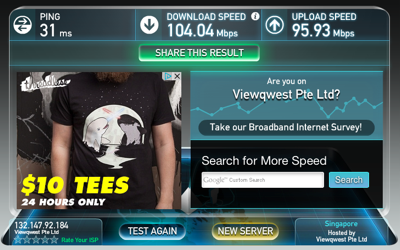
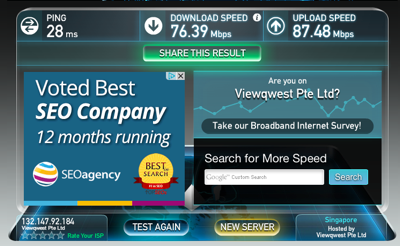
Here is the speed test, and it is consistently go above 100Mbps. No complaint about it.
(Will resume extensive test after I come back from Jakarta. :))

Updates (Sep 8, 2014 6:42PM): It die again. And the temperature is very high. I am going to return it to the shop. It could be a faulty unit. And again, it mysteriously come back online again after 1-2 minutes. This is getting annoying. So, my conclusion is the device is either faulty or not stable!
 Unboxing
***** End of Updates *****
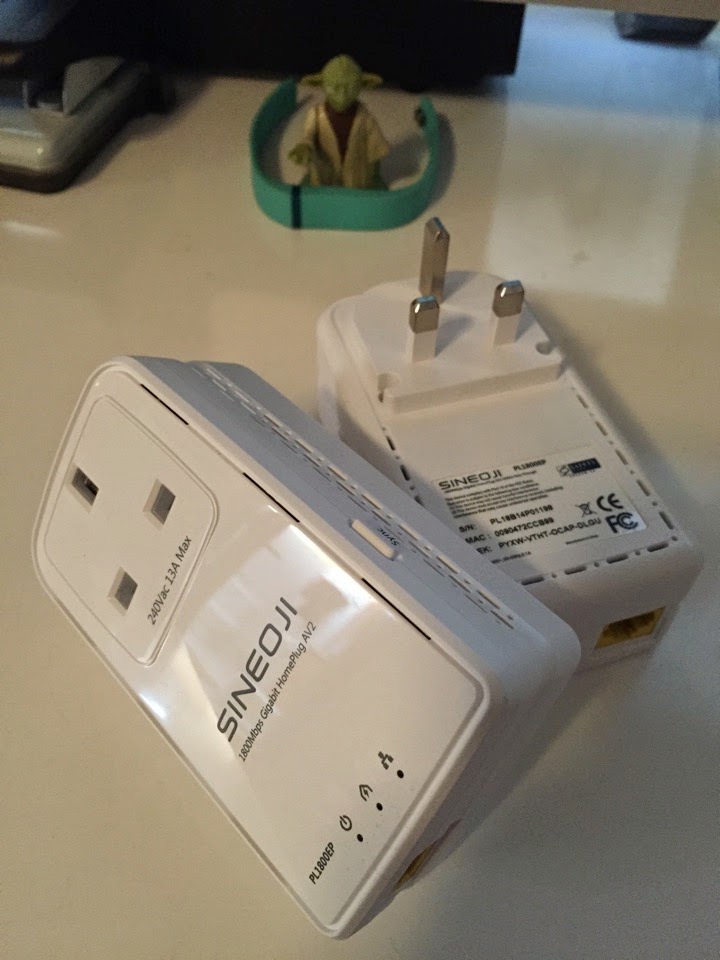
Today, I am going to unbox my new toy.
Sineoji 1800Mbps Gigabit HomePlug AV2 MIMO

A pair of this cost $149.
This is the fastest speed Home Plug AV2 available in the market. But last time I had a huge failure on Aztech fastest speed Home Plug, so, let’s see how this Sineoji is doing this time.

It looks pretty much the same.
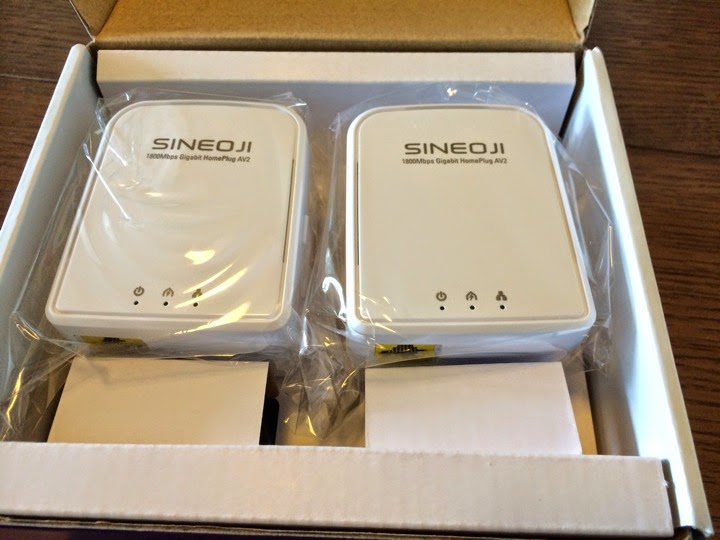
And I wonder why it has so much holes to ventilate hot air?

My Home Network
Take a look at the simple network diagram of my home.
1. I arranged the OpenNet fibre to come in from the back door, so that they don’t do ugly white boxing cabling from the front door.
2. My home has structured cabling except the kitchen. OK, who thought of OpenNet can only come in from behind.
3. My network cabinet is by the front door. That is where all my Cat6 cabling ends.
4. I placed ViewQwest ONT at the kitchen washing area too. I have 200Mbps Internet Access from ViewQwest with Freedom VPN.
5. I placed my D-Link AC1200 Routers at the washing area too.
6. So, now I need to solve the problem of “Connecting” from my kitchen Router to my network cabinet. It is a short 15-20m distance.

What have I done?
OK. You see there is this Washing Machine and Dryer at the Washing Area. I also have Microwave, Oven and Dish Washer along the way.
So, you know that when these equipment turn on, you will have POWER NOISE. And these POWER NOISE will affect your Home Plug devices.

Later I will show you what I meant.
Option 1. Use high quality point to point wireless devices such as AirWave from UBiQUiTi

This is a point to point wireless devices that does not need real line of sight. So, I cannot see my kitchen from my network cabinet. So, the wireless signal operating at 5.8GHz will bounce of the wall and connect to the other side.
Using wireless. This is the result I usually get. Slightly below 100Mbps, and I can never pump above 100Mbps.

Option 2. Use Sineoji 600Mbps Home Plug AV2
As you recalled, I was using Aztech H115EP very happily, and then Aztech Home Plug AV2 has failed to delivered a stable network. That is why I switched to a more stable Sineoji 600Mbps AV2.
But the problem with this is…. It will get too hot, and suddenly the speed is dropped by half. I have not experience any network down yet with this Sineoji 600Mbps AV2.

I have my dryer running.
I have my Sineoji 600Mbps AV2 connected.
And this is the speed I get. It used to be like 90Mbps download and 90Mbps upload speed.

Option 3. Use Sineoji 1800Mbps Home Plug AV2 MIMO
Now, let’s test drive our new Sineoji 1800Mbps AV2.
When the dryer is running.
This is what I got. As you can see it can pump even higher speed.
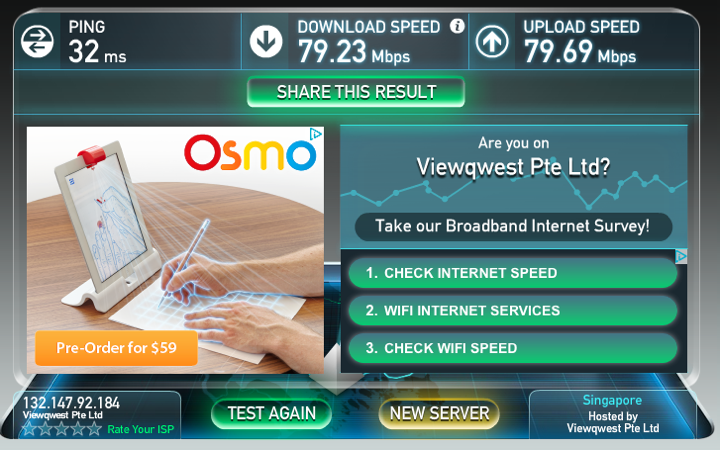
Now, when the dryer is not working.
I am happy to see > 100Mbps speed. But some how the upload speed is a bit erratic.

I did again. And it is > 100Mbps with higher upload speed than before.

Then, something bad happen.
The Sineoji STOP WORKING!
There is no lights on it.

Then, after a few moment (1 minute or so), it come back up again!
And it happened two times already!
I touched the Sineoji and it seems very hot.
It could be the temperature that shut it down.

So, this is my recommendation.
I saw it drap the connection and “die” for two times.
The first time, I turn off power and and take it out and then turn on power again when it cools down. It went back online.
The second time, It magically light up again.
This is not acceptable compared to its previous version (600Mbps).
So, I don’t think I can use this if the mysteriously dying problem came back again.
I am waiting for Aztech 1200Mbps Home Plug AV2 to come around October.
Funny thing is it is always the kitchen unit that has problem. It could be a faulty unit. Or it could be over heating problem.
I have two USB fans blowing at the one at my network cabinet. So, that one is still light up and fine.
I will check with Sineoji and update again.