Showing posts with label Wonders Work. Show all posts

Saturday, December 6, 2014

Jay Grew Up With Robotics

Date:  Dec 5, 2014

When the child is learning, they have amazing brain capacity to do creativity.

The child will learn extremely fast on things that they are interested in.

You have to give the opportunity to the child to learn things that they like.

You can influence the child, or set the stage for him to fell in love with some thing, but you got to give the child full decision making to decide what to learn.

You have to be patient.  Like Jay Jay, he is only 7 years old when he started learning Robotics (Lego Mindstorms).  

Do not expect immediate result.

Do not monitor it so clearly.  Like asking him what he learned every week.

Let him learn on his own pace.

Practice makes perfect.

By the time you want to evaluate what he has learned after 1-2 years later. 

You will be surprise how much he has learned.

Also, if you have siblings, keep the siblings near by.

Let them play together.
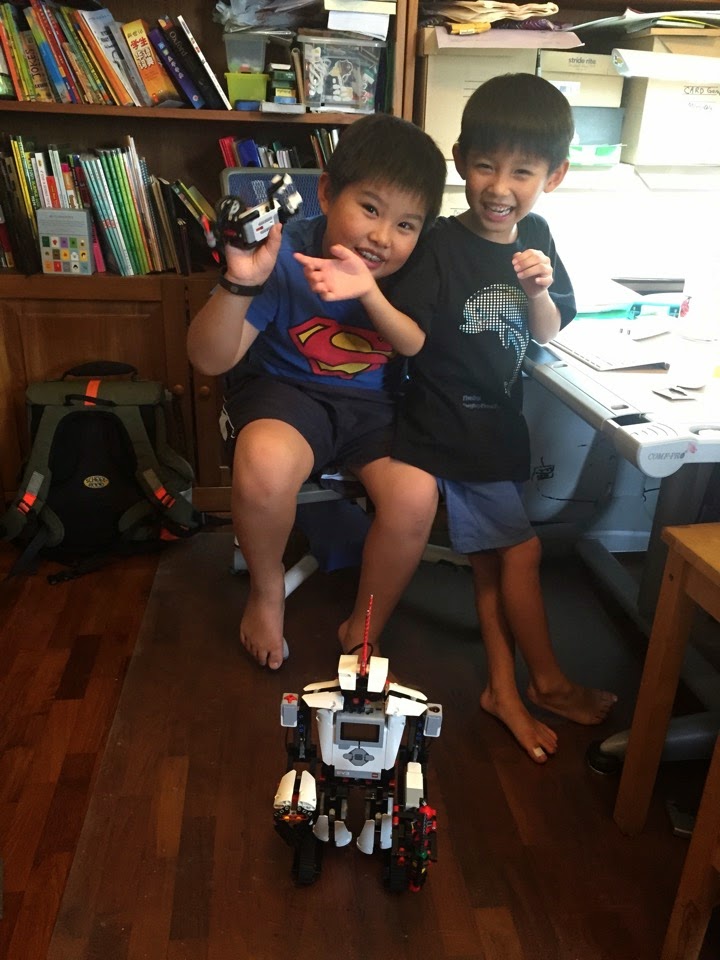
IMG 4444

Yesterday, it was the first time I opened the EV3 box for Jay Jay.

So, he spent the day building the robot and testing the robot.

Meet the EV3 robot that Jay build.
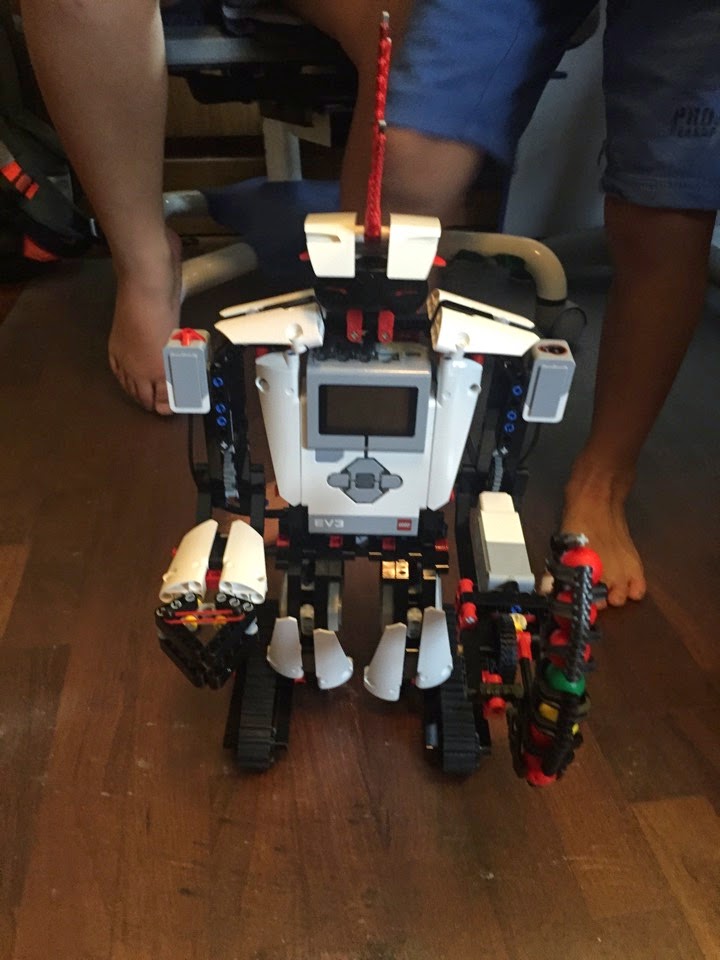
IMG 4447

Meet the robot crab target remote control he has build.  The EV3 robot will be program to target its marble gun towards the infra red of this robot crab.
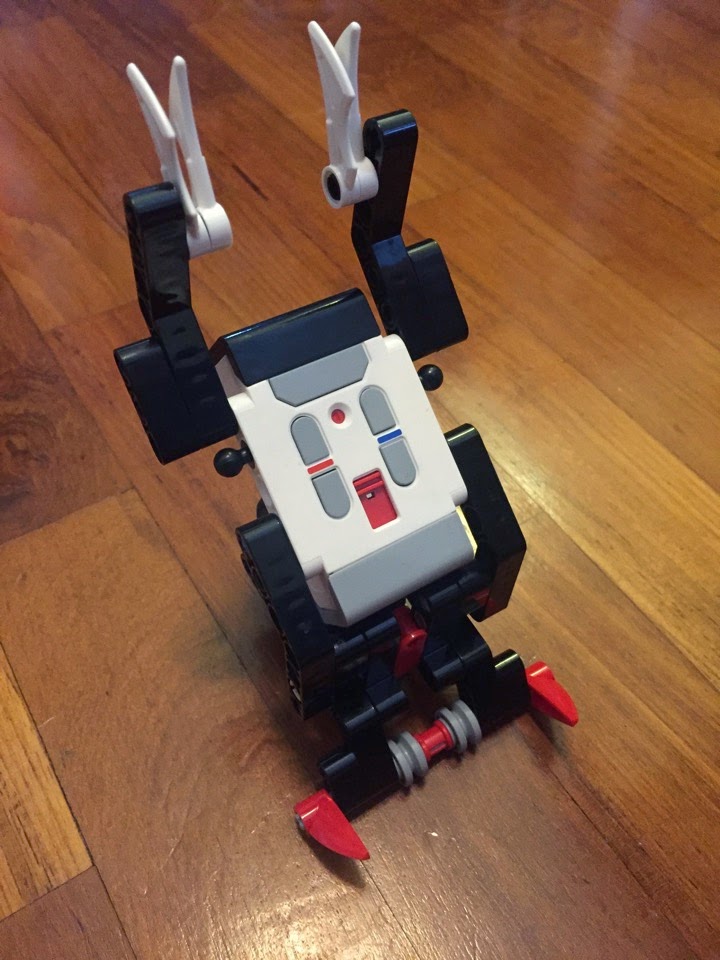
IMG 4454

Of course, he has all the tools to make the robots.

IMG 4455

Here is the result.

At the same time, you also want to train his presentation skills.  :)

The EV3 robot will search and destroy the robot crab.

So, when you move the robot crab forward, the EV3 robot will move backwards so that it keep a fixed distance to fire the marbles at the robot.

If you move the robot crab backward, the EV3 robot will move forward.

If you move the robot crab to the left, the EV3 robot will align himself towards the new location of the robot crab.

Take a look at this video.  It is amazing.

He did all these all by himself.

But what amaze me the most is, he created this program by himself.

And according to what he told me, he tested it many many times to make it work.

And that is exactly how Wonderworks teacher taught him to do.

At first I thought, where or how did you download the sample program?

Jay said “What sample program?  I write the program myself."

So, I make him explain to me what the robot do.

IMG 4458

And he can explain.

I was not at home when he does all these.

But I am extremely happy on what I saw.

And finally I can see the results of Wonderworks Robotics class that he has been attending every Saturday afternoon with his good friend Riandy.

When his brother came back...

He show it to Kay Kay.

He actually build this robot for Kay Kay, and promise to let him play when he come back from school.

He also use the old NXT bricks to build a robot with a marble gun.

IMG 4461

And he teaching Kay Kay how to program.  Just a basic.  And Kay Kay listened.

IMG 4463

This is the NXT robot.  Later he will attach the marble guns on it.

IMG 4464

And there it goes.  

Why the boys are interested?

Robot fights.

IMG 4466

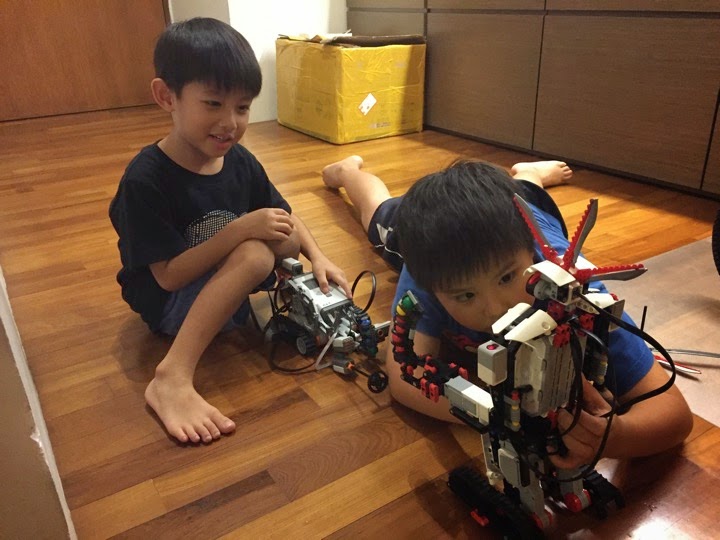
Evil Jay Jay put the robot crab on top of Kay Kay’s NXT robot.  So that EV3 robot will always get aligned with NXT robot.  And they started to shoot marble at each other.

It was fun!

IMG 4468

Then, you see Jay Jay busy running back to the room to improve his program.

Later he attached a motor fan on it to spin the fan blade.  hahahahaha

Very creative and very imaginative.
IMG 4476

Thank you all the teachers at wonder works for teaching Jay.

I am sure to keep Jay with Wonderworks for many many terms in future.  To make him more expert in robotics play.

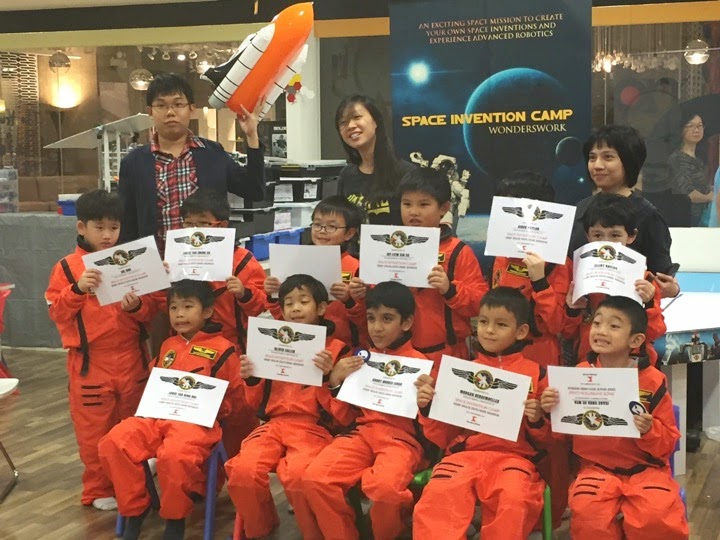
Recently he attend yet another Space Invention Camp.

85% of the materials are new.  
IMG 4402

He got his second wing.

Jay Space Camp 5

In this camp, they spent more times on Robotics.

This robot climbs the tape.

Jay Space Camp 10

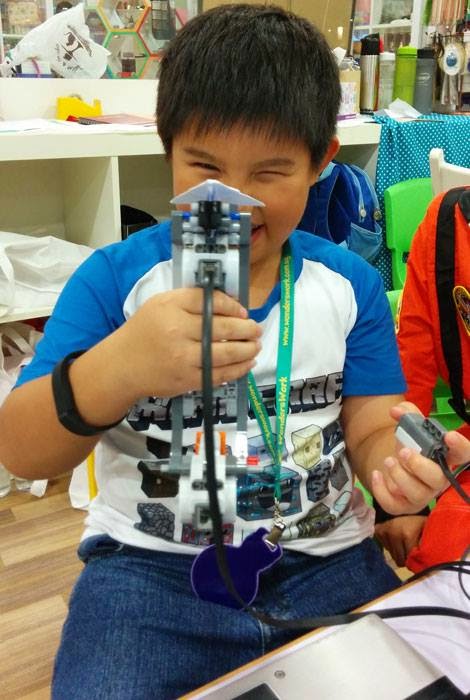
They learned to make paper plane shooter.  

Press a button, it shoots paper plane.
Jay Space Camp 13

They also make electric tops.  Better than beyblades.

Jay Space Camp 15

The build complicated robots too.

Jay Space Camp 1

And they all have lots of fun at the space camp.

Jay Space Camp 16

Friday, November 28, 2014

EV3 Robotics @ WondersWork

Date:  Nov 28, 2014

I always believe in this...

1.  Learning a skill is not a 1-day, 1-month thing.  It is in fact a life long affair.  If can, let your children to participate any course that they love as long as possible.  Ask a few friends to join along, let them have fun together.  You may not see huge results today, or after 1-term or 2-term, but soon, a blink of eye, you found that they can do amazing things.  That is the moment you love to watch.  Remember, practice makes perfect.  The more hours you thrown into learning the skill the more you will learn the skill.

2.  It does not need to have any academic purpose to learn a skill.  No need to follow MOE syllabus, or school requirement, etc.  Follow the heart of your children.  What do they like, what is their interest?  If they love it, let them learn.  I let my boy to learn Robotics because I myself was a computer programmer.

3.  Kids will grow amazing fast if they are happy.  So, as parents, our job is to make them happy.  They will be happy if they learn things that they choose to learn.

4.  Don’t force the kid to learn things.  But always think ahead, and create the environment and situations and opportunities such that they fell into it and decide for themselves what they want to learn.  For example, if I don’t have any musical gene in my family, and I want my kids to learn music, buy a piano or ukulele at home.  From time to time, play the piano (wrongly is fine).  And soon or later, when you pop the questions “do you want to learn piano?” the answers will always be YES.  Another example, always watch Golf on TV.  Be excited when great players playing great shots.  Buy a putting matt at home.  Have fun with kids.  Some times later, pop the question “do you want to learn golf?” the answer as expected will be yes.  Kids will benefit when learning things that they like to do.  So, don’t kill the kids interests.  And such interests can sometime be influenced.  hahaha

IMG 2869

Jay Jay has attended the Robotics class @ Wonders Work for almost 2 years.  

He is now taking the class with his good K2 buddy, Riandy.

Both him and Riandy has entered the EV3 class.

They now learning to build robots and program the latest Lego’s Mindstorms EV3.

IMG 3247

They now learn how to program longer.  It is still the drag and drop style of programming, but this is a good start for understanding real programming concepts.

IMG 3265

Wow, I am impressed.  Now, they can write such a long code.

IMG 3267

This is the color bricks sorter.  It sorts different color bricks into different color cup.

I am still amaze with teacher Enzo @ Wonders Work.  So far, after 2 years, he still have not assign any duplicate project for the kids to do.

And Jay & Riandi is in the first batch of EV3 class.  So, they going to always learn new things.

IMG 3275

Saturday, August 16, 2014

Robotics Using Lego Mindstorms EV3

Date:  Aug 16, 2014

Today at Wonders Work at Liang Court, Jay & Riandy had their first experience with Lego Mindstorms EV3.

Enzo (the instructor) decided to let them both try the EV3.  Previously, they uses NXT. 

IMG 8972

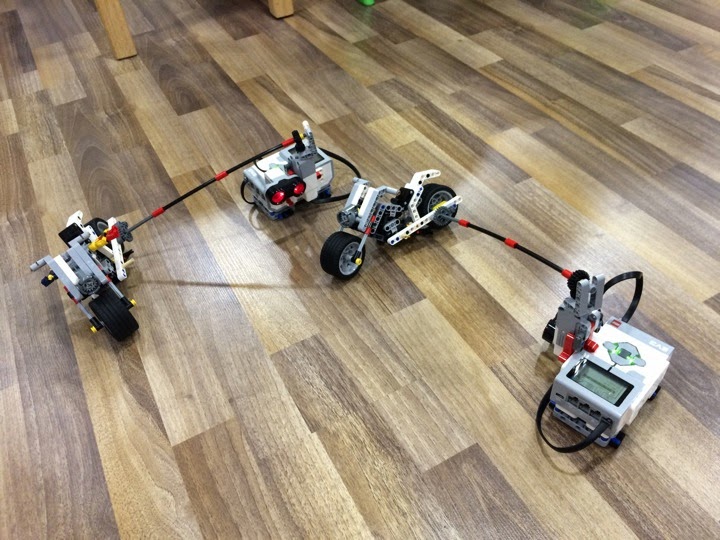
This week project is a motorcycle that rides around the EV3 controller.  The motor sits on the controller itself and it rotates the wheels.

IMG 8992

The programming style is different from the NXT.  So, they spent quite a bit of time to understand the interface, and trying to get their motorcycle working.

IMG 8978

Everything seems new to them today.

IMG 8980

Final check on the code and design.

IMG 8982

 OK.  Finally, he got it to work.  But he has to keep pressing the controller so to stabilise the controller.  Otherwise, when the motorcycle turn round and round, it will flip the controller.

Here is another quick look at this week project.

Cool!  Jay was very happy today.

Letting the kid to have fun in some class that he likes seems to make the kid always looking forward to this class.  Jay always eager wanted to make new things, learn new things.  Slowly, he will learn a lot of things that is not going to be taught in the normal Primary syllabus.  I think this skill will be very useful when he grew up.

Saturday, January 18, 2014

Little Engineers

Date:  Jan 18, 2014

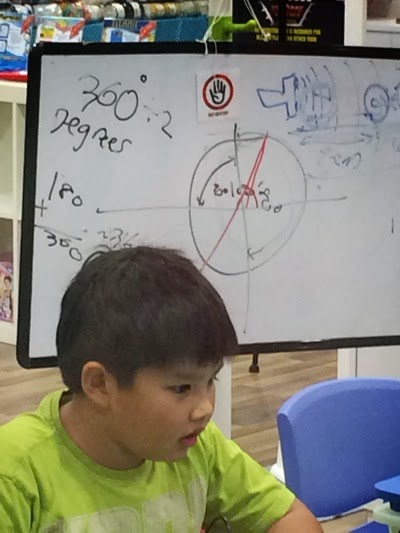
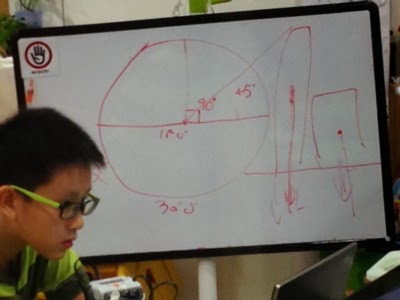
Although they are only 7 years old coming to 8.  But their mind has been trained to program their Lego Motor to do angular turning.  Of course they have not learned all these from school, but in the Wonders Work Robotics workshops, they already know the concept.

 IMG 8419

Teacher Enzo teaching them how to rotate, rotate to what degree so to make their Ball Coaster work.

IMG 8404

Yes!  It is called a ball coaster.  The ball will be like a roller coaster go from one place to the original point, and the robotic arm will move them to the higher ground and start the roll again.

IMG 8410

See Jay’s Ball Coaster in action.

The ball will keep on going and going and going...

Wow.  Jay Jay has attended this almost 24 weeks already.  And up till now all the projects has not been repeated yet.  Which is good.  I planed to signed him up for the next term. :)

IMG 8422

Saturday, January 4, 2014

Robotics: A Helicopter

Date:  Jan 4, 2014

The robotics project today at the WonderWorks @ Liang Court getting more interesting.

The project is to create and design programs for a helicopter.

IMG 7261

This is Jay Jay’s helicopter.

IMG 7269

So, what does it do?

When the helicopter is landed on the table, the propeller stop spinning.

When you take the helicopter off the table slowly, the propeller spin slowly.

When you take the helicopter higher and higher, the propeller spin faster and faster.

Huh?  I blurr..

How this work har?

Oh, there is a ultrasonic sensor build in below of the helicopter.

The ultrasonic sensor will measure the distance of the sensor against the obstacle (table).

When the distance is relative zero, the motor not moving.

When the distance is small, the motor rotate slowly.

When the distance is bigger, the motor will rotate faster.

As simple as that.

Cool project Jay!

Sunday, October 20, 2013

Jay Robotics - A Moving Robot & Newton

Date:  Oct 20, 2013

Yesterday, Jay Jay continue to learn his Lego Robotics at WonderWorks @ Liang Court.

[A Short Story]

Mommy:  I am flying to US tomorrow.

Jay:  Where is US?

Mommy:  (take a cup) We are here, and US is behind here.  That is why when you have sun, I am at night time.

Jay:  Oh, you are 180 degree behind.

Mommy:  (Shocked) How you know what is 180 degree?

Jay:  Teacher Enzo teach me la.

[End]

Yes, although they have not learned all these concepts from Primary One syllabus, but because of this Robotics class, Jay has previewed and learn the concepts of algebra.  HaHaHa.  He knows what is 90 degree, he knows what is 180 degree means.  

Sometimes ago, he also know what is the different between 2.0 and 2.5 and 2.6 power.   So, he also previewed the concept of fractions.

All from this Robotics class.

So, let's see what are they teaching this time.

Something about degree… and a arrow pointing downwards.

 IMG 9721

And he is building a 3-legged robot.

IMG 9720

So, the task is to move only 1 leg.  And then move enough to push the robot forward.  Too much force will make the robot lean down forward.  Too little force will make robot loose balance and fall backwards.  So, there is no error of margin.  It has to be precise.  

IMG 9715

Wow… look at the number of lines of the codes… 3-4 lines … This is the first time he design such as a complicated robot move.  Not using wheels but movement of the arm and legs.  

IMG 9727

And its done!  This is Jay Jay's robot Vs. Joe's robot.  What a cool robot.  I like!

Youtube: http://www.youtube.com/v/80pBAEE-8VU

At the end of the class.  Teacher Enzo asked.

1)  Which Scientist they have learned today.  ==> Sir Isaac Newton

2)  What he discover?  ==> Gravity and F=Ma

3)  How he discover?  ==> A falling apple

4)  Why it is important?  ==> too much force cause the robot loose balance as gravity pull the robot body down forward.  too little force cause the robot loose balance backwards as the gravity pull the robot down behind.  A robot body has mass, and it is the gravity force that pull him down.  So, the power supply to the motor of the moving leg has to be precise.

May be I am a GEEK father.  But I am very tempted to send him here...

Screen Shot 2013 10 20 at 7 44 54 AM

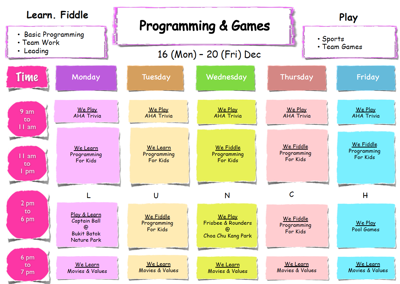
Yup.  Learn BASIC.  For 7 years old to 12 years old kid.  Learn how to write BASIC computing language.  

OK.  I will sent him there.  HAHAHAHAHAHAHA
 Screen Shot 2013 10 20 at 7 45 04 AM

Don't forget.  Teacher Enzo's Space Invention Camp is also here.  4 slots.  And they build rocket.  Check out the videos down at the page.

http://wonderswork.com.sg/holidaycamp.php

Screen Shot 2013 10 20 at 7 47 12 AM

Sunday, September 8, 2013

Karate Robot

Date:  Sep 8, 2013

I think Teacher Enzo @ Wonders Work did a very wonderful job.  

He always can come up with very interesting project to keep the kids to keep on coming back.

This week...

Meet the Evil Big Boss robot.

1.  He will keep laughing (play back laughing WAV file) every 30 seconds.

2.  He has 4 touch sensors on his body.  If you hit any of it, it will move backwards 2 steps.

3.  When he is hit, he will raise his sword/stick in front so that it make the difficulties to hit more challenging.

4.  He stays in the square.

IMG 6973

This week project is...

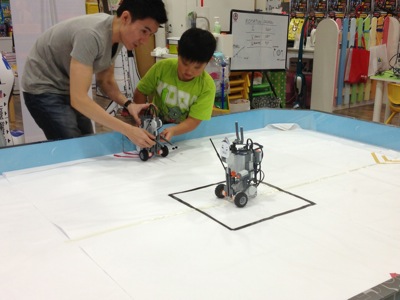
a.  Design (freely) a robot to fight the evil big boss robot.

b.  The aim is to design arms and legs to hit the touch sensor of the evil big boss robot.

c.  Once you hit the evil big boss robot, you must move backwards.

d.  hit the evil big boss robot until it moves out of the square box.

IMG 6972

Playful Jay Jay designed a robot with very very long arms.  The arms are so long that he has to build two wheels to support it underneath.

Aiyo… When you see it, you immediately know it won't work.  

IMG 6976

Look how funny Jay Jay robot is.

Youtube: http://www.youtube.com/v/nYEEJTt2tf4

No wonder Jay Jay has to spent more time to troubleshoot and figure out why it does not work as it intended to.  HaHaHa

I like teacher Enzo, because, he will let the student design freely on the robot and he will then help the student to achieve what the student wanted the robot do.

Even if he knows the design will not work.  But he will assist the student to make that mistake.

IMG 6981

So, Jay Jay finally understand that this robot with long arms will not work.

So, teachers put two models/sample in front of Jay and ask how should Jay Jay modify his robot.

IMG 6993

Finally he changed it.  The robot arms now becomes very very short.

IMG 7004

More work has to be done when you have short arm.

IMG 7008

And then after a number of tries, he added a horizontal bar in front so that the robot arm can cover much bigger space.

And let's try it out.

Youtube: http://www.youtube.com/v/sjikC8mOTog

Check out Kee Wei's hammer hand.

Youtube: http://www.youtube.com/v/uoHlPUbB_uc

So the kids one by one keep on trying to punch the touch sensor.

Youtube: http://www.youtube.com/v/ZroNFWzQsfw

Finally a direct hit.  The bad robot make two moves back.

Youtube: http://www.youtube.com/v/U1dus36K4To

Poor evil big boss got beaten up by all the Karate robots.

IMG 7049

Another hit.  Yeah!

IMG 7054

Finally, the Evil robot got defeated.  Yeah!

IMG 7065