Date: Nov 5, 2013
This is Kay Kay’s first Bike. It is called "My First Bike”. I bought it from my friend’s bike shop at “My Bikes Shop" http://mybikeshopsg.com.
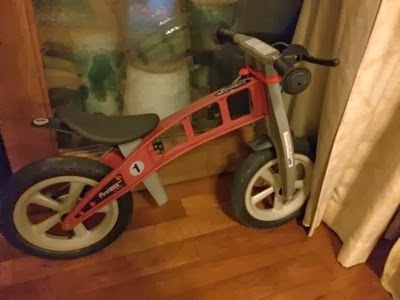
Kay Kay has been riding on this bike since February 2012 until mid-year 2013.
I blog about this fantastic bike. Kay Kay loves his “small” bike.
This bike has NO pedals. So, basically, Kay Kay have to master balancing on the two wheels.
And I got to admit, he did it very well. Take a look at some of the videos in the following blog entry.
>> Kids & Bicycle: http://miniliew.blogspot.sg/2012/02/kids-bicycle.html
Unfortunately, kids grown up very FAST!
By the time of September 2013, Just after Kay Kay turned 4 years old. His “small” bike is no longer fit his legs.
Plus, when you use your leg power to push your bicycle, it is not as fast as Jay Jay pedal his bicycle.
Kay Kay grew taller!
So, we let him inherit Jay Jay’s Trek bike.
Unfortunately, the bike is about 10KG. Kay Kay is only 14KG. So, it is 2/3 of his weight.
Jay Jay can handle it, because by the time he ride this old bike, he is about 26KG. That is why he can handle this Trek bike which he passed down to Kay.
>> Kay Bicycle - One Step At a Time: http://miniliew.blogspot.sg/2013/09/kay-bicycle-one-step-at-time.html
Up until now, he cannot handle such a heavy bike.

What is the Problem?
1. My Frist Bike is great. It is light, and east to move the bike.
2. The red Trek Bike is too heavy for Kay.
3. Most of the kids is small build now, as they don’t eat veggies (unlike Jay Jay).
4. I searched thru almost ALL the bike shops in Singapore, and I cannot find one “light” bike.
5. How do you expect a 14KG boy push a 10KG bike? No way.
6. Like that he can never learn biking during young age.
7. Every kid is different in size build, and the courage of riding. Not afraid of falling.
8. My son - Kay is one of the kind where he is really afraid.
So, what is the solutions?
To Find A Lighter Bike
The solution is for Daddy to do research and google to find a new bike for Kay.
http://www.islabikes.com/us/bike_pages/cnoc14.html

And I have found it!
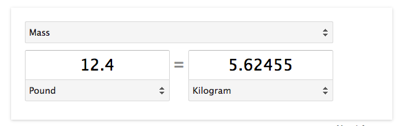
And it is only 12.4lbs which is about 5.6KG.
And I have gone thru so much trouble to make the order. Because it does not have sophisticated online ordering systems.
So, I have to asked Borderlinx Concierge to help me to place order.
And it failed during the first order, and two week wasted. Finally, Borderlinx placed the order for me after persistent chasing and complaining.
Today, the Islabikes is delivered to our home.

The gross weight of the box is 9KG. So just to demonstrate how heavy...
Jay, can you carry it? Oh yes!
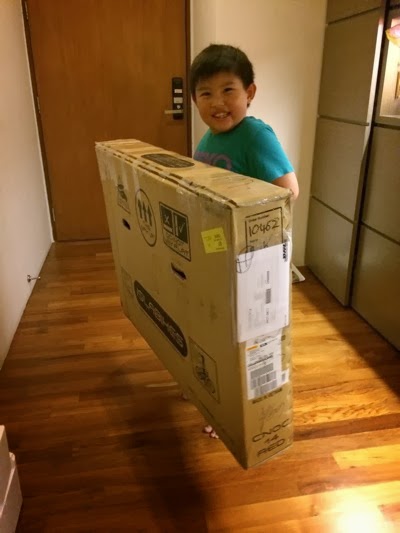
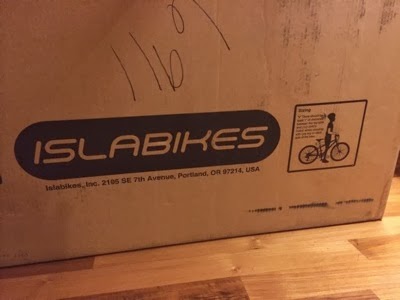
Original box from Islabikes.
Let’s unbox it!

How light is this bike again? No Joke! TWO FINGERS can carry it. Slightly less than 6KG. (Actually 5.62KG).
一包米 = One Pack of Rice.

Here is the bike. Simple frame. Very well done. We decided not to attached the pedal first. Let Kay Kay get used to riding it without pedals, and let him get used to balancing the bike, the body, the weight, etc.

Luckily my mechanic still at work. Please screw down the seat to Kay Kay’s height. See, if Kay Kay grow another 6 inches, he can still ride this bike. Good for 2-3 years.

Very easy to screw and unscrew.

So, it is a 14” frame. CNOC 14. From ISLABIKES.
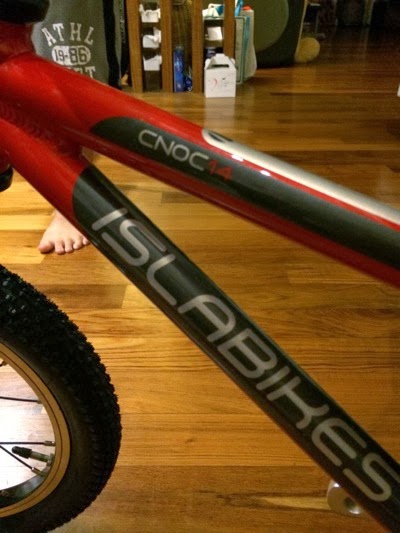
And Yup. It is Kay’s height now. Wearing a shoe will make a different.
You know how happy he is? can tell from his face.
Do you know how sad he is when Jay Jay always go down with his friends and he has no bike to ride?

Mommy, please go thru the installation process, to make sure every screw and bolts are in.

The installation guides is very clear.

OK. Kay Kay, let’s see how you ride the bike.
At first, he very carefully pushing the bike. Later 10 minutes, we shall see and check him out again.
Youtube: http://www.youtube.com/v/q3LUpgBzRHc
Now, let’s run thru a few details… Only one single screw to control the seat height.

Very simple bike handling. Kay little hand can handle the steering wheel.

OK. Take a look at the breaking system.

OK. Handling the break is no problem. It is very easy and sensitive to break. And the breaking is soft too. It will break. and the feeling of breaking is nice.

Very simple gear. No speed gear for Kay yet.
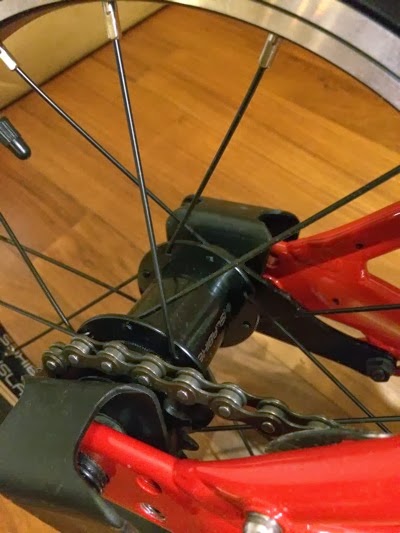
Very simple design. Elegant.
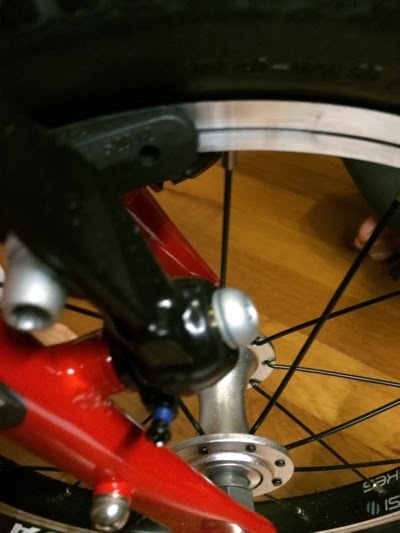
What can I say more. I compare this to many of the bikes I can find in Singapore, all of those are ugly. This one is exceptionally great.

OK. Let’s go outside. Please wear shoe. I want to see how you handle the bike after you wear your “bike” shoe.

No problem at all.

Just push the bike to feel the balance.

I am very sure Jay Jay is happy for his brother too.

And lastly… Let’s ride 20 rounds in the living room. Obstacle course.
Youtube: http://www.youtube.com/v/z4IKH9WRM_w
That night, he sleep very well. I bet you he has a lot of good dreams.

Here is the bike cost. in USD$. The shipping is to ship within USA.
The total shipping cost is slightly above $200+. So, if you know any one to to go to US, ask them to bring back is cheaper.
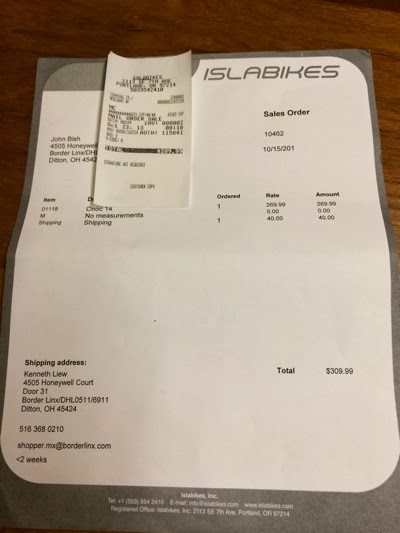
The gross is only 9KG.
So, you can just dump it in the luggage check-in.
But the problem is how to place the order in US. And it will take 2 weeks to build and deliver to the destination in US.
So, all the timing got to be right.

I want my kids to learn how to ride a bike since young. And I want them to enjoy the learning process.
So, that is why I bought this ultra light bike for Kay Kay.
Jay Jay came a long way. It takes him 3 years to fully learn how to ride the bike. I make a mistake to let him ride a 4 wheels bikes. (with support)
That is how long of the time to take to unlearn it.
So, I am very confident that Kay Kay can learn how to ride 2 wheels bike in a month or even lesser time. Let’s see and I will update.