Showing posts with label OpenNet. Show all posts

Friday, September 19, 2014

How Real is 1Gbps Broadband Priced At $49 Per Month

Date:  Sep 19, 2014

Disclaimer:  All the content below here are guesstimation, and based on my limited knowledge.  All these are for education purpose.  Please do not ask me or correct me if I am wrong.  It is not meant to be 100% right.  The main thing is to investigate how real is this price tag of $49 for a 1Gbps.  It is a research that I thought of doing for a long time.  So, please don’t sue me if I said anything wrong.

Lately, I was reading the promotion by local Singapore ISP.

1Gbps for $49 or $49.99.

That is a huge marketing promotion for IDA.  Because in Singapore, the Next Generation Broadband Plan has gone down so low.  IDA is the brainchild of NGBN.  They did a really good job.  Big claps to them.

1Gbps is only less than $50/month nia.

NewImage

Then, the ISP war begins.

NewImage

So, my question is

HOW REAL IS THIS $49/month Price?

Are we being cheated?

Do we need such a big bandwidth?

Can our home network support this bandwidth?

Can our WiFi support the bandwidth?

Can our Router at home support the bandwidth?

In order for me to answer this question.  I must VIRTUALLY build an ISP.  To build a virtual ISP, I will need costing.  Costing can come from Ebay (for equipment), Some Global Internet Pricing Website, and most importantly, IDA website for the costing of NGBN, OpenNet.

So, if you don’t want to understand the whole technical thing.  You can skip the technical and go to the BIG CONCLUSION page.  Please scroll down now.

There is also a simpler way to calculate and figure out.  


TO BUILD A VIRTUAL ISP

We have to thank you IDA for making NGBN a reality.

IDA uses tax payers money, and funded the NGBN.  So, all the tariff is available on the website.

http://www.ida.gov.sg/~/media/Files/PCDG/Consultations/20121030_OpenNetCoLocation/20130220%20Sch%2015%20%20Charges%20clean.pdf

They did a good job.  My home has been on Fiber for 2 years now.  And I have said good bye to the lousy Cable TV Internet and Copper ADSL.

So, after reading the costing document.  These are the 4 important cost pages.

Then, I will try to build the Virtual ISP and check the costing.

This is the fiber from the exchange pull to your house/unit. It also tells you the 1:24 ratio.

IMG 0209

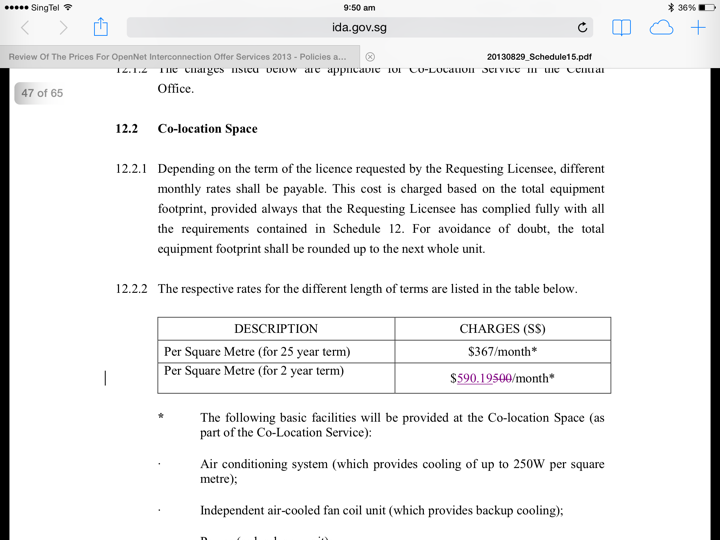
This is the rack price for co location your equipment in OpenNet exchange.
IMG 0210 

This is the fiber charge from exchange to exchange.

You probably need 2x between 2 exchange because one for transmit and one for receive.  So, the price is double.

IMG 0211

This is the price from the Exchange to your ISP POP.  You can’t use a split fiber here.  It has to be a full dedicated fiber.

IMG 0212

The Tail End Circuit To The Customer Home

In order for ISP to deliver the link to your home, they have to use OpenNet Fiber.

OpenNet is NGBN (Next Generation Broadband Network) which is funded by Government using our tax payers money.

So, the COST_A you need to know is the cost of OpenNet selling the Fiber to the ISP and the ISP build the Broadband to your home.

  COST_A = $15 /month

ISP will need to put a switch at the OpenNet exchange, pay for power for the equipment, etc.  That cost is only $590.19 /month for the rack colocation.  It is been shared by all the home broadband users.  The more users, the cheaper the sharing cost.  This cost is negligible.

One of the high cost is, at what speed the ISP is going to deliver the broadband to you?

If it is 1Gbps per broadband link.  Then, by right, they will need to use a higher end equipment (ISP switch) that has are cable to give you a full 1Gbps switch, and the capability of bring back the network back to the ISP POP.

Screen Shot 2014 09 19 at 8 23 10 am


The Likely Equipment ISP Will Use

You notice that blue box labeled ISP Switch Screen Shot 2014 09 19 at 8 41 05 am.  That cost money.

To the customer, it is all 1Gbps port.  The cost is constant.

But the back haul network that the ISP may decide to use will cost money.

Be it a 1Gbps card, or a 10Gbps card, or a 100Gbps card.

I google ebay for a while and put down some estimation.

So, what do you think the ISP will put?  I think they will go for option 2.  They cannot just put a 1Gbps switch there.  and let every one share.

Screen Shot 2014 09 19 at 8 40 27 am


This Area Has Other Condo & HDB

This OpenNet exchange going to server a lot of condos.  Imagine the condo grows.  And every switch are full.  So, you got to have multiple switch at the 2nd level.  And then, connect it up to the main gateway switch.  

There will be another level of over subscriptions within that exchange.

We are not even talking about the ISP POP yet.

So, bear in mind, there will be Equipment cost.  And this cost is shared among all users.  The more users, the more longer you sign the contract, the more cost effective.

But there are two level of over-subscriptions.

For some ISP, they even place the THROTTLING machine here at the OpenNet exchange.  Those machine can cost easily up to 100K per machine.

Why, because you control the pipe for your users, and then save on the backhaul traffic.

For our benefit, let’s give a fictional cost of $5 /month here.

  COST_B = $5 /month

Screen Shot 2014 09 19 at 8 51 43 am


The End User Equipment

The end user, at your home, the ISP will give you a ONT.  A optical Network Terminal.  And they probably will give you a router too.

So, if the ISP WAIVED OFF your One Time Setup Fee, guess where they going to make the money from?  Of course, get from your monthly fee.

That is why they want a 2 years contract.

These ONT may cost $54 per box.

These Router may cost $54 per box.

For a 2 years contract, these end users equipment could cost about $4.5 /month


  COST_C = $4.50 /month


The ISP Network From OpeNet To ISP POP

I am guessing the ISP need to build a ring network.

To build a nice Ring Network of 9x OpenNet exchanges.

Also, if your ISP POP is outside OpenNet exchange, then, you need to buy another fiber from another Telco to make it Telco diversify.  

TOTAL COST = 9x 2x $6000 + 2x $2300 + $12,500 = $125,100 /month

So, you need to have many many users to share this cost.  If you have only 1000 users, each users will need to pay $125/month, and if your price is

very cheap, then, you going to make huge losses initially.

If you have 10,000 users, each users will pay $12.50

That is why the ISP is all out to get your business.  Just to try very hard to achieve a break even point.

Let’s assume that you achieve a 10,000 users base.  

Then,

  COST_D = $12.50 /month  If can be $6.50 for 20,000 users or $2.50 for 50,000 users

Take note that every exchanges you need to place equipment, and every exchanges you need to co-locate in OpenNet.

So, let’s put another fictional cost of Network Equipment.

  COST_E = $5 /month

Screen Shot 2014 09 19 at 9 27 01 am

The IP TRANSIT

The local ISP need to buy from oversea ISP internet.

Smaller player ISP need to buy local internet from local bigger ISP players.

The ISP usually can get free peering to Google and Facebook and save 30% of their traffic.

This is where the over subscriptions comes in.

This is the last over subscriptions of ratio 1:10 or 1:20 or even 1:30.

COST_F = $10 /month 

Not every one read email at the same time.

Not every one download movies.

That is why ISP can take advantages to save money by oversubscribing the users.

If my cost is $3000 /month for 1Gbps.  To get a COST_F of $10 /month your oversubscription has to be 1:300 users.

Screen Shot 2014 09 19 at 9 39 32 am


BIG CONCLUSIONS

1.  Let’s add up guestimation cost.  

        COST_A = Cost of OpenNet Fiber = $15 /month  (FIXED)

        COST_B = Cost of Individual Exchange Network = $5 /month (mostly FIXED)

        COST_C = Cost of Network Equipment at Customer home = $4.50 /month (FIXED)

        COST_D = Cost of National Backbone of ISP using OpenNete 9 Exchange = $12.50 /month (VARIES against Number of Users)

        COST_E = Cost of Network equipment = $5 /month (VARIES against Number of Users)

        COST_F = Cost of IP Transits / Internet = $10 /month (VARIES against Number of Users and Quality of Users)

     TOTAL = $52 /month for worst case, 10,000 users base.


2.  Let’s assume, if large ISP is 50,000 uses.  Than, the cost go down dramatically to $42 /month.  I am very sure it can go down further.  Don’t forget the price and revenue is much higher to Corporate Customer despite technology is exactly the same.   For ISP business, Corporate customers are to save the business.   Corporate users less bandwidth, as their Per Mb price of bandwidth is much higher.  Corporate uses bandwidth in day time, where Consumer uses the bandwidth at night time.  So, you don’t need to provision more bandwidth for doing corporate.


3.  What does these figures mean.

     A.  ISP have to try all sort of method, to sign your 2 years contract.

     B.  Big ISP has cost advantages.

     C.  Small ISP will need to pay higher cost.  But some may want to BUY customers.  Make losses and get the customers.

     E.  Some Small ISP will not wiling to drop price, instead they give value add.  Such as better throughput to watch IPTV.

     F.  It is not cheap to run an ISP business.

     G.  The big ISP always sit there to watch what the small ISP do.  Their competitor drop price to $49.  Then, they follow.  They will never in the leading packs.

     H.  Those smaller ISP who cannot offer $49 for 1Gbps.  Means they really cannot offer it at a loss.  Nobody wants to do business at a loss.

     I.  Let’s say $52 or $42 is the cost price.  What about Call Centre Cost?  What about the day to day operation cost?  Human Cost.  I did not even consider those yet.

     J.  Can ISP allow their business to make losses? No, so they will have to squeeze the cost down.

     K.  The easiest way is to oversubscribe the users.  For example, put 300 1Gbps users together and to use a real 1Gbps IP Transit/Internet.


4.  There is an easier way of doing even simplest Guesstimation.

     The IP Transit is $3 per Mb per month.  So, a real real dedicated Internet of 1Gbps will need to pay $3000/month.  So, if you are paying $49/month for it.

     $3000 / $49 = 61.22

     That means, without calculating the human cost, equipment and network cost.  By simply buying Internet from the Tier 1 ISP in the world.  and divide by your 1Gbps Price.

     You are already sharing with almost 61 people.

     So, 1000Mbps divide by 61 people = ideally, you get 16Mbps allocation if all 61 people uses the internet at the same time.

     Got it????  Do you think, if you factor in the human cost, the equipment and network cost, you are sharing with 61 or 100 or 200 people?


5.  At home, the ISP probably know that you won’t be able to user 100Mbps if your switch is 100baseT switch.  

     If your WiFi is still 802.11a/b/g, even if you have 1Gbps coming in, it is restricted by the 11Mbps, or 54Mbps restriction of WiFi technology.

     Even you buy a AC1200, do you really get Mb traffic via Wifi?  NO.  It is only in the lab that they can produce that kind of result.

     Look at my home.  I got 200Mbps coming into my kitchen by ViewQest.

      My Home Network copy

But after it goes into my Power Ethernet Homeplug (Sineoji), it left with only half the speed.

That means, if I can buy 1Gbps.  My iMac still going to get this 107.23Mbps speed because of the lousy design of my home network.

I consider myself quite good in designing network.  But sometimes reality is… do you want to see the UGLY cable run, cable boxing from the front door to your TV console or network cabinet?  Do you have money to renovate your house to hide these cable runs?  If no, you will be like me trying very hard to improve the network form one point to another.

But I am sure 99% of the consumer users know nothing about cable, internet, network, Homeplus and so on.  So, they can only be at mercy of the big ISP.

Big ISP will lure them with a lot of plans.  They might get discount price for multiple mobiles, but they are heavily short change in their Internet.

Screen Shot 2014 09 19 at 10 14 16 am


6.  It is not cheap to run an ISP as you can see from my Virtual ISP model.  It all depends on what you need.  Do you want to relax at home and watch 20 episodes of Korean TV series without seeing any buffering.  Or you can afford to pay lots of $$ to watch “Traffic Lighgt" TV?  My conclusion is, the 1Gbps at $49 plan is the biggest scam of all.  You might get the full speed on day 1, but as time past, more users sign up, you will get lousy speed again due to oversubscription ratio.  IDA define 1:24 from exchange to your door step, but they did not state requirement from exchange back to ISP POP and go to Internet.  

Traffic Light ISP earns a lot of money.  Just look at their annual report.  They always find ways to earn your money.  

Smaller ISP wanted to do something different.  They want to do better.  But the cost is high.  The Internet to China cost is between $100 to $200 for 1Mbps and per month price.  Compare to $3 per Mb per Month US Internet.  That is very huge cost.    So how smaller ISP survive is based on their commitment to serve better the customers.  If smaller ISP only wanted to get in more customers but not improving the service, then, they will eventually face with their doom too.

Finally, I completed this small little project and I gain a lot of knowledge thru this learning too.  It is fun and good to know the costing.  I always wanted to know, I always trying to figure out.  I am glad I done a rough calculation and verify my point of view.  hahahaha

I just shoot this video a moment ago.  And you will know why although I only have 100Mbps Internet in my home, but my Xiaomi MiBox can give me the highest HAPPINESS of all.  You really don’t need a 1Gbps to do this.  HaHaHaHaHaHa….

After you watch this video, you try do the same thing on an Android TV Set top box and tell me how your Traffic Light ISP compare to this.  HaHaHaHa.. Have fun ya!  Happy F1 Festival. 

Check out how all the video been tested, how the apps been tested, how I fast forward can play the movie fast.  How HD the quality it delivers.  Thru various different apps.  The sport channels may be  a bit jerky… but all is because of the servers. 


Saturday, October 12, 2013

SingTel Exchange Fire: Random Thoughts

Date:  Oct 12, 2013

[Disclaimer:  This is purely my personal views.  It has nothing to do with any of the company I am working with.  This is just some of the random thoughts and express my views on the whole matter.  This country has free speech, right?]

IMG 9231

[The Story]

Some fire broke out in one of SingTel Exchange, burn away a lot of finer optics.  And affected service delivery from SingTel, Starhub, M1, Opennet, DBS, Singapore Pool to consumers.

- Is just a small fire I think.  Because such an important data centre or exchange must have super solid fire protection systems.  I remember, when we design the data centre 10 over years ago, we put in all these dry sprinkle, wet sprinkle, FM200, etc etc.  So, something fire broke out, human beings must be the first one to go, because when these fire protection gas is released, human being cannot survive in there.  

- But judging from the photo posted on the news paper… hmm… it is possible the fire break out from outside the data centre area.  So from data centre room to the MDF room (electrical room of each building), it has to gone thru horizontal and vertical risers.  Are these expose to fire hazards?  I don't know man, I just go outside my apartment and open the riser door, is not lock, and I can see all other OpenNet or Singtel or Starhub fibres running around.  Hmm… for my home, no security.  But I hope for such important SingTel Exchange, it is well guarded.  

[M1 & Starhub]

- Wait now, this is SingTel exchange on fire.  What does it have to do with Starhub and M1?  Starhub & M1 does not have own fibre to some part of Singapore.  So, they depends on SingTel and OpenNet to deliver the fibre for them.  So, partial of their network is rely on SingTel.

- OK.  That is strange.  I thought Starhub have Cable TV?  Sure this Cable TV don't run from SingTel Exchange, right?  Yes and No.  Starhub cable TV within any building is an independent cable.  But from their cable distribution network, how many of these nodes are depending on SingTel to backhaul back to their broadcast node?  Oh, in between nodes, they can use SingTel.  As SingTel is the monopoly player in Singapore in terms of pipes and cabling.

- M1 has their own fibre ring, but it does not goes into every single building.  So, some of the network, they still need to depends on SingTel.

- Wait now, can't M1 and Starhub build their own network?  I guess can.  But hey, if government did not give money to them to build, why should they build it?  I am not saying government have to give money for them to build.  I am just saying, building a fibre network needs lots of money.  Dig out the road, pull the fibre, installing nodes, we are talking about S$400 per meter is the cost I think.

- But M1 and Starhub earn profits in MULTIPLE MILLIONS every year.  Hey, don't touch those money, it is share holder's money, ya.  This reminds me about the past where the board always ask the listed company, how to increase revenue, how to improve bottom lines.  At the end of the board meeting, OK.  Let's don't do any thing, cut the CAPEX, etc.  Yeah, you CTO out there, hate to hear this, right?  Cut the Capex.  Freeze the Capex.  So, may be that is what happen la.

- Seriously, I think they should build diversity instead of relying on Singtel.

[Nucleus Connect]

- Starhub own Nucleus Connect, right?  Isn't that a company that resell fibres?  So, why don't Starhub use Nucleus Connect?  Hey, don't say Starhub own Nucleus Connect.  So sensitive.  They have shares in the company.  That's it.  

- Wait now, I remember, government give money, 250M to Nucleus Connect.  Can't they build separate network?  Nope.  Nucleus Connect is a OpCo, they have to buy directly from OpenNet.  So, they rely on OpenNet.  Their job is to build network equipment on top of OpenNet fibre network.

- So, that means, people like LGA, My Republic and even Starhub depends largely on Nucleus Connect and because Nucleus Connect is based on OpenNet.  So, when fire broke out in the SingTel exchange, it affected the OpenNet, and thus affected all these ISP?  Yes.  That is basically it.  WOW, very scary, it is like the whole country is running on a single fibre network.

- Do you know that, nowadays, because IDA gives 1B to both OpenNet and Nucleus Connect, All the government can ONLY BUY from Nucleus Connect RSP.  They can't even buy from other OpCo.  That is because government gave 250M to Nucleus Connect.  This is what I heard, don't know whether it is true or not.  hahaha Only when the government needs backup or diversity link, then, they consider other OpCo.  

[SingTel]

- They are the incumbent.  That's it.  They control every thing.

- The CTOs of the company always denied me, they said "SingTel can sell us "Protected" circuit, with "Exchange Diversified" link".  Aiyo, to all the CTOs, Network Managers, go check the facts.  I can tell you in Singapore, 95% of the network are not protected.  Means, from the exchange pull the local loop to you, is a single fibre path.  You want a protected circuit, yes, SingTel will give you protection by giving you 2x different fibres running on the SAME PIPE, and may be different SWITCH, but come out from the same exchange.  My dear friends, when excavator that does not have eyes, cut the fibre pipping, every single fibres get cut.  I pity those big corporation, banks who already pay TONS OF MONEY $$$ to Singtel for something that does not work.  Look at this fire example.  You got an idea?

- Exchange Diversity means form Exchange #1 pull a fibre go thru fibre path #1 deliver to point B.  And a second fibre runs from Exchange #2 pull a fibre go thru a different fibre path #2 which is not so close to path #1, and enter the building from another side or another MDF room.  That is what I call Exchange Diversity.  I seriously doubt that there are any Telco int he world do this.  Unless it is Government important operation centre that really needs such diversity.  like the Army, etc.  I don't know.  So, I pity again for this CTOs thought they are getting real exchange diversity.  I pity them already pay so much money to Singtel for that.

Later I explain more how you can do this.

[OpenNet]

- Government give 750M I think to OpenNet.  To pull fibre separate fibre to residential and non-residential.

- So, the easy way out is… Singtel, please lease me the pipe.  And we will pull our own fibre in the pipe.  Oh ya.  fibre is different brand.  May be fibre equipment is different too.  These fibre are running on the SAME fiber PATH, different pipe nia.   But all exchanges for OpenNet == exchanges for SingTel?  Hmmm… OK.  May be I rent a small room from SingTel in their exchange.  

- HaHaHaHaHaHa… OK.  Some Citynet company was formed to do this.  And guess who owns CityNet.  Is it called CityNet?  And Guess who wants to buy over OpenNet?  CityNet.  See the connections?

- The people who wear the purple OpenNet shirts always have 2 sets of STICKERS.  And the FOREIGN TALENTS always asked the supervisor, boss, (shaking head), what should I use (shaking head), Singtel stickers or OpenNet stickers?  These foreign talents trying to decides whether this installation is a SingTel link or OpenNet link.  So that they can decide what brand of stickers to be placed on the Fiber termination box.  HAHAHA Always give me a good laugh.  Oh ya, OpenNet outsource the installation, talking to building management, etc to SingTel.  Every month, I am guessing SingTel gets a big fat pay check from OpenNet.  Hmmmmmmmmmm…. 750M form the government.

IMG 9230

[DONT BLAME ANY ONE]

- Aiya.  Don't blame people la.  Who's fault?  We should be grateful about IDA on the OpenNet thingy.  Otherwise, how is it possible that we the residents get 100Mbps fibre Internet at home within so fast timeframe.  Actually is good thing.

- So, how to fix it?  That's IDA problem.

[SP Tel / Wimax / LTE]

- Singapore Power Telecom.  The newspaper make a good point.  It is just like the power.  It does not make sense to pull different power cable.  so it does not make sense to pull different fibre optic cable into a house.  Wait now.  Then, why can't Internet delivered via Singapore Power?  13 years ago, Pacific Internet partner with SPTel to do Internet over Power line.  I am very sure power line technology is a mature technology by now.  Singapore Power have to dig the ground.  Singapore Power have the capability to reach every house hold.  So, why IDA cannot give some $$ for Singapore Power to come up with an alternative routes?  I am very sure it can be done.

- Wireless technologies are already there.  Licenses already given.  But what's the problem?  the problem is licenses mostly given to existing mobile operations who is also fixed line operators.  So, within those Telco, may be they said, Capex not enough, no market for it.  But I am very sure after this event, every body will start realise the problem. So, all these banking, POS, Singapore pool, they should have major link run on fixed fiber, and then backup run by wireless.  That is why wireless is so important.

- How many of you are frustrated with Wireless@SG.  That is another problem need to be solved too. hahahaha

- Having said so much, I also don't know what I am saying.  But I hope Singapore can learn from this lesson and then, develop an improve fibre strategies, etc.

Ok, time to look after my kids….

Sunday, March 11, 2012

My Home Network Updates

Date:  Mar 10, 2012

This is my finalized design of my home network.  It has been running for the past 7 months with ultimate performance.  :)
Kenneth Network.png
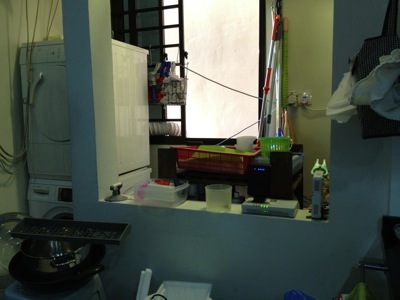
This is my washing area/kitchen.  Behind the wall on the right hand side is where OpenNet put their TP (Termination Point).  You can see I placed my ONT (Optical Network Termination) boxes there.  The main reason is I do not allow SingTel, or OpenNet to drill holes, and placed those ugly cable run from the front entrance.  So, I asked them to come in via the back door.  And the backdoor is the washing area / kitchen.  My network cabinet/cupboard is at the main entrance there.  It is there where all my entire apartment CAT6 cable runs are centralised.  And, I do not have a cable between this two location.  So, what did I do?
IMG_4794.jpg
So, in order to connect from the kitchen, I make used of two technologies.  Homeplug via the powerline and AirWire via the 5.8Ghz wifi space.  From the ONT location, there is no wired / CAT6 cable going to the network cabinet which is just left side of the kitchen (viewing from here).
IMG_4796.jpg
That is my network cabinet.  All the CAT6 network point in the house, except the kitchen, all come back to here.
IMG_4797.jpg
By the way, in my place, I have both ViewQwest and SingTel Fiber Broadband network.  The SingTel fiber broadband is notorious of throttle your traffic if they detect a slight abnomal traffic.  Once they throttle your traffic, all traffic will be slow.  So, I gave this network to my wife to use.  As she will always use it for her WebEx, Video Conferencing, etc.  As for me, I use it for my day to day web surfing and so on, I used ViewQwest Fiber Broadband that does not throttle my traffic at the moment.
1.)  So, for Singtel, I bought a pair of Airwave from X Concept.  They are the distributor of Airwave.  Now, they are located at #07-04, Burlington Square.
IMG_4775.jpg
I have used it for almost 7 months.  And it is still working fine.  I got this from X Concept.  This is a product from Ubiquiti Networks.  http://www.ubnt.com/.  A pair of this will connect at 5.8Ghz Wifi frequencies, without line of sight.  So, from the kitchen to my network cabinet.  It is brainless, simply connect and plug and play.  It is like a real cable like that.  except that they uses Wireless to connect the two points.
OK.  I know, I know, I am a techical guy, I can set up a switch and create a VLAN and pump it thru the power line using homeplug.  Those are the good old days, when you have 2 kids, your time seems to vanish pretty fast.  ahhaha so brainless thing will always catch my attention.
IMG_4776.jpg
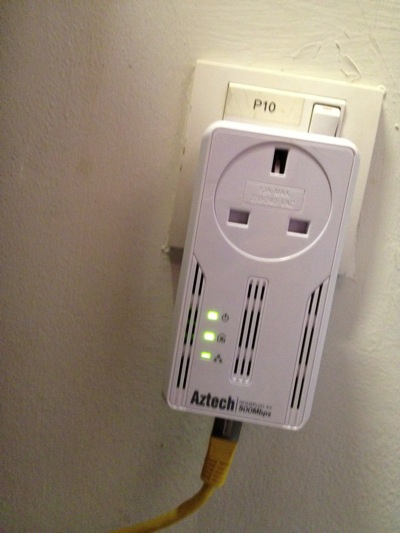
2)  So far, this is the most reliable homeplug that I have tested.  It has not been down, and does not need to reset it all the time as in the 1Gbps version.  It also have a noise filter, where you plug almost other things in there.  This one, I place it just opposite my dryer and washing machine.  My domestic helper wash cloths during day time, where all of us are working.  So, I did not get a chance to test weather the noise level is high during the washing and drying.  So far, I am happy with it.

IMG_4779.jpg

In my network cabinet, I plugged a plug extender on the noise filter of the homeplug.  That means every single electronics, i.e. switches, routers, etc are plugged in and pass thru the Aztech homeplug.  Except the NAS, I plug it separately.

IMG_4785.jpg

3)  SSID Mouse9 inside the network cabinet.  This is ASUS Black Diamond, the best WAN to LAN and LAN to WAN router in the market.

IMG_4783.jpg

4)  SSID Mouse5, running SingTel network, resides in my study room for my lovely wife to use.  Of course, the switch below is running ViewQwest network.

IMG_4788.jpg

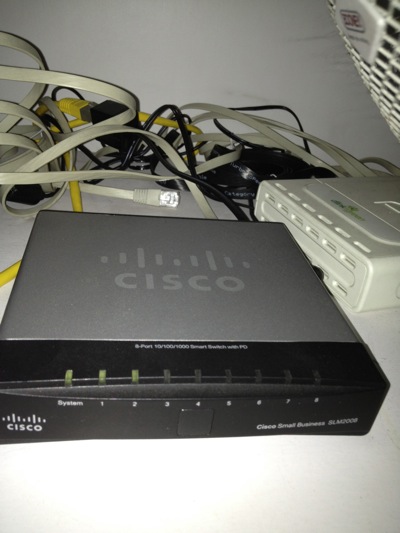
6)  As I threw away the SingTel's 2wire router.  I need this managed switch Cisco SLM2008 to untag the VLANS for me from Singtel Fiber Broadband.  I do this is to increase the performance of WAN to LAN network.  Singtel's 2wire is really crappy!

IMG_4784.jpg

7)  SSID Mouse3, sitting at the TV Console area, provides internet and Wifi exclusively to Apple TV, Wii and XBox, and my Internet Radio.  Apple Airport Extreme does the work here.  When you Airplay the movie on your IOS devices, it is fast!

IMG_4790.jpg

8)  The Internet Radio.

IMG_4793.jpg

9)  SSID Mouse6 in my bed room.  I can received 2-3 bars Wifi Signal from Mouse9, but that is not enough.  so, I put my Apple Airport Express here.

Related Posts:

From here you can explore more related topics at the botom of this post.

http://miniliew.blogspot.com/2011/05/bye-bye-singtel-2wire-5012nv.html

Tuesday, January 17, 2012

Fibre Broadband Performance - How to Test The Speed of Broadband?

Date:  Jan 17, 2012

WARNING!First part of the blog is OK for normal people.  The second part, will get a bit techie, and only sysadmin or netadmin will understand what I am doing.  But the end result is to proof that speedtest.net may not be accurate, to get more accurate results, there is a high learning curve, but at the end, the result is somewhat more accurate but still depending on network situations at that time.  But just look at the pictures will tell you everything about the network.

I have re-engineered my home network again.  I got my 2nd OpenNet network fibre up and running under ViewQwest.  ViewQwest recently launch Residential FiberNet Broadband.

A very common way of measuring the speed is to use http://speednet.net

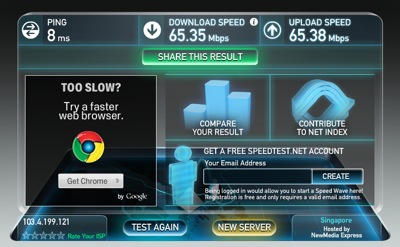
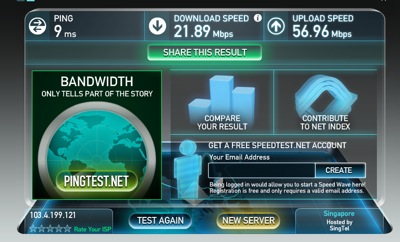
Here is a screenshot of a random launched speednet that measure the speed to NewMedia Express, a hosting company in Singapore.  It is a Telco Neutral server.  So, most of the time when you launch speedtest, you end up using this.

Screen Shot 2012-01-17 at 6.44.47 AM.png

Here is a trick.  If you click on the RELOAD button to reload the web URL, they might give you another hosting company, such as Telin.  (Look at the bottom right corner - Hosted by Telin).  You will wonder why the number keep fluctuating.  Telin is the incumbent ISP in Indonesia, not sure why it gives a low download speed.

Screen Shot 2012-01-17 at 6.48.25 AM.png

Here is another example.  Hosted by SingTel.

Screen Shot 2012-01-17 at 6.50.21 AM.png

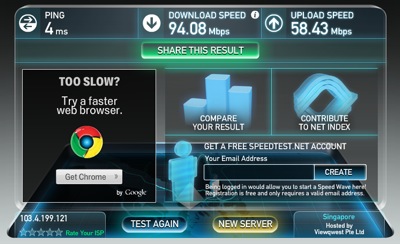
Lastly, I found the one the hosted by ViewQwest.  The PING is 4ms, the download speed is indeed close to 100Mbps.

Screen Shot 2012-01-17 at 6.51.35 AM.png

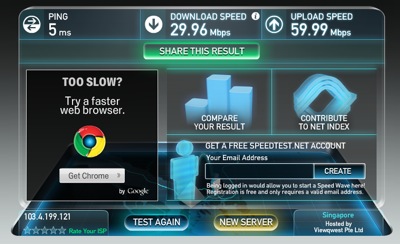
Now, if I re-run the test again.... I got this lower results.

Screen Shot 2012-01-17 at 6.55.00 AM.png

So, what does this mean?

This simply means that speedtest.net is not always accurate.

Most of the time, it depends on what the service provider or hosting partner has put in.  You can put a old server and run the speedtest server.  Or you can spent lots of money to put in a real server with high network load capacity, etc.  But when you think about it?  Will the operator put in such money?  Believe me, I worked in these ISP before, so, it is always a low priority, and good to have thingy, but you will almost certain that older server will be placed there (server recycle).

Also, what speedtest does is to download a large file over the same network interface.  So, under a very good condition, where there is only one person awake and he is the only one person that does the speedtest.  There is only 1 file being downloaded over the Gigabits network.  Of course, you will get a full speed.  But when there are 2 person, 3 person or a whole bunch of person downloading the file at the same time over the same network that hook up to the speedtest server, well, the tast will be divided, the resources will be divided.  So, most of the time, you almost end up waiting in a queue for other tasks to be completed.  By that, you will get a lesser download speed.

But it is a good benchmark tool, or at least the only one that is available to consumers to benchmark their ISP.  Sometimes I found it funny, as a technical person, you know this is stupid as it is not accurate.  But sometimes, you got to be amaze that how many people actually believe this.  HaHa.

Now, let's try another thing.  Turn off your WIRED connection (yes, turn off the gigabits switch port), and then, go into WIRELESS or WIFI mode.  So, as you can see, my IP is still the same, and I am switching to a WiFi router which far away from me.  Then, no matter how many times I do this, I get a max of 45Mbps.  Remember, I should be able to bring the network download up to 90+Mbps.  But when I switch to WIFI mode, it is different.  Try running this on a laptop, and move around.  If you get nearer to the WIFI access point, your download speed also increase.  So, WIFI network has limitation, and can give a false impression on your speed.  Not to mentioned those home that has a PLC/HomePlug (i.e. Aztech), Ethernet over Powerline that is sensitive to surrounding noise.

Screen Shot 2012-01-17 at 7.06.37 AM.png

So, what do we do?  How do we test the broadband speed?  Here is my attempt to try to figure things out.  It is not the accurate way, but at least it gives you a rough idea.

1.  You got to have two points to test the network.  A-End is at your home behind the ONT/Router.  B-End is somewhere on the Internet, local internet that you are sure to get good backbone capacity to Internet.  This is important.

2.  Either the end, i.e. A-End or B-End should run as server mode.  This is to test both way directions.

3.  I running this on my iMac.  OK, Mac is a decent port of "unix" that is truely multi-task.  I don't recommend it to be done on Windows machine, as sometimes, I don't know... the TCP stacks are "shitty".  HaHa (have you read Steve Jobs' biography yet??)

4.  First, on my iMac, I installed the program "MacPorts".  Download the latest MacPorts release: 2.0.3.  Download the Lion version if you are running Lion.  Install the program.

5.  Next, go to /opt/local/bin and run "sudo ./port install iperf".  Key in the password.  Yes, this is to install and compile your version of iPerf.  What is iPerf?  http://openmaniak.com/iperf.php so, basically, you run iPerf to measure the maximum TCP and UDP bandwidth performance.  Make sure you get a node from your Network admin before doing this, as iPerf can generate huge traffic and may disrupt your network.  :)

6.  Once you install iPerf at home, you can run this as a server.  So, "sudo /opt/local/bin/iperf -s".

7.  Go to "www.whatismyip.com", and try to figure out what is your IP address.  This is the IP address of your home PC.

Screen Shot 2012-01-17 at 7.29.09 AM.png

8.  But before you can reach this IP address to your home PC, you need to do Port Mapping on your router so that you map this IP address directly to your iMac.  So, on my Black Diamond case, I actually put the LAN IP of the iMac into the DMZ zone.  My ASUS Black Diamond will do all the rest, port mapping.

Screen Shot 2012-01-17 at 7.32.22 AM.png

9.  Then, I remote log in into my office MacBook Air.  I used "logmein", it's free!  https://secure.logmein.com/ Apple does has a remote desktop "Back to My Mac" application, but I found that the screen refresh is a bit jitter, that is why I did not use that.  I simply use logmein on my desktop, laptop, iPad or iPhone.  (yes, you need to pay for the iPad and iPhone app).

10.  Install the same thing, i.e. MacPorts, iperf.

11.  Then, on the command prompt (opps, why I am using DOS name).  key in "iperf -f m -i 4 -c 103.4.199.121" and wala... The iperf client is downloading lots of stuff from your iperf server at home.  As you can see, the biggest my network bandwidth that I can pump out from is about 73.4Mbps.

Screen Shot 2012-01-17 at 7.35.29 AM.png

12.  Of course, if you have a friend out there, can setup a iperf server, ask for his help then.  (I don't have control in Office Network Router, so, I cannot set the Port Forwarding to my MacBook Air).  So, I happen to have a friend help me to setup a server out there in Singapore.  And from my home iMac, I run as iperf client to connect to his iperf server.  And this is the result.

Screen Shot 2012-01-17 at 7.39.28 AM.png

13.  Of course, when you run it as server, you also can see the console.

Screen Shot 2012-01-17 at 7.40.36 AM.png

14.  Let's try a funny thing... and run 3 threads at the same time...  As you can see clearly, all three windows gives the similar results and the results is somewhat 1/3 of what I get when I run a single iperf.

Screen Shot 2012-01-17 at 7.42.22 AM.png

15.  Let's try it again!  With two this time...  and as expected the network performance splited into 1/2.

Screen Shot 2012-01-17 at 7.44.02 AM.png

Conclusions:

A.  Speedtest.Net is not always accurate.

B.  Broadband Network Speed is very depending on what are you doing at that time, and what are other people doing at that time.  So, what we can do, is to use simple tool to TRY to find the maximum bandwidth it can pass thru, but face the reality, there are too many people out there, and they may be doing the same thing as you.  So, sometimes, your traffic has to be splitted among them.

C.  It is the same on Hosting platform, where you try to download things from a single servers.  Think of 1 people download 1 file from 1 server.  Vs. 10000 people download the same 1 file from the same 1 server.  Things will hang.  By that time, don't blame the Network operator.

D.  Next, think of 1 people accessing the network to 1 website on a single pipe.  Vs. 10000 poeple download and accessing from 10000 website on a single pipe.  The pipe cannot be infinite.  So, soon, there will be a choke.

I don't know how much info you can get from this blog.  But, for me, today, I am happy with my ViewQwest.  Does not mean that tomorrow I will be happy with them.  So, since there is no certainty of anything, why don't we cherish what we have today and be happy about it!

Good Luck!


Friday, July 29, 2011

Home Network Improvement Plan - Asus Black Diamond

Date:  July 29, 2011

I just got a new router.  I bought it in Sim Lim for S$220.  But later, when I shop at IMM, one of the computer store beside Challenger is selling at S$209.

IMG_8499.JPG

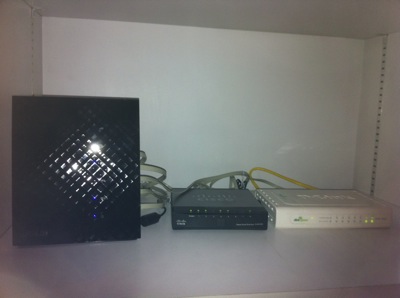
Before that, I replaced my home Internet network router and throw away Singtel useless 2Wire 5012NV Fiber Broadband router (now it is only used for deliverying MIO TV).  I was using a D-link DIR-655.  The Wireless AP served me well for the pass two years.  It's time to change.
NewImage.jpg

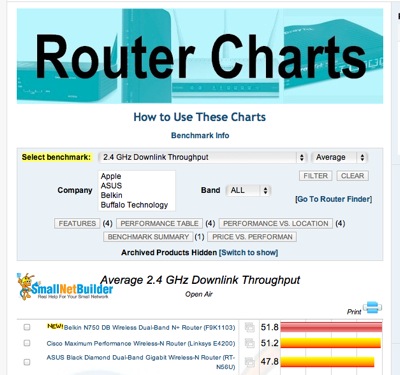
My friend Larry introduced me to a website that has router comparisons.
http://www.smallnetbuilder.com/wireless/wireless-reviews/31436-asus-rt-n56u-black-diamond-dual-band-gigabit-wireless-n-router-reviewed

Go to this website, and start selecting your next router...  For me, I choose "Total Simultaneous Throughput" and you get ASUS Black Diamond Dual-Band Gigabit Wireless-N Router (RT-56U) as the top runner.

Screen Shot 2011-07-29 at 7.11.17 AM.png

And If I compare with the D-Link DIR-655, which is ranked 20th from the top.

Screen Shot 2011-07-29 at 7.14.03 AM.png

My Apple Extreme (ranked 14th) at home is much faster than the DIR-655 ...

Screen Shot 2011-07-29 at 7.15.48 AM.png

And in my office, I think they recently bought a Netgear WNR3500L which is ranked 18th ...

Screen Shot 2011-07-29 at 7.17.36 AM.png

But all these routers I have seen is no where compared with Asus Black Diamond!!!  It is three times faster than my Apple Extreme.  And the router is stylist too.  One thin piece of devise standing vertically.

IMG_8515.JPG

Now, how good is this router and its AP (Wireless) function... Here are some of the test I have done in the office and at home...

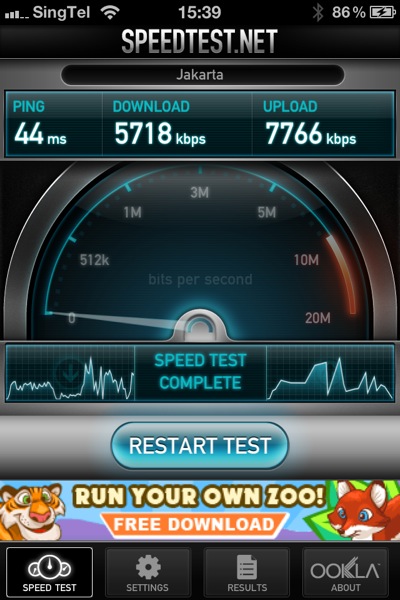
In Office We have two Wireless Access Point Router, where one ofthem is the newly bought Netplus WNR3500L... So, I run the speed test on it... As you can see I can achieve 5.7Mbps download and 7.8Mbps upload.  And I am doing the test ping to the Jakarta speed test server.

IMG_8502.PNG

Then, I disconnect the netplus, and log on to the 2nd wireless router.  I don't know what router is that, but I suspect is a cheap router too.  I will not use this AP router as a reference, as it goes to another broadband link that connects to NewMedia Test server.  I provided it here to give a reference.

IMG_8506.PNG

Then, when I plug in my new ASUS Black Diamond.... WOW... I am speechless.  I managed to get 9.1Mbps download and 14Mbps upload.  I am impressed.

IMG_8501.PNG

So, I re-run another round of testing... just to make sure I don't get some isolated results... and the results came back almost similar...

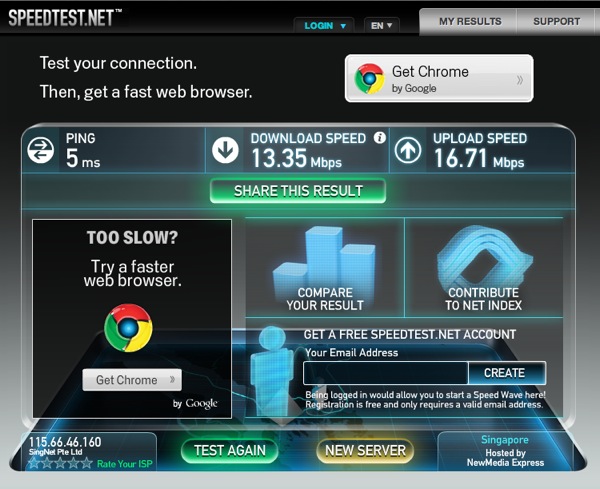
So, next thing I do, is to go back home immediately, and re-run the test at home.  So, at home, before replacing the router, this is what I get... 13.35Mbps DOWN and 16.71Mbps UP.

mouse before Test1.png

And after I plug that ASUS Black Diamond in, replacing the DIR-655...  The speed becomes 26.77Mbps DOWN and 23.85Mbps UP.  That is what I am talking about.  I had an OpenNet fiber, with Singtel Fiber Internet service of 50Mbps.  My speed should at least closer to 50Mbps, right.

wireless after door open Test1.png

So, I am speechless after I see all the result and I am very happy!

So, I go do more research.... For WAN to LAN Thruput, this is to let the Internet come into your home, handled by your router.

Screen Shot 2011-07-29 at 7.33.18 AM.png

For LAN to WAN Thruput, where your Internet going out...

Screen Shot 2011-07-29 at 7.35.40 AM.png

For Maximum Simultaneous Connections.... this is for P2P download... how mcuh you can handle when you download torrents... ASUS Black Diamond is #6 not too far behind..

Screen Shot 2011-07-29 at 7.36.18 AM.png

The 2.4Ghz Wireless Downlink thruput, Black Diamond scored #3...

Screen Shot 2011-07-29 at 7.37.53 AM.png

I think I made a right choice for the router... and I am damn happy about it.  The performance I get is much better than before... and I can feel the speed is very stable too.

GET IT NOW!

NewImage.jpg

I am still keeping my Apple Airport Extreme and Apple Airport for home Wifi access.  :)