Showing posts with label ViewQwest. Show all posts

Friday, September 18, 2015

Gadget: ViewQwest 4K TV Box & TVMC

Date:  Sep 18, 2015

[update:  http://sideloadfiretv.com/sideload-apps-amazon-fire-tv-windows/ is the tutorial for Windows to side load APK using ADB platform tools, the tutorial is for Amazon FireTV but it works similar on ViewQwest 4K.  I tried to find the USB function on the ViewQwest box, I believe they turn off, and they don’t allow you to install APK via USB.]

Yesterday, I picked up the latest ViewQwest 4K box.  After playing with Xiaomi TV box & Mini, Amazon FireTV & Stick, 10moon, Tmall TV box, etc etc.  I am not sure how to do a review on this box.  

To me, it is JUST ANOTHER ANDROID TV BOX that comes with a cool remote control.

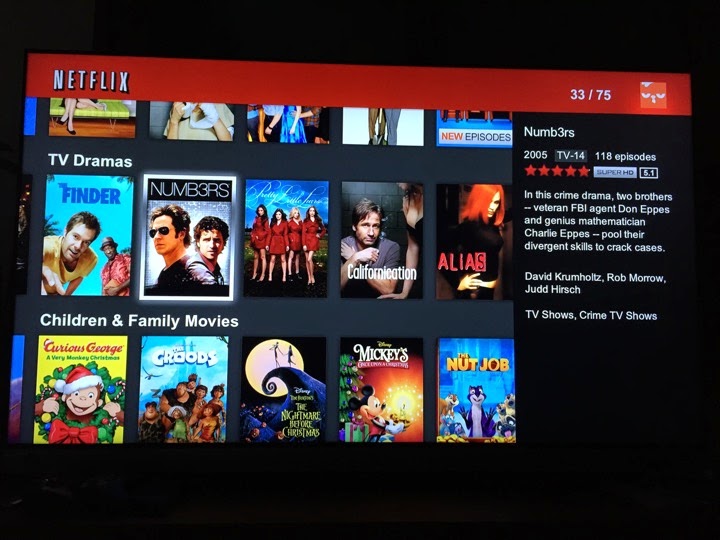
But the selling point of this Android Box is, it comes with LOGIN APP to login to ViewQwest Authentication server, and hence UNBLOCK the geo-blockage from popular US based app such as Hulu & Netflix.  

And if you are non-ViewQwest users, like SingTel, Starhub, M1 or MyRepublic, you can make use of Viewqwest FreedomVPN on this box.   But bear in mind, the quality of the movie streaming is still depend on your own ISP network.  What this box does is it unlock the geo-lock for you.  So, if your ISP has lousy network peering with the content provider, although you can access them, i.e. Netflix, Hulu, Amazon, etc.  But you will still get lagging or buffering.

I don’t have SingTel or Starhub or M1 or My Republic Internet at home, so, I am not sure how well this function work.  

This blog is how to FACE LIFT the box.  HaHaHa… yeap, do plastic surgery.  hahahaha

IMG 0078

It comes with a very cool remote control.  Yeah, a remote control that has a MOUSE PAD on top.  So basically, you now can run some of the Apps (APK) that does not support the traditional few buttons remote control.  

It looks cool.

But in reality, I think use a Bluetooth Mouse is better.  HaHaHaHa.

IMG 0080

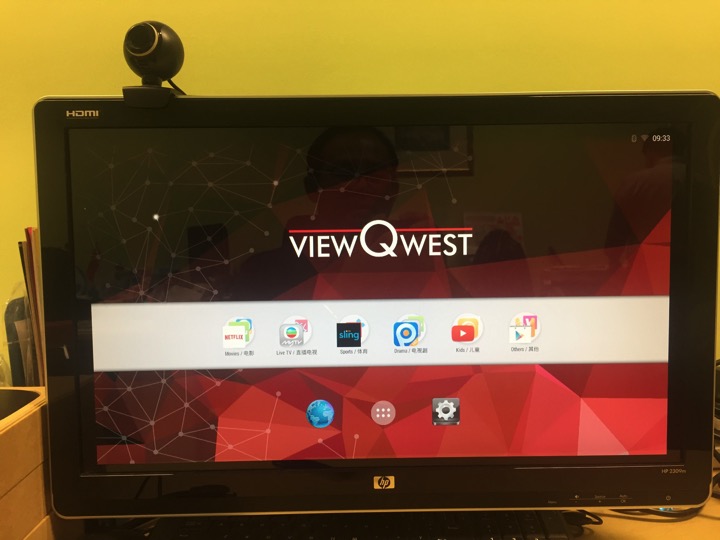
It comes with this UI interface.

And It SUCKS!  (Because is Android! hahahaha).

I spent almost one hour trying to figure out what to do.  And I am completely clueless.

Here are some of the problem I face.  

1)  Initially, if you just plug the HDMI cable into the HDMI port.  It does not do anything.  So, it might have some compatibility issues it seems.  But then, if you turn off the TV, and reboot the ViewQwest box, it actually connect to the HDMI and show it on TV.  

2)  Initially, I run WiFI connection.  Then, when I run some application, it complaint that the Network is not there.  Such as Netflix.  Then, I figure out I need to terminate the Netflix program.  But the Android is designed for touch screen, so with that remote control I not sure how to do it.  So, I plug in a mouse to do the job.

3)  Big time problem with USB.  I plug in a USB dongle for my mouse, then, the SOUND stop working.  Play any movie no sound.  Plug out the USB, sound resume.

4)  I plug in the USB, and I have no clue where to install third party APK from my USB thumb drive.  But then, something not work.

5)  I run Netflix, and it tells me to upgrade Google play store.  After upgrade, there are some error message here and there.

...

So, after 1 hour later, I GIVE UP.  So, I tried the following to do the FACE LIFT.  I had enough of this. 
IMG 0081

HACKING TIME

A.  SIDE LOAD APK onto ViewQwest 4K TV Box.

[For MacOS users] Download the platform-tools-osx.zip from http://www.mediafire.com/download/yum9gn1wdx855x0/platform-tools-osx.zip.  

(Sorry, this is for MacOS users only.  For Windows users, I am sure you can google and find out how to do it on Windows.  I have not been using Windows for many many years)

Install the platform-tools on any where you like.  (for expert only)

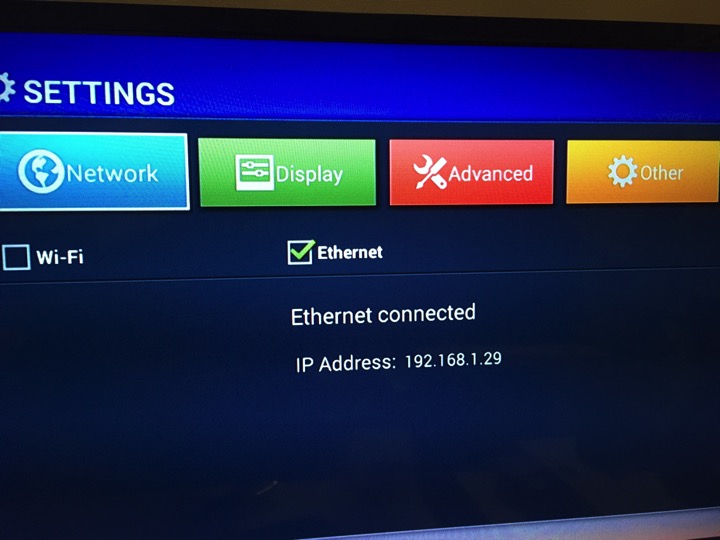
Go to your ViewQwest 4K TV Box.  Find out the IP of the box.  For example, mine is 192.168.1.29
IMG 0174

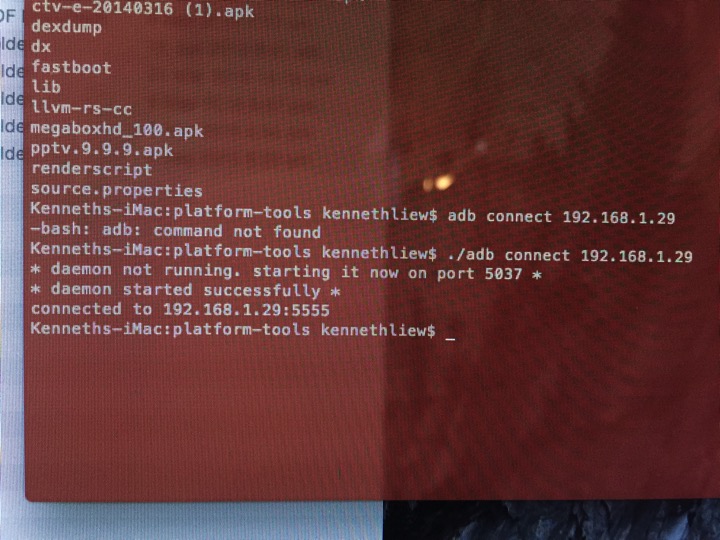
So, you go into the platform-tools directory and run the following command...

    ./adb connect 192.168.1.29

And this will connect your computer to the ViewQwest TV box.
IMG 0198

I have placed some APK files here for testing...

https://drive.google.com/open?id=0B_2LIa_dWu8sSzJiZDJ4TU9UaFU

Copy some of these APK into the platform-tools directory.

Then, you can install these applications APK files.

  ./adb install Shafa\ Market.apk

  ./adb install CloudTV.apk

  ./adb install tvmc-14.2.2-helix.apk

Your applications can be installed easily onto the ViewQwest 4K box.

Screen Shot 2015 09 18 at 9 29 32 am

And all you need to do is to click “Open”.

IMG 0201

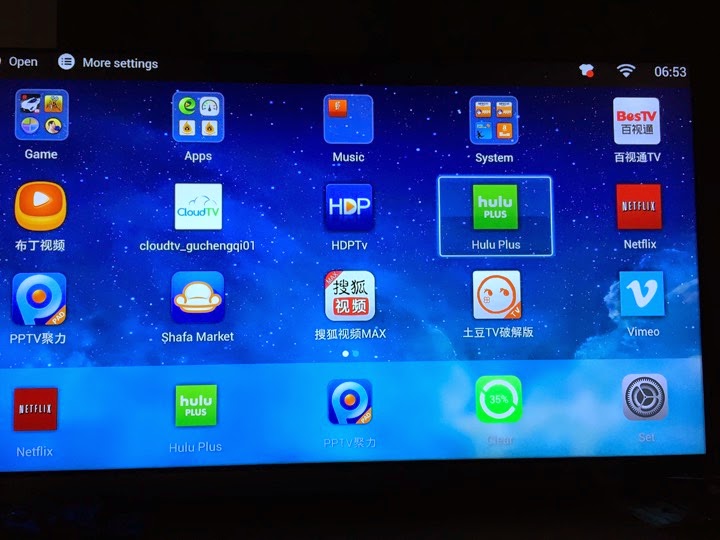
And you have your usual Shafa Desktop running on the ViewQwest 4K TV box.  This is a much better UI.  And it is a familiar UI to all.

IMG 0203

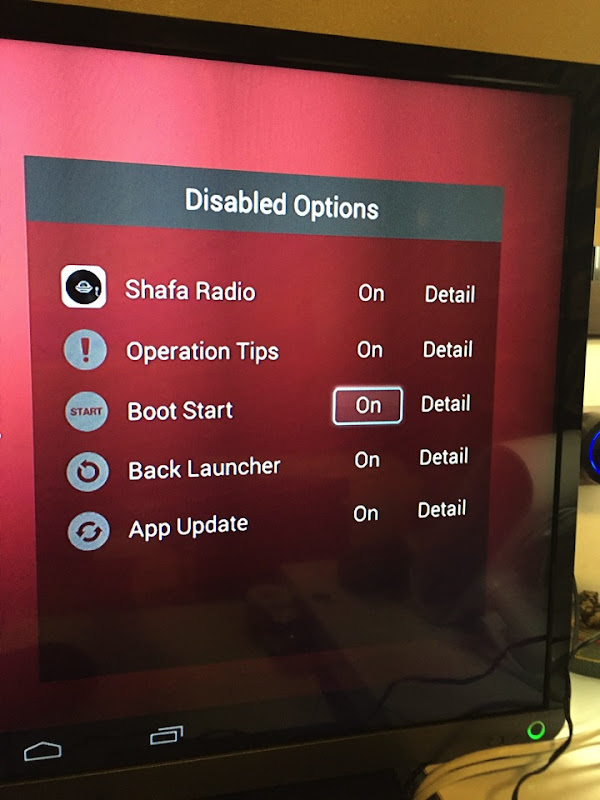
Turn ON the Boot Start.  So that whenever you reboot the box, it launch this Desktop UI instead of the ViewQwest one.
IMG 0211

Every time you press the HOME button, it allows you to select the launcher.

IMG 0215

Sometimes, this dialog box will come out.  So, makes sure you ALWAYS choose Shafa Launcher.

IMG 0216

The user interface is simple and easy to use.

IMG 0217

And the Interface is in ENGLISH.  Because the Android box OS is set to English language.  So, most of your Desktop app are in English.  And ViewQwest preloaded many apps for you.  So, those apps which might need to use a mouse pointer will be easily navigated using the ViewQwest Mouse Remote control.

IMG 0218

Here is the 2nd part of the topic.  Installing TVMC.

TVMC is an application allows you to watch TV and Movies streaming.

You can get all the info from here.

http://www.tvaddons.ag/tvmc-android/

You notice earlier, I have already side loaded it on to my ViewQwest 4K box.

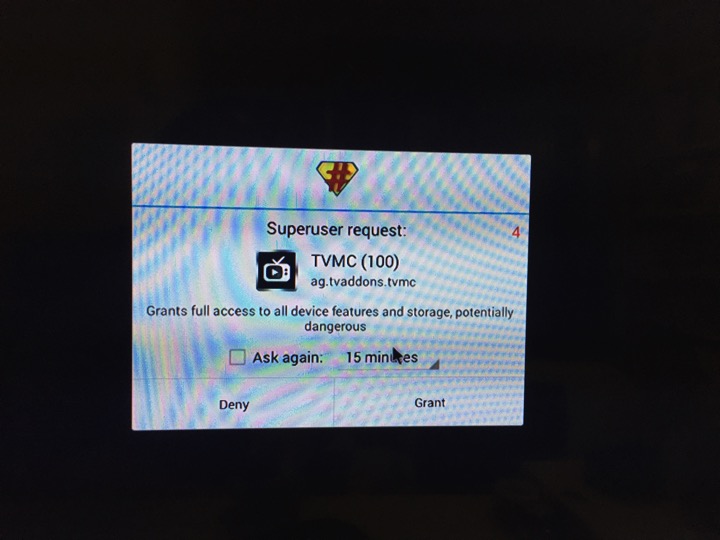
Click on Grant to install the App.
IMG 0237

It is a 5-8 minutes installation...

IMG 0242

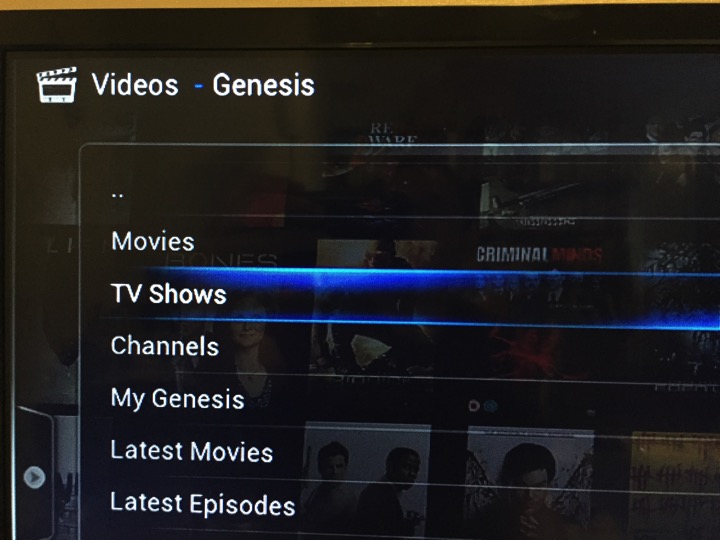
Once install, you get this screen.  Go select Genesis.

IMG 0247

Let’s say I want to watch a TV show.

IMG 0249

Select Returning TV Shows as I know the show I want to watch is Season 3.

IMG 0250

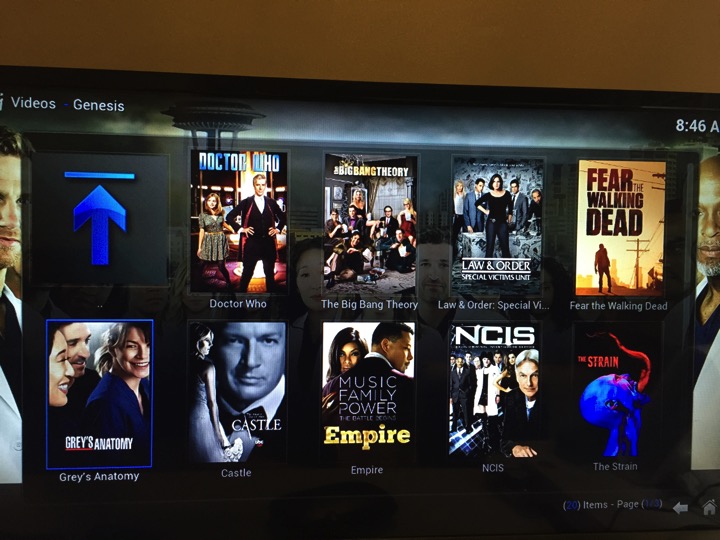
Browse thru the TV show.

IMG 0251

Click NEXT to go next page.

IMG 0252

I found the show I want to watch.

IMG 0253

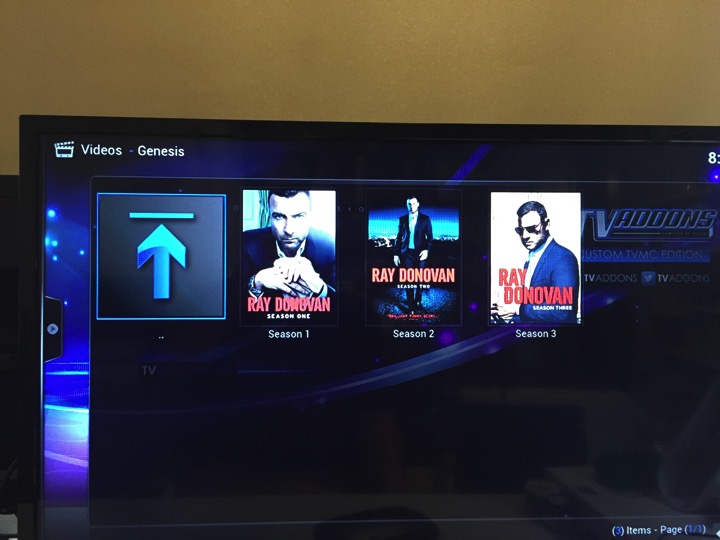
I found the show I want to watch.  Season 3.
IMG 0254

Go to the episode you like to watch.

IMG 0255

If it works, it says “Working…”.  If it does not, then, it will tell you No Streams...

IMG 0256

Choose the streams that works.  Many for you to choose and with different quality.

IMG 0257

And it runs.

IMG 0263

Summary.

1.  This ViewQwest 4K TV box is just another Android Box.

2.  What do you do when you have an Android Box?  You install Shafa Market.  I use ADB to install.  This is where you going to get your apps.

3.  It comes with a cool remote control.  With a small mouse pad.

4.  It has very sucks UI (KK Launcher).  Don’t recommend average users to use it.  So, install Shafa Desktop.

5.  It has English language.  

6.  Since it comes with mouse pad remote control.  You can run those Netflix and Hulu that need mouse input.  Korean Apk too.

7.  The box allows you to login into ViewQwest Freedom VPN and unlock the Geo-locked content sites.

8.  But beware, the Internet speed to these content sides pretty much depend on your own original ISP speed.  If it is slow, you complaint to your ISP.

9.  I feel that this box is like Minix box like that.  Nothing special.

10.  Since CartoonHD, MegaboxHD all close down.  So, the best alternative is to use the Kodi’s TVMC apk to watch it.  Use the Genesis stream.


Wednesday, October 29, 2014

Side Load PPTV on Amazon Fire TV

Date:  Oct 29, 2014

This blog entry explains how you can side load APK files onto your Amazon Fire TV.  You can even install Shafa Launcher on it.  This blog will not teach you how to root your Amazon Fire TV.  First I will explain what is an Amazon Fire TV, What kind of English based App you can load on it, and then, I will explain why do you need ViewQwest Broadband and Freedom VPN to do what we want to do here, and then, the instructions on how to side load all these fantastic China Apps onto your Fire TV.  At the end of the day, you have a single tv set top box that can run bothUS content apps (Netflix, Hulu Plus & Amazon Instant Video) and China content apps (PPTV, Youku, Sohu, iQiqYi, Tudou) as well as UK content Apps, (iTV, BBC) etc.

English Menu on Xiaomi Box?

A lot of my friends were asking… “It’s there a way to make Xiaomi TV Set Top Box to have English menu?”  Yes, but you will need to root or jailbreak the Xiaomi Box so that you can change the system menu into English, and then, load some crappy English based launcher.  I won’t recommend that.


Netflix or Hulu on Xiaomi Box?

A lot of my friends also asking… How do I watch Netflix, Hulu, Youtube and Vimeo on Xiaomi Box?  Again, you need to root or jailbreak the Xiaomi Box which is “dangerous” and then, install the google systems files and the playstore and download these Apps.  And since these apps may not support the remote control, so, you may need to put in a wireless mouse to do all the navigation.  Sounds ugly, isn’t it?


Amazon Fire TV

Consider buying an Amazon Fire TV.  With this, you can have Netflix, Amazon Instant Video and Hulu Plus.  It also run Youtube and Vimeo too.

The next questions is, how do you install the Chinese Apps such as PPTV on it?

NewImage

The quality of the streaming shows are excellent!  

It is only US$99.

Plus shipping you might be able to have this under US$140. 

NewImage

The remote control is very simple, just like Apple TV or Xiaomi Box remote control.  Simple & Sleek!

NewImage

It looks very slick and thin.  Compare to Apple TV.

NewImage

It is definitely more powerful than Apple TV.

It is a Quad Core Media Player.

The Voice Search is cool too!

NewImage

Plus, you can buy a Game Controller and it works with a lot of exciting games.

NewImage

Netflix, Hulu & Amazon Instant Video

US$9.99 per month for Netflix.  A lot of old shows that you like.  The quality is always in HD if you have very good Internet. 

NewImage

US$9.99 per month for Hulu Plus.  A lot of newer shows too.  But all shows comes with advertisement.  All these shows are mostly the major TV producers shows.

NewImage

US$99 per year as a Prime member.  You enjoys many free books and free movies.  All movies are in very high quality HD.

NewImage

With all these TV and movies streaming service, you basically can cut the Starhub or MIO TV cords.  This is much more powerful than those traditional TV where you pay a lot of money for very few TV channels.  And plus, you have to follow the TV schedule.

ViewQwest Broadband & Freedom VPN

OK.  What we are about to do is to configure a TV set top box, i.e. Amazon Fire TV so that you can watch PPTV and others China TV Apps and Neflix, Hulu and Amazon Fire together.  Yes, both China contents and US contents on one box.

Traditional ISP such as the Traffic Light Color ISP will not give you this capability.  Because they have to protect their own TV contents where they spend so much money for the copyright materials.

Traditional VPN providers will require you to have complicated setup, on router or PC so that you can UNLOCK the geo-lock and watch these contents.

But Traditional VPN providers can only give you ONE COUNTRY at a time.  i.e. US VPN will give you a US IP address so that you can watch Netflix, Hulu and Amazon Instant Video.

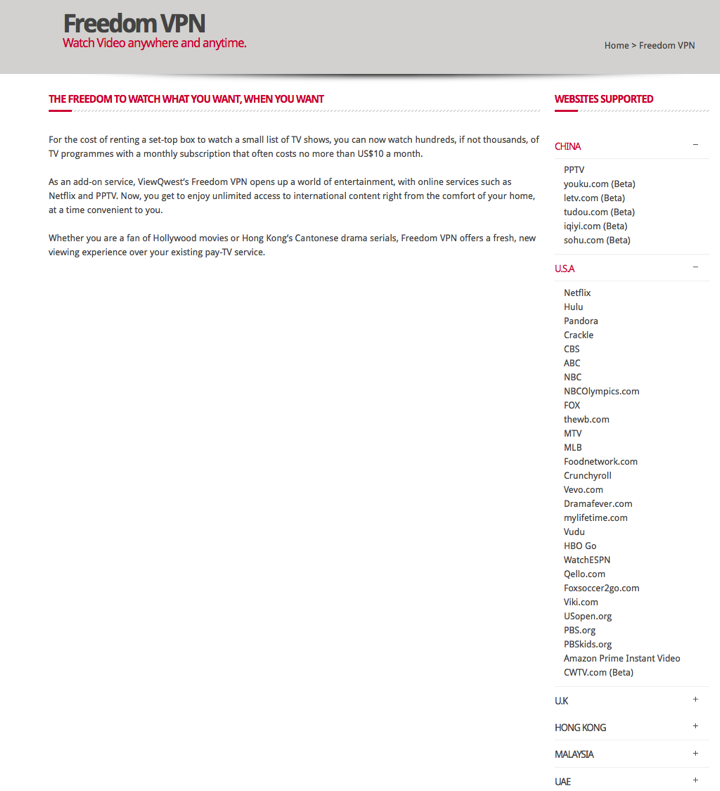
So, like what I am using at home, Freedom VPN from ViewQwest, although you need to pay more, but it gives you multiple countries anti-geo-block capability.

This mean, on a same box, you can watch Chinese content, US content or UK content without changing your VPN network!

The Freedom VPN is an ADD-ON $10.70/month price to the ISP Broadband price.  So, this is extra you have to pay.  And you can only use it on ViewQwest  Broadband line.

NewImage

This is the price plan I abstracted from ViewQwest website.  Forget about 500Mbps, forget about 1000Mbps, as most of your IOS and home network might not even support such high speed.  So, 300Mbps is enough!  See the reason below...

http://miniliew.blogspot.sg/2014/09/how-real-is-1gbps-broadband-priced-at.html

It is not cheap compare to other ISP.  But the value you will get is different experience.  My home only have 200Mbps plan, and my network cabinet can only get 100Mbps because of the bandwidth loss thru the Homeplug power line.  With 100Mbps actual speed within my home, I can enjoyed so much better than those who claimed deliver 1Gbps at $49.  I really don’t believe in those “cheap” products.  I can download a US TV shows within 1 min.  That means no throttle on the ISP side.

Screen Shot 2014 10 29 at 7 41 35 am

If you wish, you can do No contract plans to try.

Screen Shot 2014 10 29 at 7 44 10 am

So, in order to install both US content (Netflix, Hulu, Amazon Instant Video) and Chinese content (PPTV, Youku, LeTV, Tudou, iQiYi and Sohu) on Amazon Fire TV box, you must have ViewQwest Broadband + Freedom VPN.  

If you do not have this, you can still read the following blog entry, but it will not work swiftly on your traffic light or purple ISP link.

So, you have been warned, and please do not ask me how to do if you do not have VQ broadband.  I have already fed up with Green and Red ISP for so many years before I found the best ISP for my needs.

Screen Shot 2014 10 29 at 7 28 43 am


Side Load APK Files On Amazon Fire TV

Now, let’s come back to the main topic.

Please follow the guide from the following links.  (I will post some screen shots here).

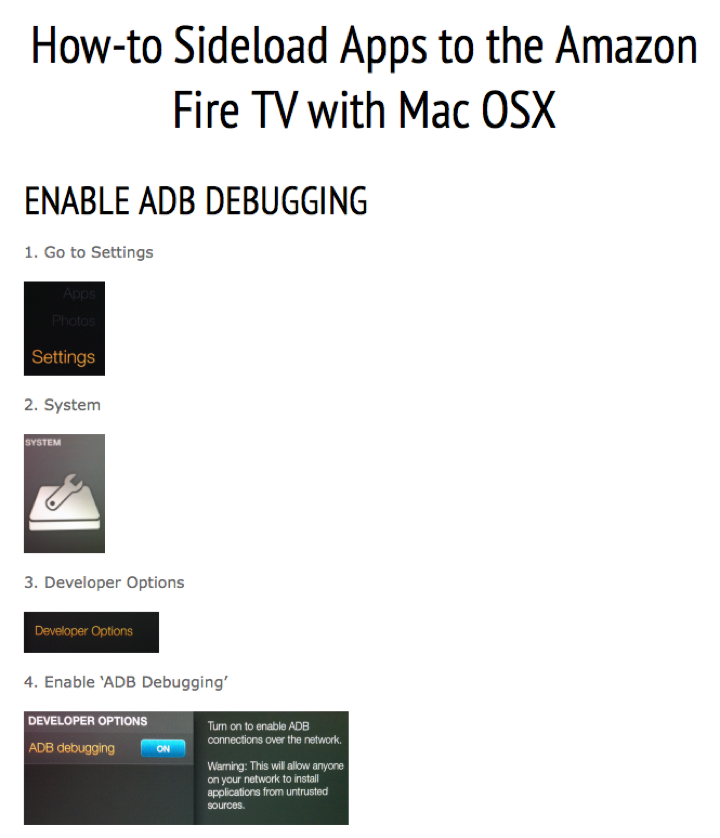
http://sideloadfiretv.com/sideload-apps-amazon-fire-tv-mac/

Or you can watch the video here.

Youtube: http://www.youtube.com/v/gILEjr-UJOU

Step 1.  Enable ADB Debugging.

Screen Shot 2014 10 29 at 7 54 03 am

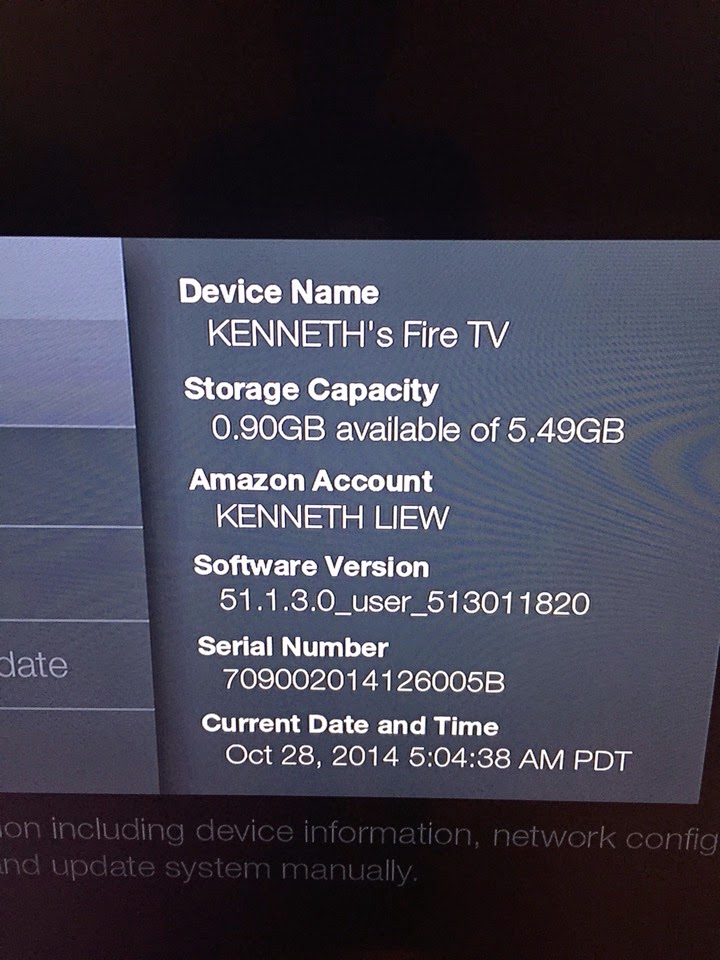
Step 2.  Obtain Fire TV IP Address.

Screen Shot 2014 10 29 at 7 58 15 am


Step 3.  Download the “Platform-tools”.

Download Files here:  platform-tools here

unzip the file, and then, run Terminal and type in the command.  (the Users, YourUserName is based on your machine)

Screen Shot 2014 10 29 at 7 58 53 am

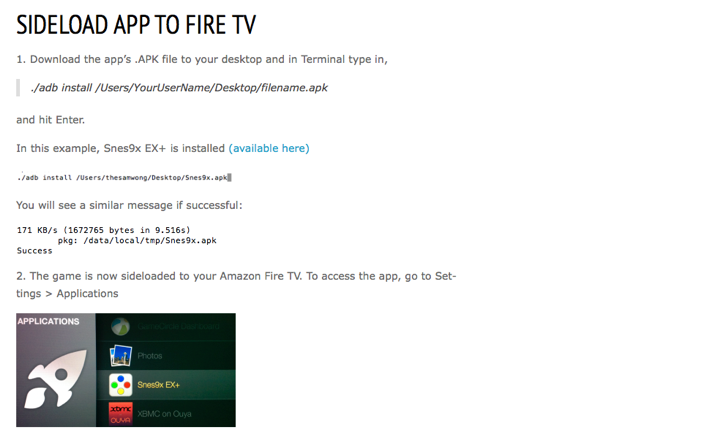
Step 4.  Side load the APK.  type in the command.

Screen Shot 2014 10 29 at 8 01 06 am

China Apps

You can obtain all the hacked China APKs here.

http://miniliew.blogspot.sg/2014/07/tv-media-box-xiaomi.html

or here

https://drive.google.com/folderview?id=0B_2LIa_dWu8sbTN1aGNEWmpXMlk&usp=sharing

IMG 2649

or the most important app to install is 沙发管家 (Sofa App Store).

IMG 2644

Because Amazon Fire TV systems file is in English, so Sofa App Store is also in English.

You can install many Apps here.  But those popular one you will need to have a hacked version and it cannot be found on Sofa App Store.

IMG 2645

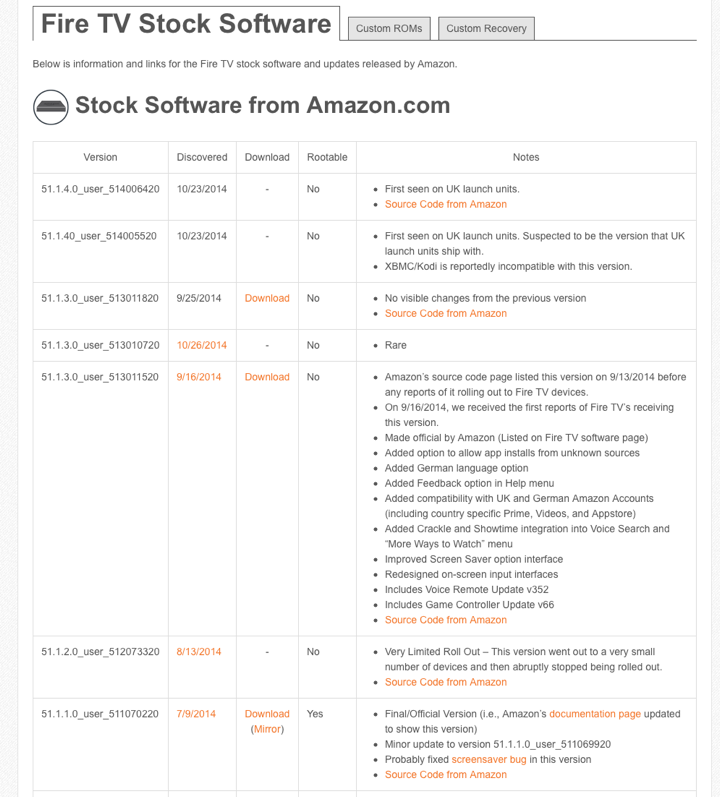
If you really really don’t know for what reason you want to root or jailbreak your Amazon Fire TV, bad news.  There is no root method available for these Fire TV running the latest version of firmware.

IMG 2669

You just have to wait until they come up with a root method for these newer firmware.

Amazon seems doing a great job closing all these loopholes.

One reason for rooting your Fire TV is to have the ability to change the HOME button so that it can select multiple launcher.  At the moment, when you press on the HOME button on the remote, it will go to the Amazon stock launcher.  Which does not list the apps you just download from your Mac using the ADB method.  

Screen Shot 2014 10 28 at 8 26 24 pm

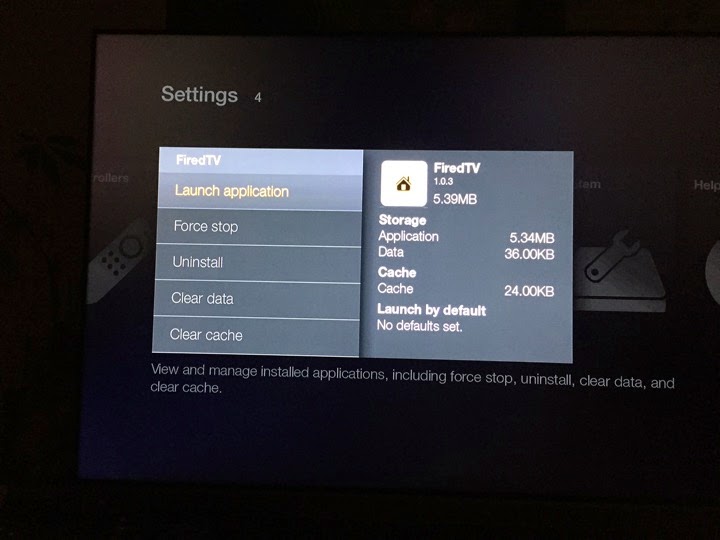
So, to access your apps that you downloaded, the stupid way is to go into Settings

IMG 2673

Manage All Installed Appliacations

IMG 2674

Find the App you want

IMG 2675

And select Launch Application.

IMG 2676

This is a new launcher I downloaded earlier.  It is called “firedTV” launcher.  For this App, if you press the home button, it will keep launching this app.  So it does not really go back to the stock Amazon launcher.  But I don’t like it as it is too simple.

IMG 2677

Of course, I will use back my favourite launcher, which is Shafa Launcher.

IMG 2683

You can change the theme to IOS theme too.  Which is more simplistic.

IMG 2713

EPL app 光芒体育 cannot run due to encoding problem.

LiveTV app also cannot run.  

But most of the App is OK.

This is PPTV on Fire TV.

IMG 2685

Vimeo on Fire TV.

IMG 2688

Youtube on Fire TV.

IMG 2689

Tudou on Fire TV.

IMG 2691

BestTV on Fire TV.

IMG 2693

Budin on Fire TV.

IMG 2696

Youku on Fire TV.

IMG 2692

Hulu Plus on Fire TV.

IMG 2700

Netflix on Fire TV.

IMG 2705

Sohu on Fire TV.

IMG 2715

The Amazon stock launcher with Amazon Instant Video / Prime Video.

IMG 2670

Conclusions

1.  This is the ultimate goal.  To run both English content and China content on the same box.

2.  You can't do this on Xiaomi Box because the China Developers did not write the English App to work with the remote control of Xiaomi Box.

3.  You can do this on Fire TV because it is basically an android box and most of the US App works with the remote of Fire TV and most of the China Apps magically works with the remote control of Fire TV.

4.  Amazon Fire TV is Quad Core Android box.  So, its performance beats Apple TV and level with Xiaomi Box.

5.  In order to do this, you cannot use Traffic Light or Purple color ISP.  Because all these player has incomplete solutions or they have to protect their TV content copyright fees.

6.  In order to do this, you have to use service such as Freedom VPN that allows you to unlock geo-lock from US, China and UK and other countries at the same time.  If you use other VPN services, good luck in configuring and it can only VPN to one country at a time.  

7.  In addition the gaming experience on Fire TV is super!

OK.  Have fun with your Fire TV.